Learn

How a branch runs on BuildMapper. Free guides, no sign-up.

39 guides for the manager who sets up the territory and approves the week, and for every rep who works the leads. Most take five minutes.

Start here · Manager
New manager? Read these first, in order.
Your setup and your week on one page, then the shape of the loop, your territory, Monday's leads, and the score your reps will ask about.
  1. 1The branch manager's playbook: a lead process that runs itself 9m
  2. 2How a week runs on BuildMapper 6m
  3. 3Set up your territory and load your customer file 5m
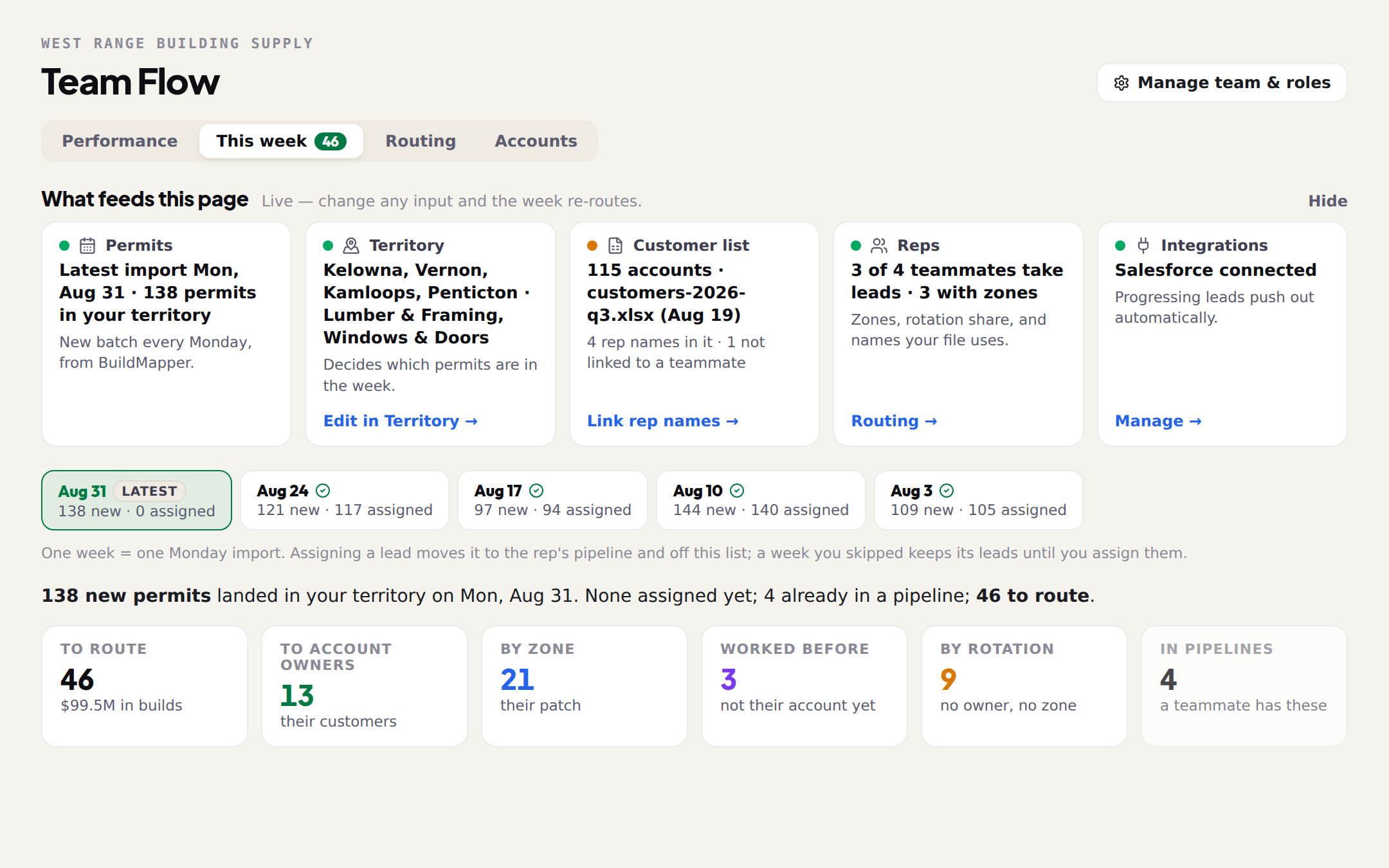
  4. 4Assign Monday's leads in Team Flow 7m
  5. 5How the fit score works 6m
Start here · Rep
New rep? Start with these.
The one page your manager will hand you, then your Monday list, Scout, and the first call. Twenty minutes, then go call someone.
  1. 1The rep's one-page guide: leads on your phone, and what to ask Scout 6m
  2. 2Your first week as a rep on BuildMapper 6m
  3. 3Scout on your phone: the morning brief 5m
  4. 4The first call, when you sell material 6m
Start here · Trade
Sell your own trade? Start here.
The first ten minutes, when to call, and what to say.
  1. 1Your first 10 minutes in BuildMapper 8m
  2. 2Timing your outreach: when each trade buys 7m
  3. 3The first call: turning a permit into a conversation 6m
Most read

Run the branch

10 guides

For the manager: set up your territory, load your customer file, see the jobs you are not on, and approve Monday's leads.
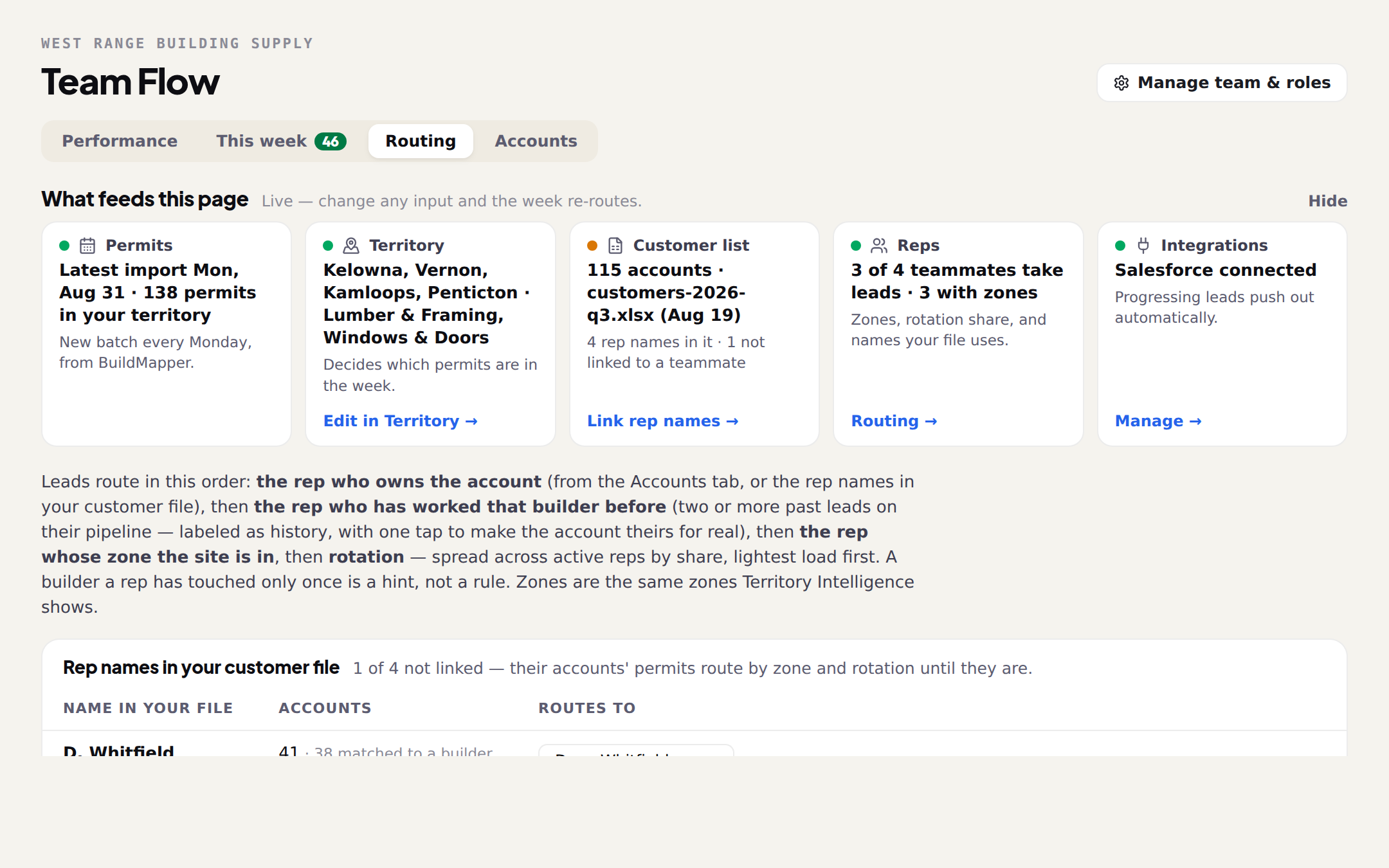
How a week runs on BuildMapper
The whole loop in one read: permits land Monday, you route them, Scout works them with each rep, the pipeline and the quote keep themselves current, and every won job teaches next Monday's list.
6 min read
The branch manager's playbook: a lead process that runs itself
One sitting of setup, ten minutes on a Monday, and your five to eight reps get their leads handed to them with the pitch already written. What you get, the best and the worst week, the setup in order, and what to tell your reps.
9 min read
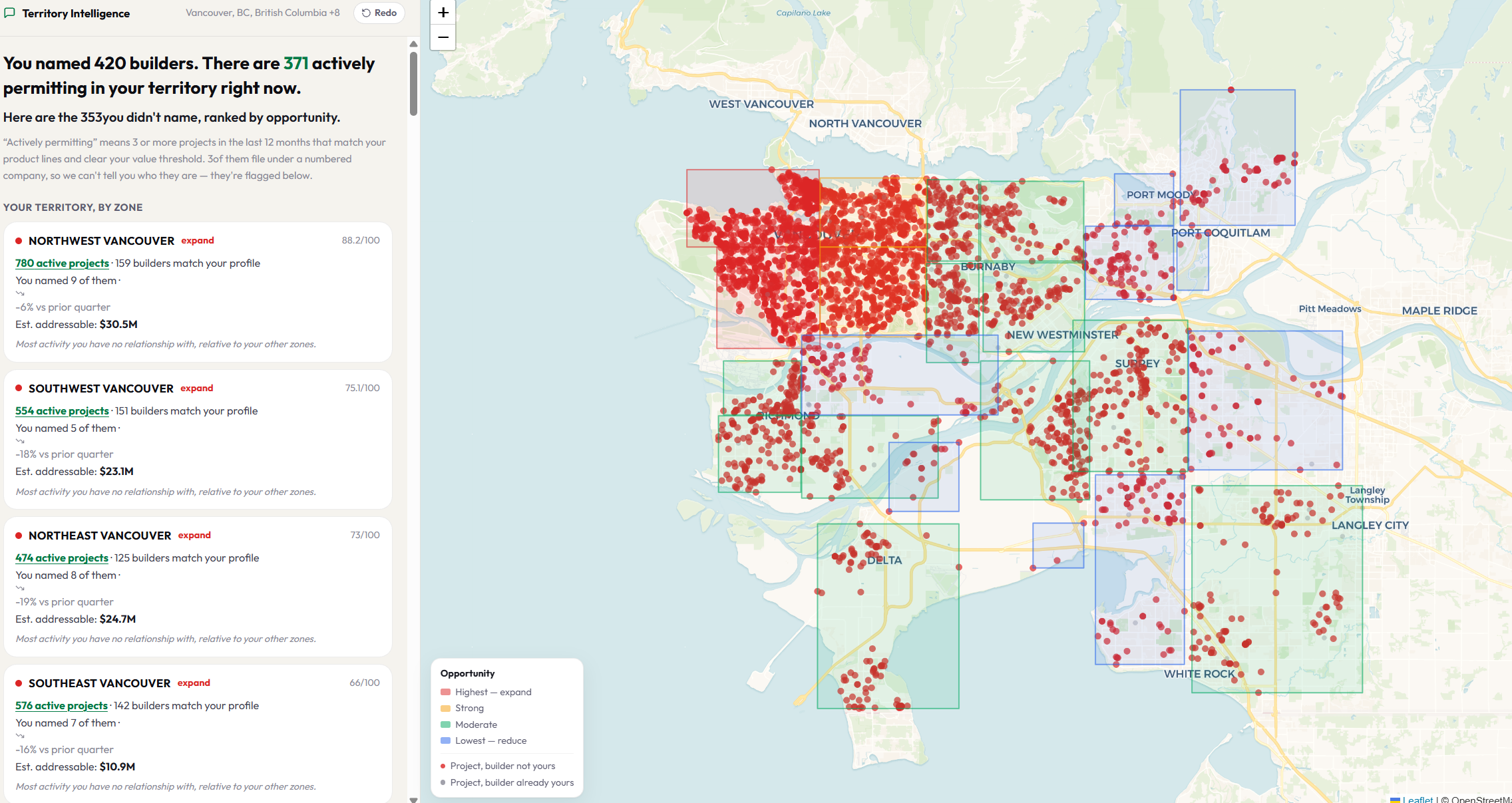
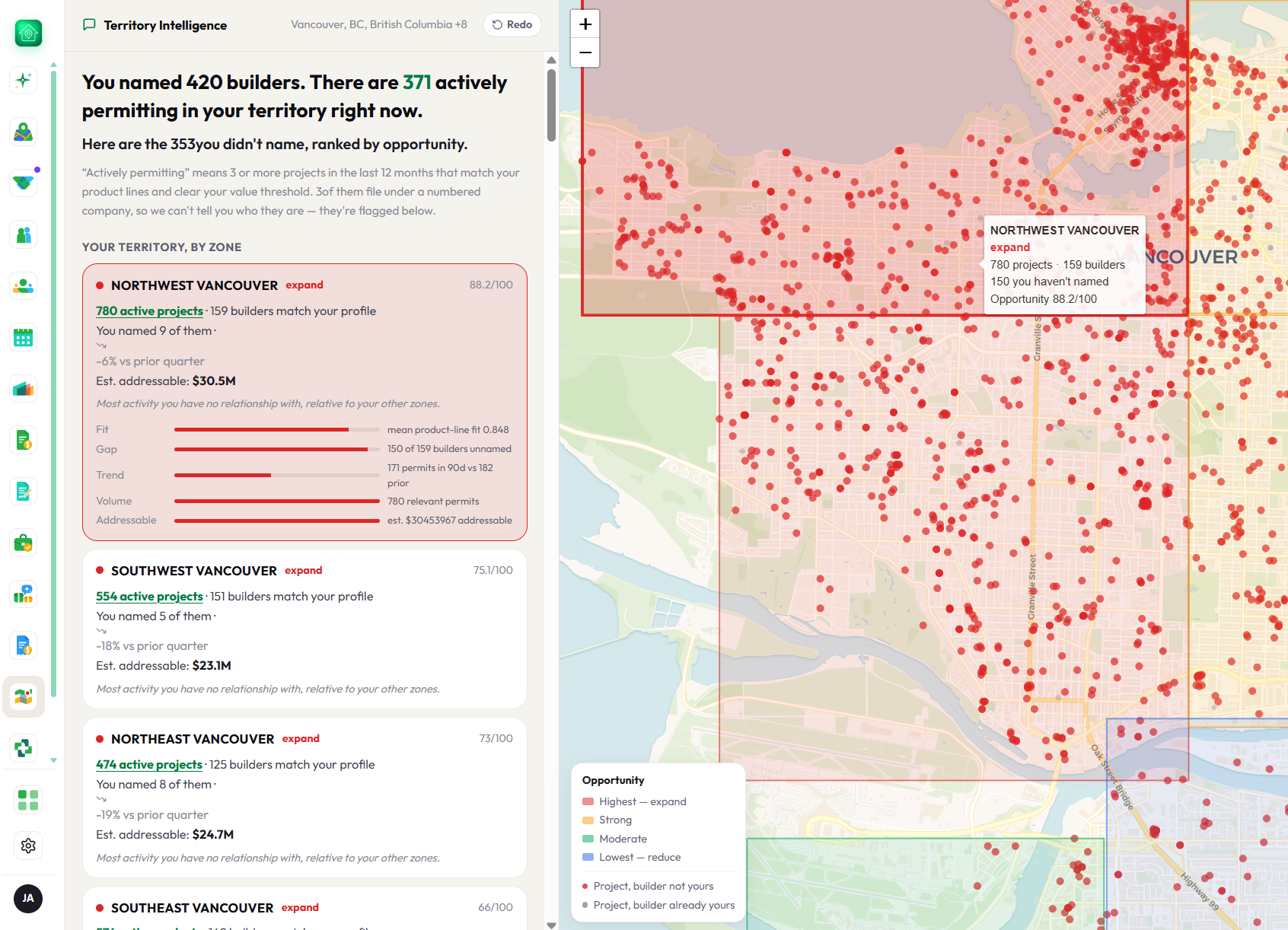
Set up your territory and load your customer file
No questions and one spreadsheet. Your territory and product lines come from your profile; the customer file is what turns the builder list into coverage. Every number on the Territory page is measured against these.
5 min read
Reading the gap: the call list, your accounts, and the leak
What each part of the Territory page is telling you, what the dollar figures are and are not, and the one thing to do first.
6 min read
The free coverage check, and what happens to your file
Pick your area, get every builder permitting there on the same page. No account, no card, nothing to upload. Add a customer list for the leak report; the file is deleted after it is read.
3 min read
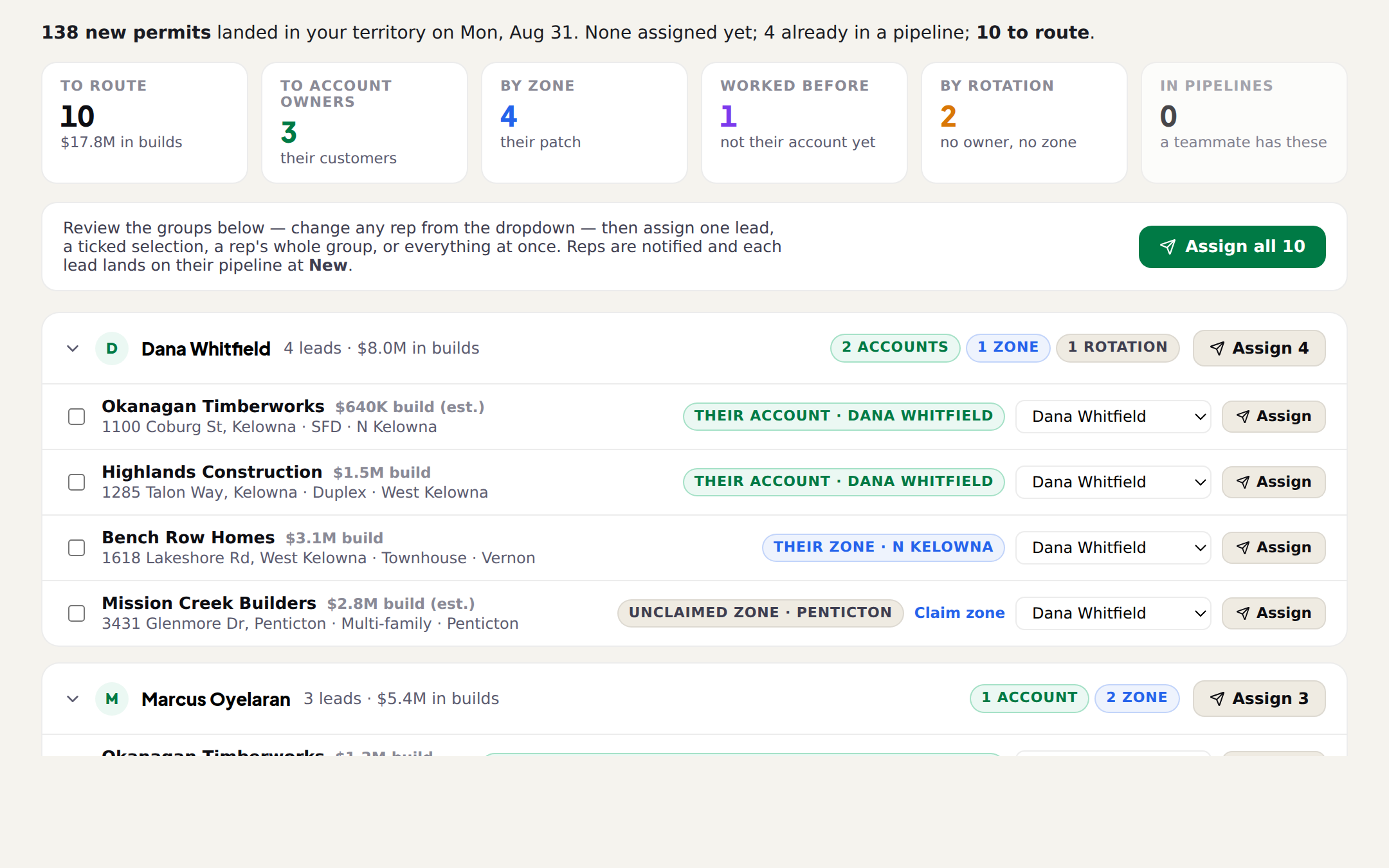
Assign Monday's leads in Team Flow
Every new permit in your scope, grouped by the rep who should work it, with the reason on each one. Nothing reaches a rep until you assign it.
7 min read
Who gets which lead: scope, zones, fit and rotation
The Routing tab is where you tell Team Flow which permits are yours, who takes leads, what each rep takes, and which names your customer file uses for them.
6 min read
Accounts: who owns which builder
Ownership is what routes a builder's next permit to the right rep. The Accounts tab shows it, finds two reps on one builder, and moves leads without losing anything.
4 min read
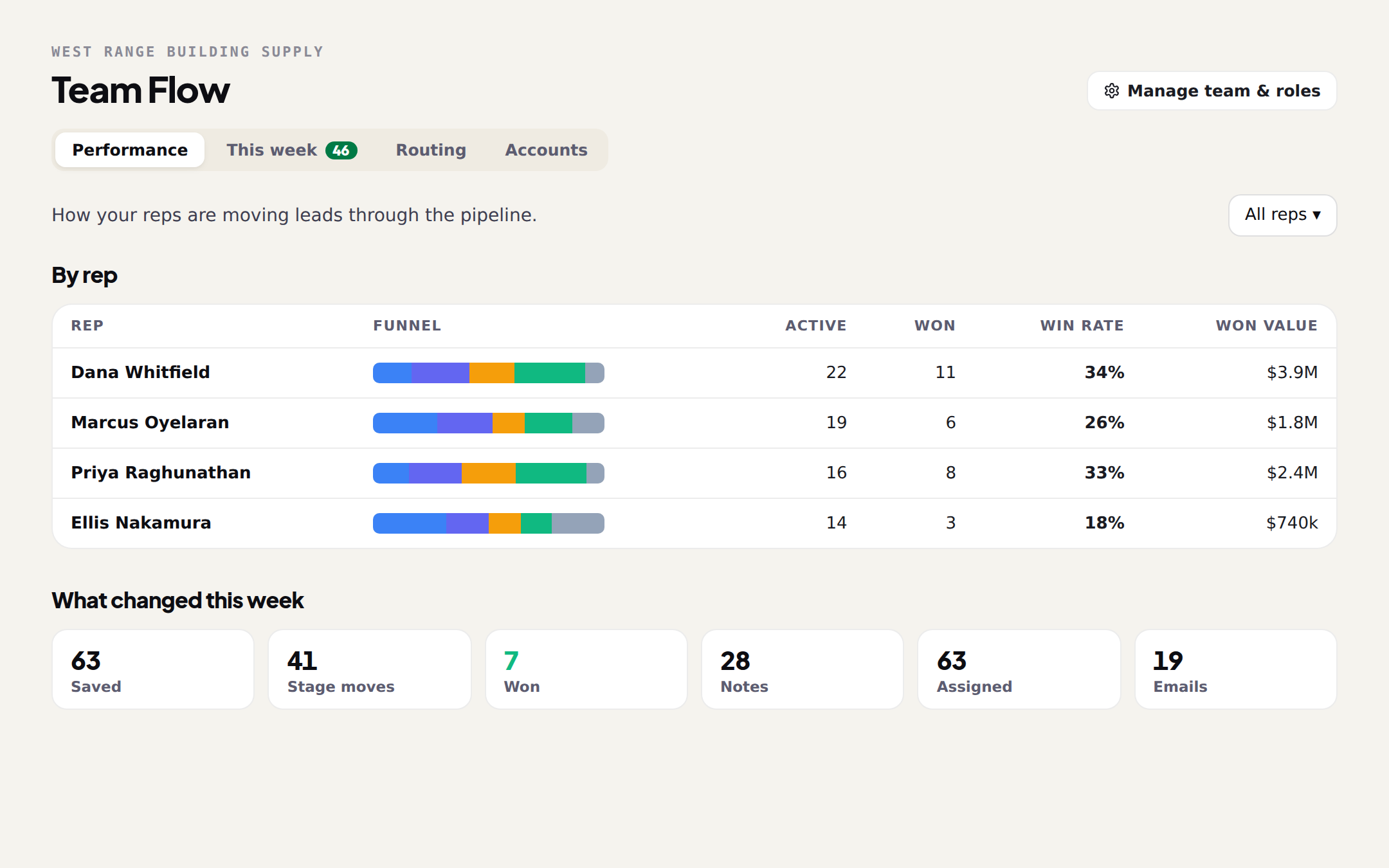
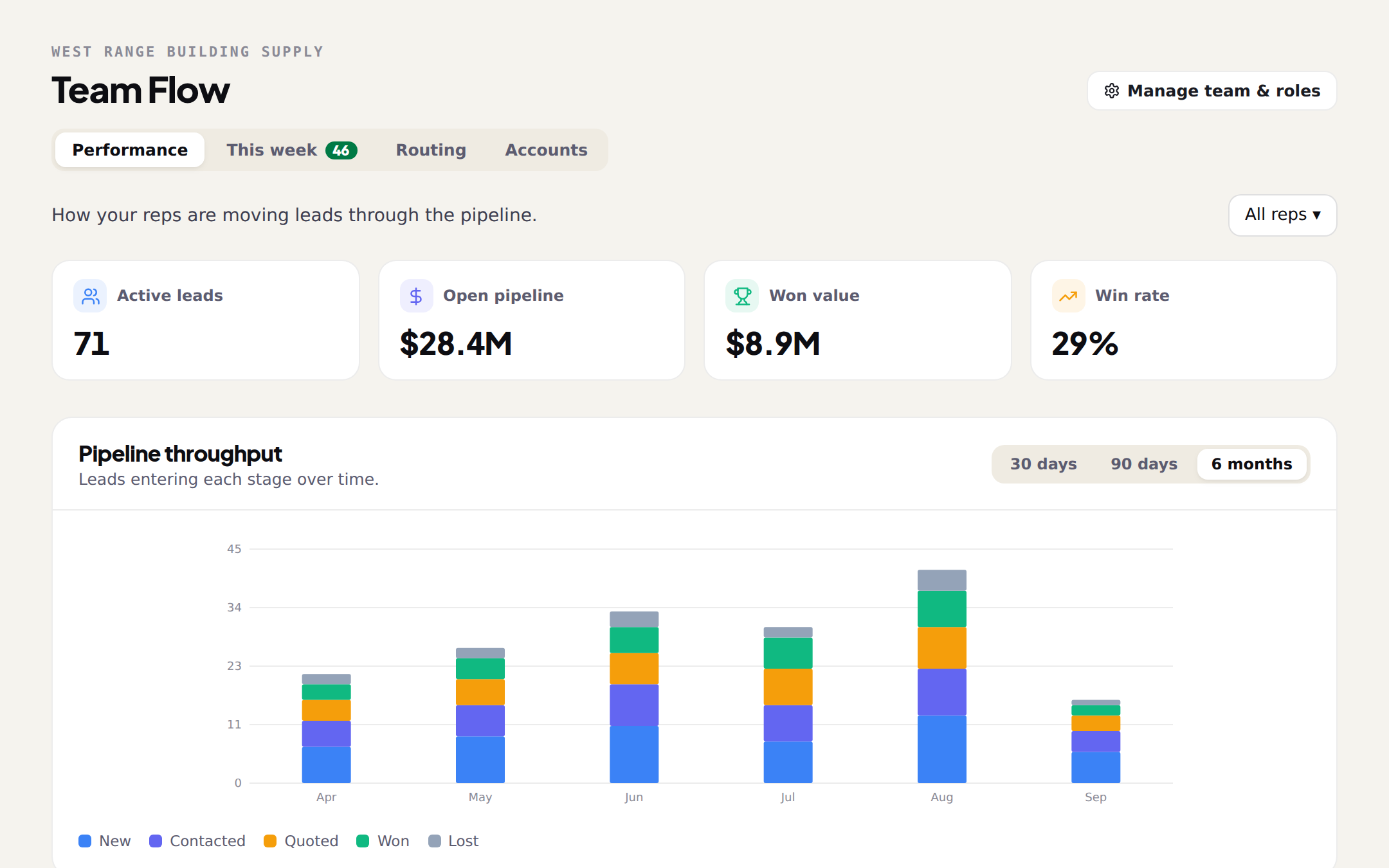
Reading the Performance tab
How your reps are moving leads: four numbers, a throughput chart, a funnel per rep, what changed this week, and every lead that has gone quiet.
4 min read
Seats, roles and the join code
Create the team, invite reps by email or with a code, set who manages, and know what is shared and what stays each rep's own.
4 min read

Work the leads

13 guides

For every rep: your Monday list, Scout on your phone, the first call, the quote, and the pipeline.

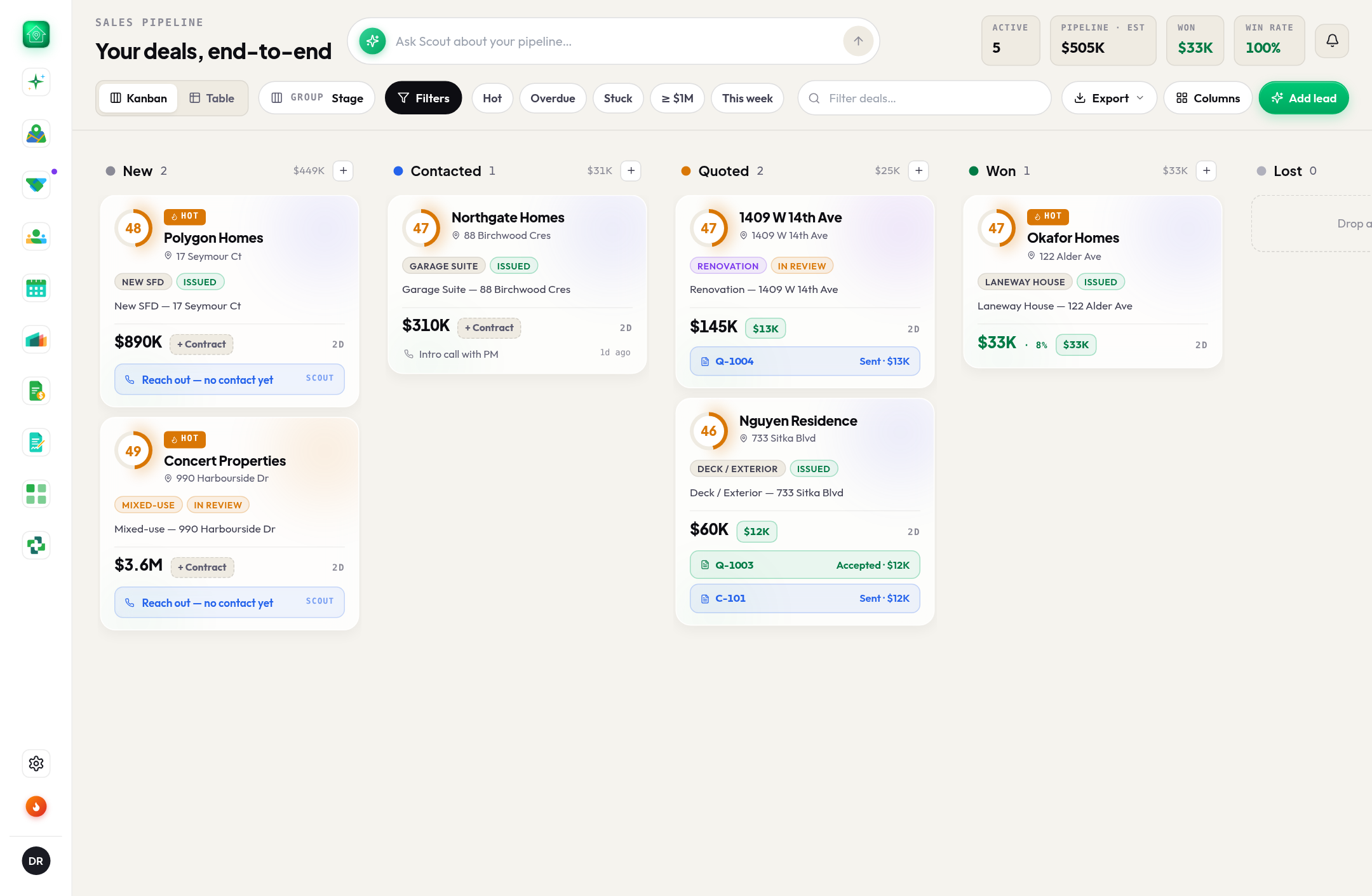
The rep's one-page guide: leads on your phone, and what to ask Scout
Your leads arrive on Monday with the first message already written. You call, then tell Scout what happened in plain words. The whole job on one page, and the questions worth asking, grouped by the moment you are in.
6 min read
Your first week as a rep on BuildMapper
Your manager set the territory. Your Monday leads arrive scored, with the reason. Here is the loop: read, call, quote, move the card.
6 min read
Scout on your phone: the morning brief
Connect Scout to your number and the day's leads arrive by text with the message already written. You send it. Reply in plain words and the pipeline keeps up.
5 min read
The first call, when you sell material
The builder needs lumber, windows, flooring or appliances in the next few weeks and has not ordered yet. Two minutes of homework, one honest opener, and a voicemail that gets returned.
6 min read
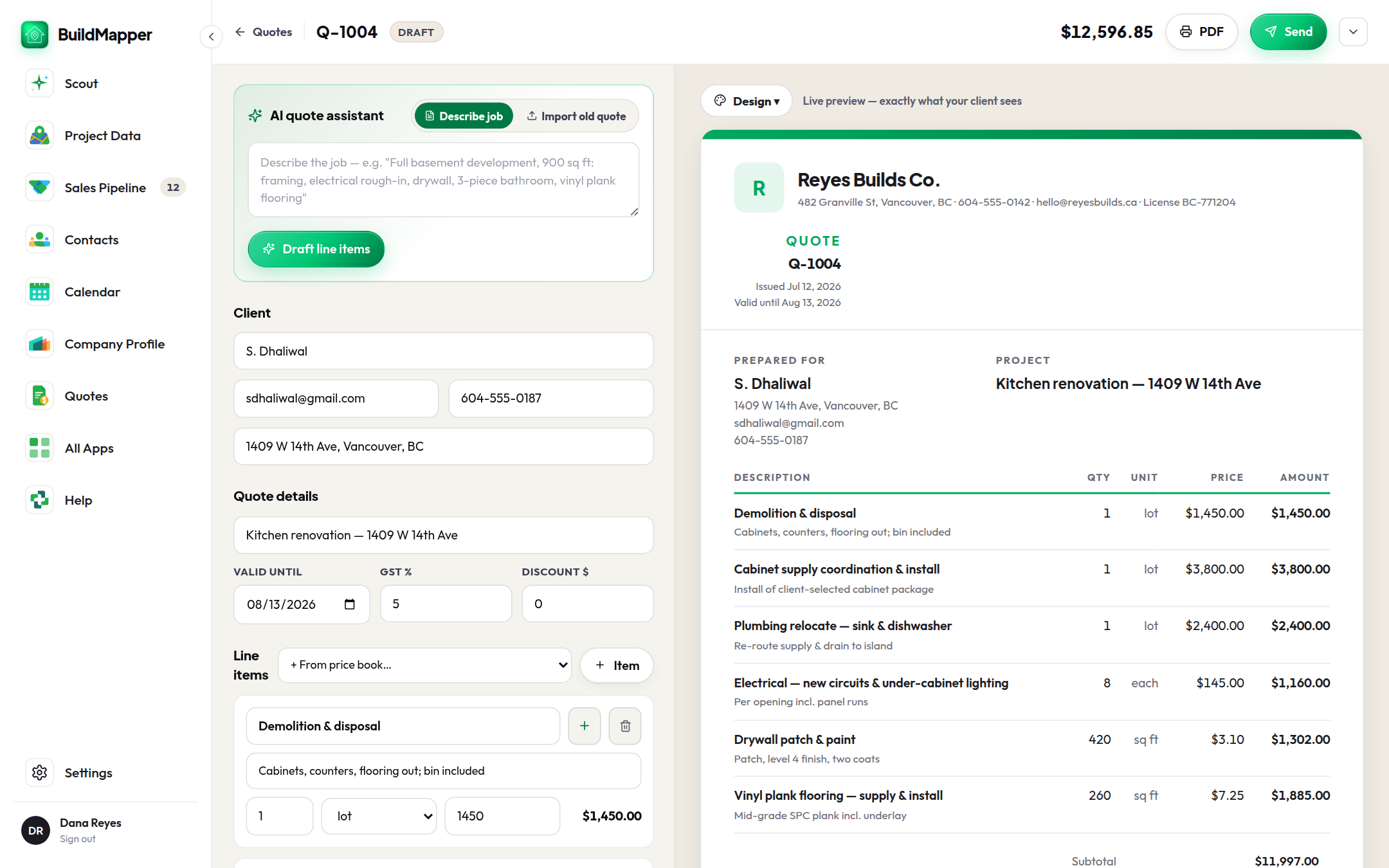
A quote from the plans in ten minutes
Describe the job or drop the plan set, let the line items draft from the price book, send a private link, and the amount lands on the pipeline card when they accept.
6 min read
Draft a first-contact email in 30 seconds
Six templates for where the deal is. Pick the moment, add a line of context, read it, send it. Every draft is logged on the lead.
4 min read
Clear the bell every morning
The bell is the morning huddle: what changed overnight, sorted so you act instead of scroll. Start on Stale.
3 min read
BuildMapper on your phone, between jobs
Add it to your home screen and it runs like an app: the same scored pins, the same Scout, the same pipeline, in the ten minutes before your next stop.
3 min read
Read a project the way a closer does
Behind every pin is a full project record. How to read it in ten seconds and act without leaving the panel.
4 min read
Filtering the map down to your top 10
Thousands of new permits land every week. Stack a few filters so the map shows only the ones worth a call this morning.
6 min read
Asking Scout the right questions
Scout, your AI assistant, reads your live, scored permits. Ask the right way and you get a permit table you can act on, not a paragraph.
6 min read
Move deals through the pipeline
Drag deals from stage to stage, find what needs you today, and keep old leads from going cold.
6 min read
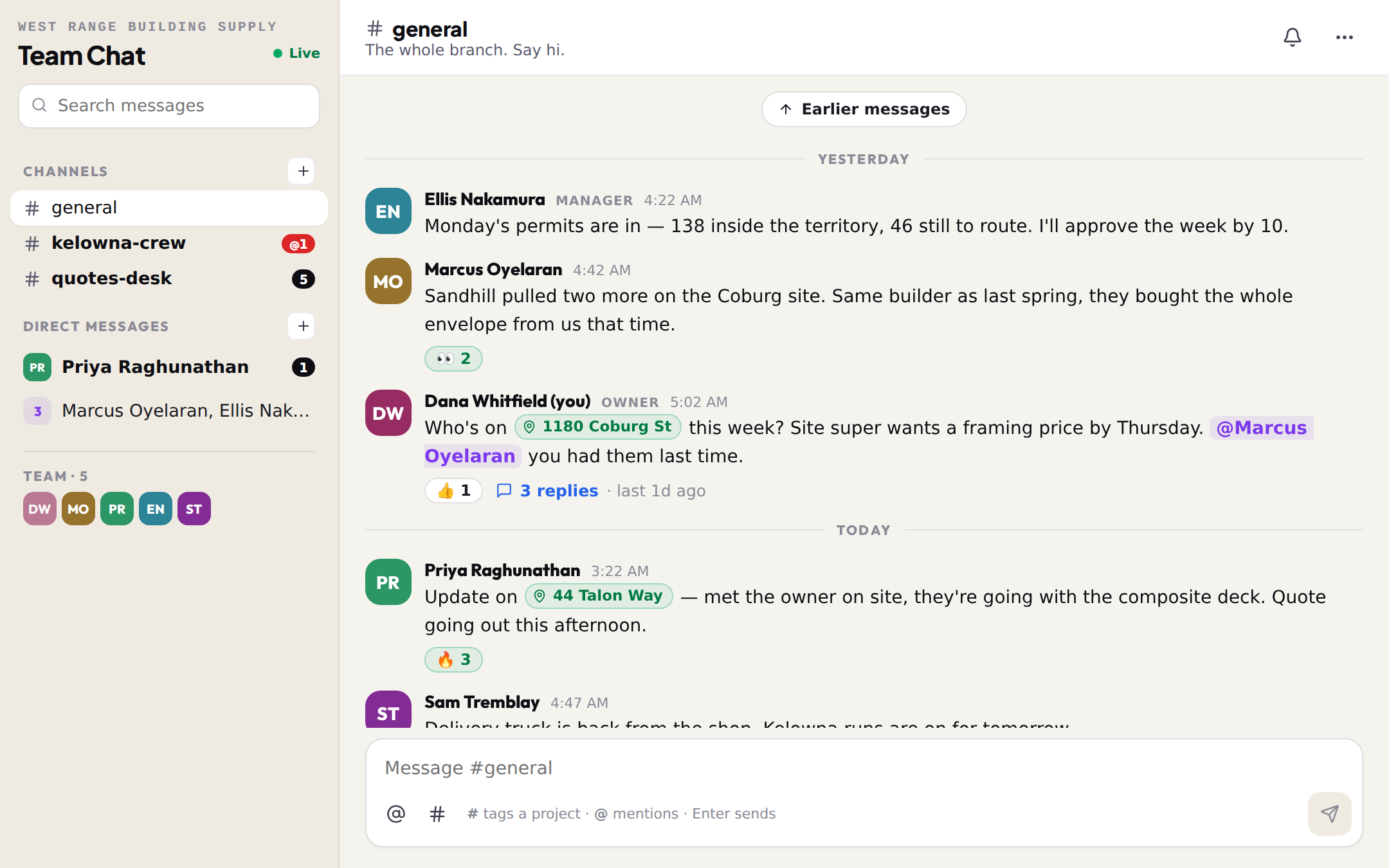
Team Chat: tag the job into the message
Channels, direct messages, threads and files for the branch, with the project, builder or quote tagged right into the message so whoever reads it opens the real thing.
4 min read

The tools

7 guides

Project Data, Product Brain, Quotes through Invoices, Jobs, Calendar, Connections, and what plugs into your ERP and CRM.
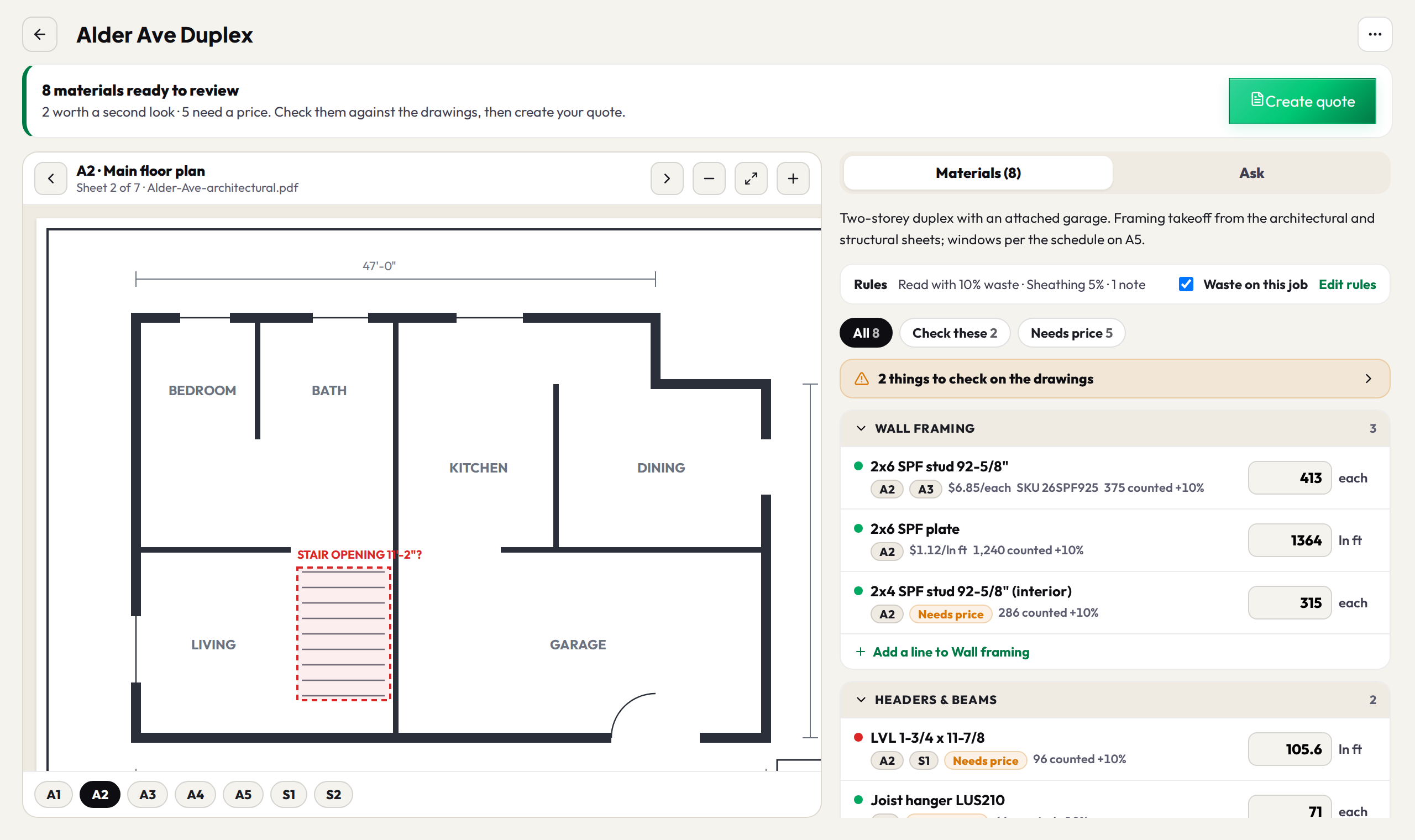
Plan takeoffs: from drawings to a quote
Drop the whole plan set, check the materials beside the drawings, set your waste and standing notes once, then export a materials list or put it on a quote with one button.
6 min read
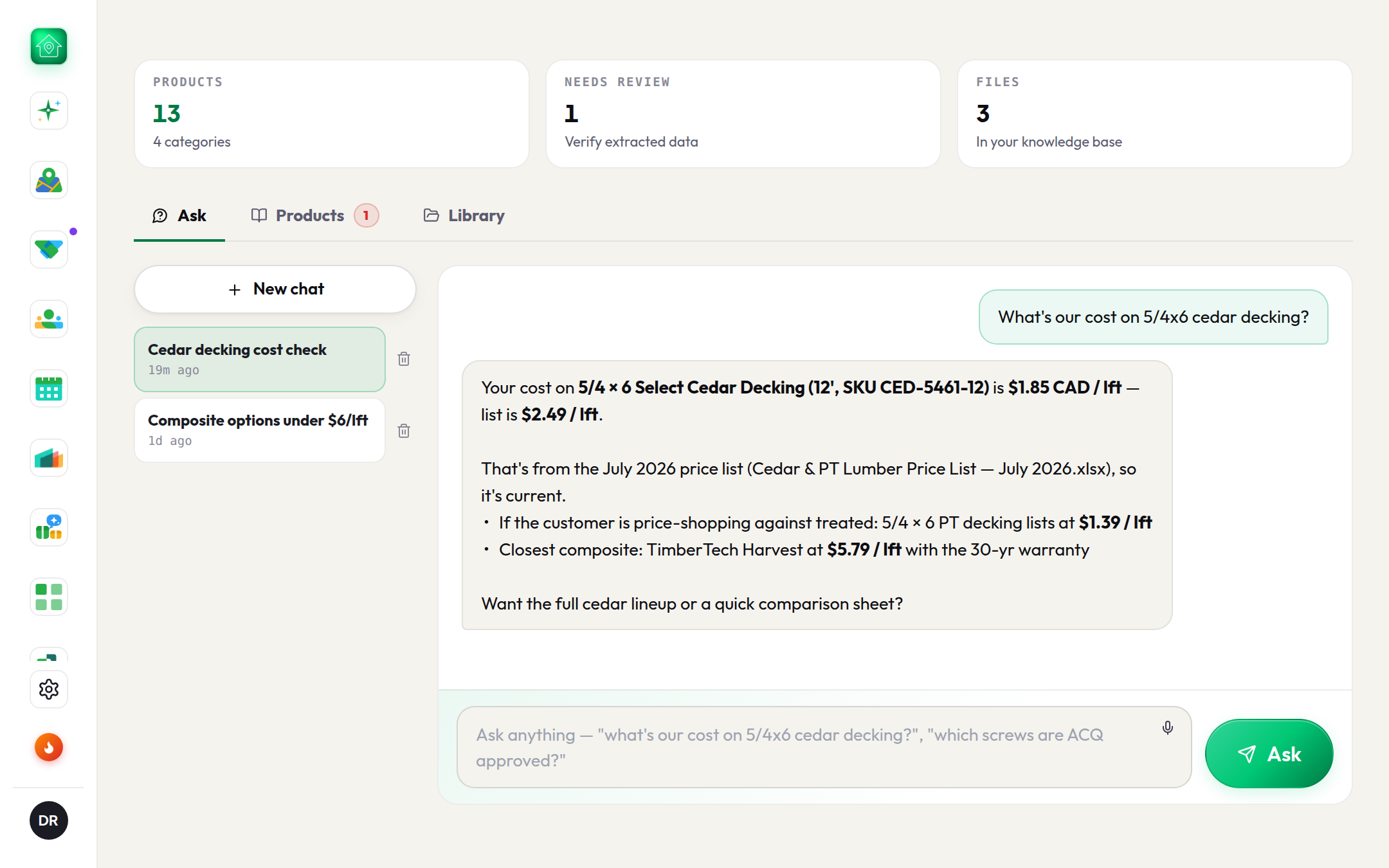
Product Brain: your price list in plain English
Drop price lists, spec sheets and catalogs. Ask a question, get the exact price with the source file cited, and never a guess.
5 min read
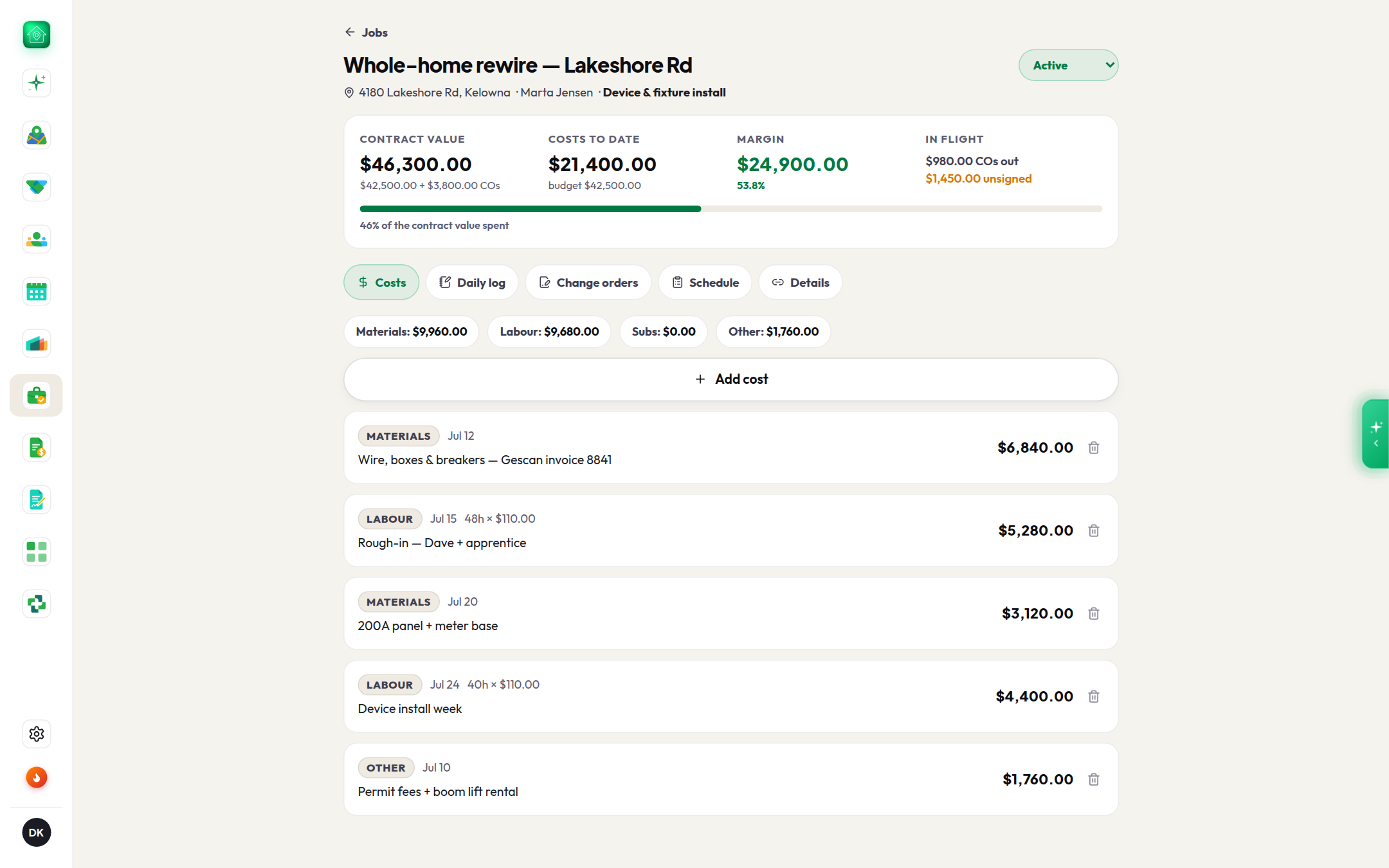
Quote → Contract → Invoice → Job
One record from the first price to the last dollar. What each step carries into the next, who signs what, and the client link that never shows money.
7 min read
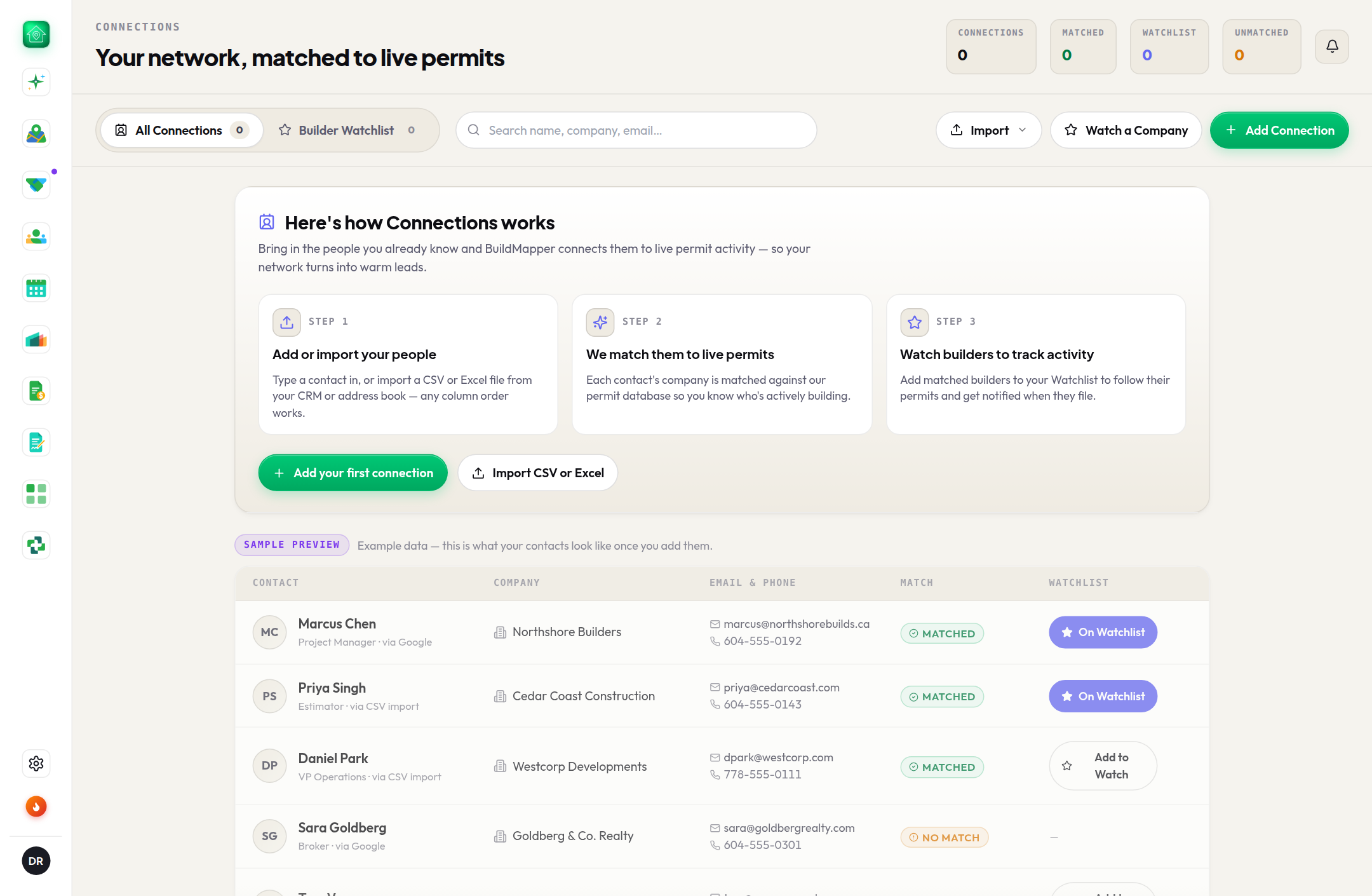
Import your contacts and watch the builders you know
Upload your address book once, let BuildMapper match each name to the builder pulling permits, then star the ones whose next permit you want to hear about.
4 min read
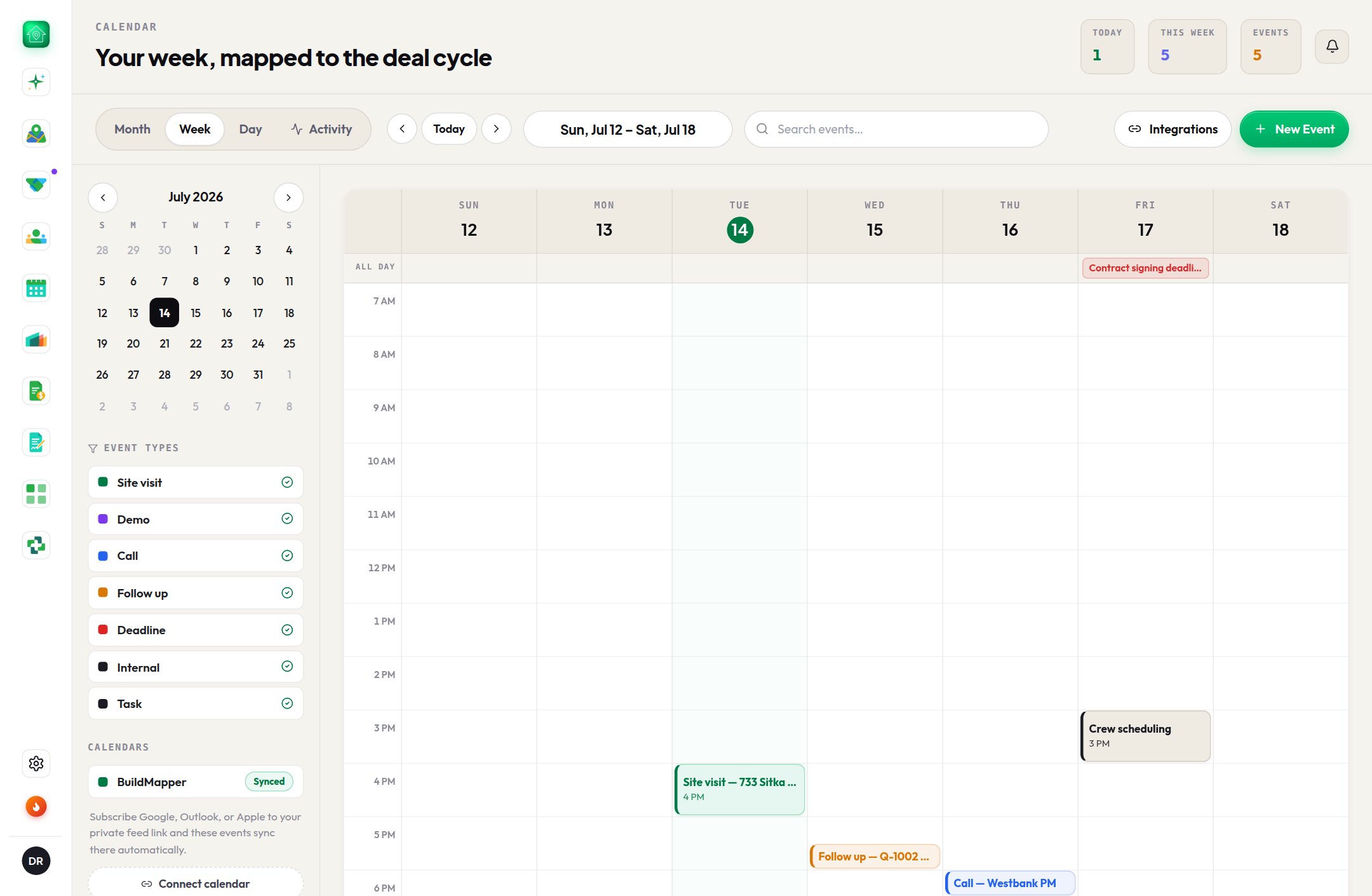
Subscribe your calendar (Google, Outlook, Apple)
One private, read-only link, added once. Every site visit and follow-up you create in BuildMapper shows up in the calendar you already live in.
3 min read
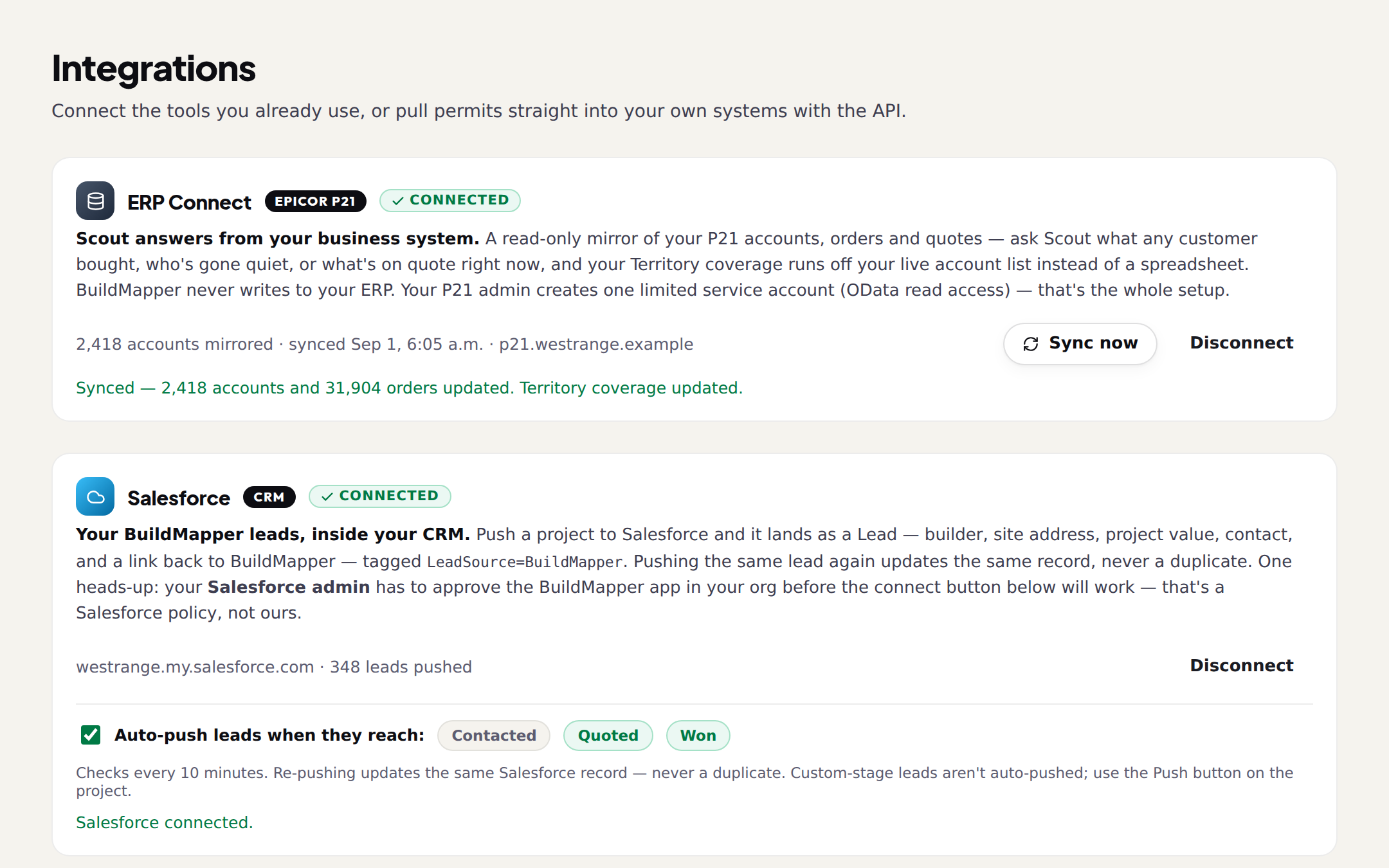
ERP Connect, Salesforce Sync, the API and webhooks
Read-only beside every ERP mention. What is live, what is next, what is a CSV, and what the API gives a developer.
6 min read
Use BuildMapper from Claude
Add BuildMapper as a connector in Claude, sign in once, and ask for permits, your pipeline and your documents in plain words. Reads run on their own; every change asks you first.
4 min read

Playbooks

3 guides

When each trade buys, how to read a permit, and what to say on the phone.

Reference

4 guides

How the score is worked out, questions to ask Scout, a glossary, and straight answers.

For trade contractors

2 guides

The same map and Scout, for a crew that sells its own work.

Reading about it is the slow way. See your area on the map today.

Every permit in your area, scored for what you sell, with Scout and the pipeline open for the whole trial. 25 project views or 14 days, whichever comes first, no card.

Run a branch? Drop your customer list on the free coverage check and see which of your own customers are building without you. No account needed.