
Everything a branch manager asks on Monday, answered in one place.
Performance opens first, because it is the page managers already know. The other three run the week. Every number comes from the same place as your reps' pipelines, so the two can never disagree.
Know who's closing, and what's stuck.
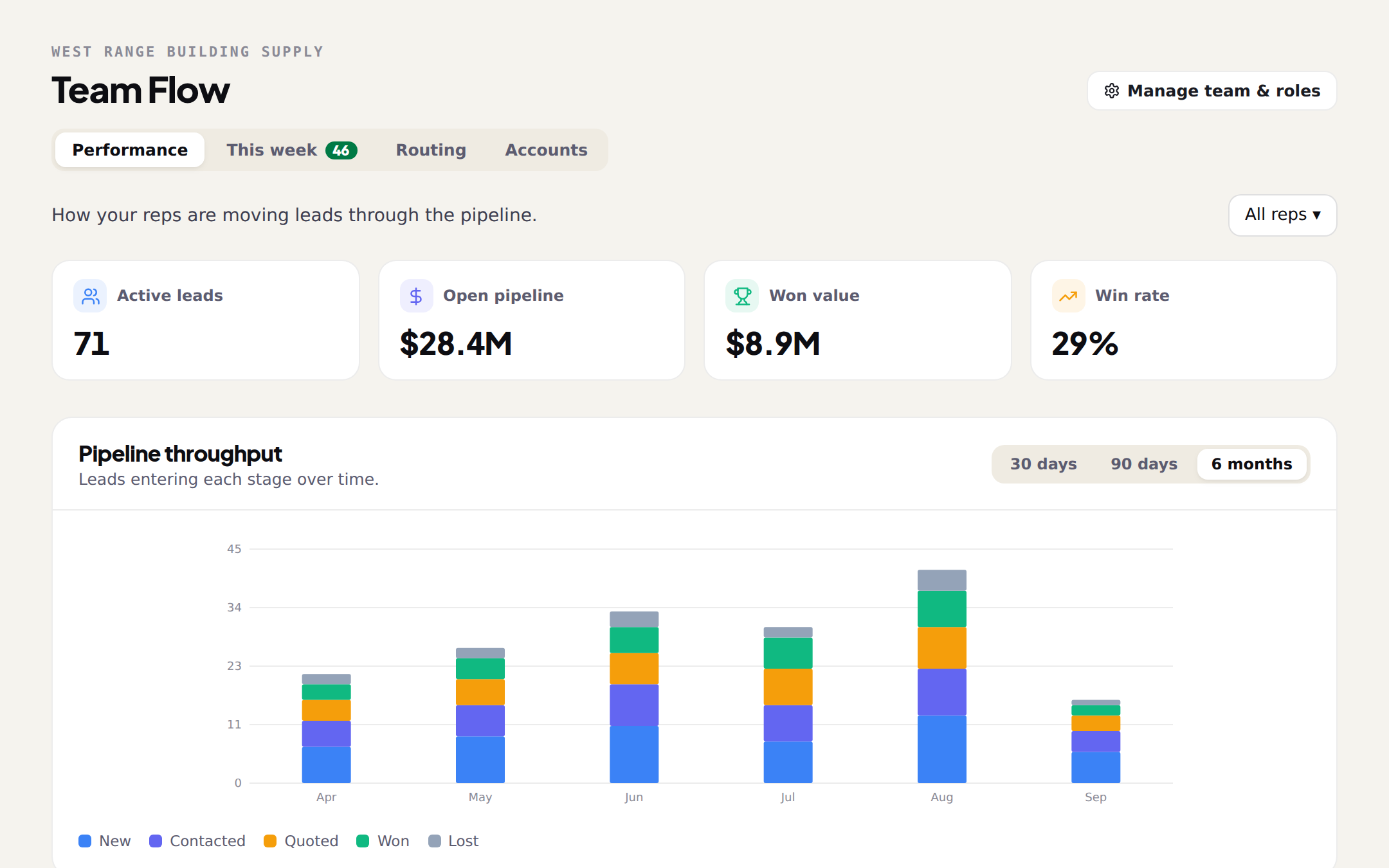
Every move on every rep's pipeline rolls up here. Active leads, open pipeline, won value and win rate at a glance, a chart of leads by stage, and every rep's funnel side by side. Filter to one rep, or look at the whole branch.
- Totals: active leads, open pipeline, won value, win rate
- Pipeline flow by stage over 30 days, 90 days or 6 months
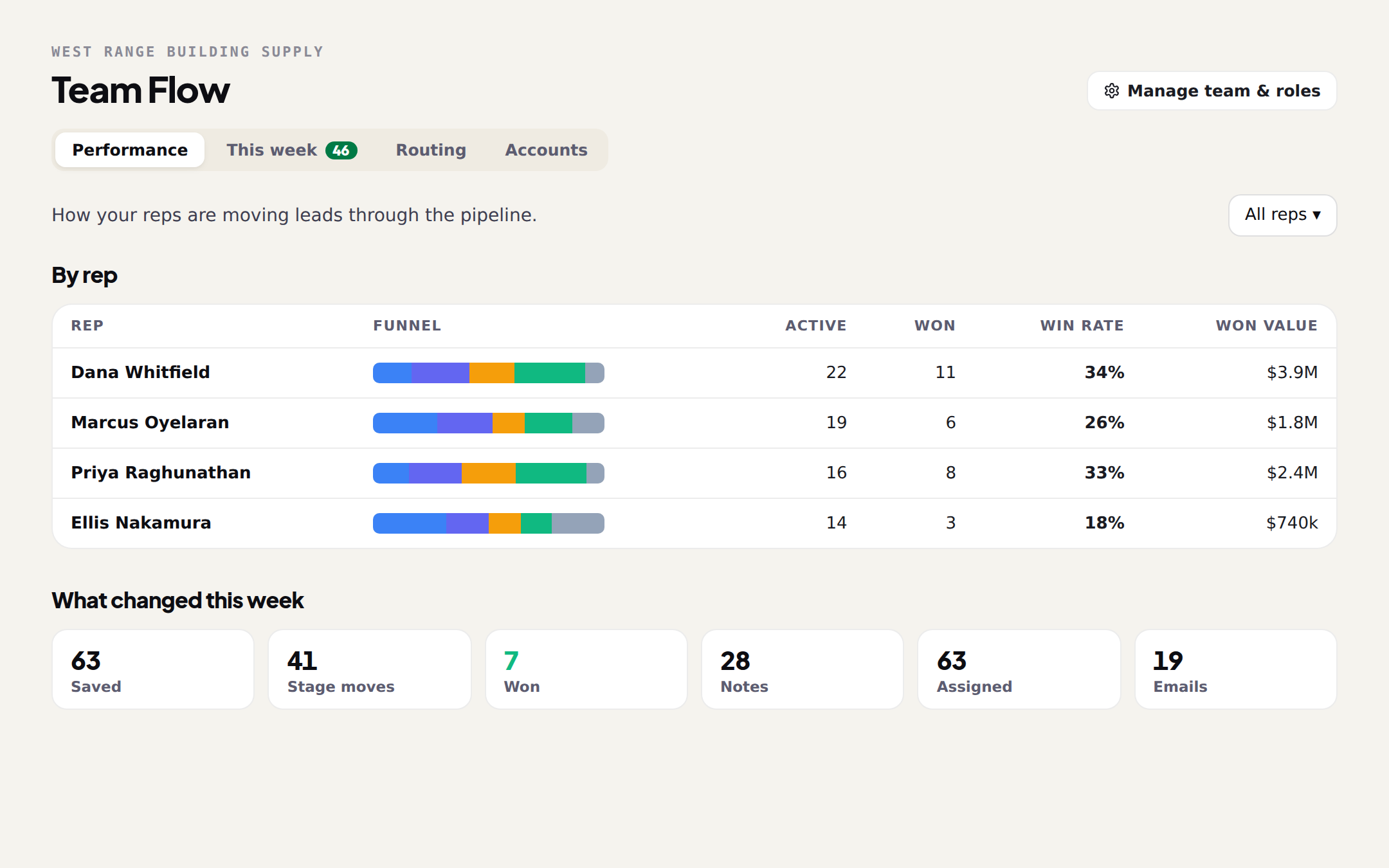
- By rep: funnel, active and won counts, win rate and won value, side by side
- What changed this week: saves, stage moves, wins, notes, assignments, emails
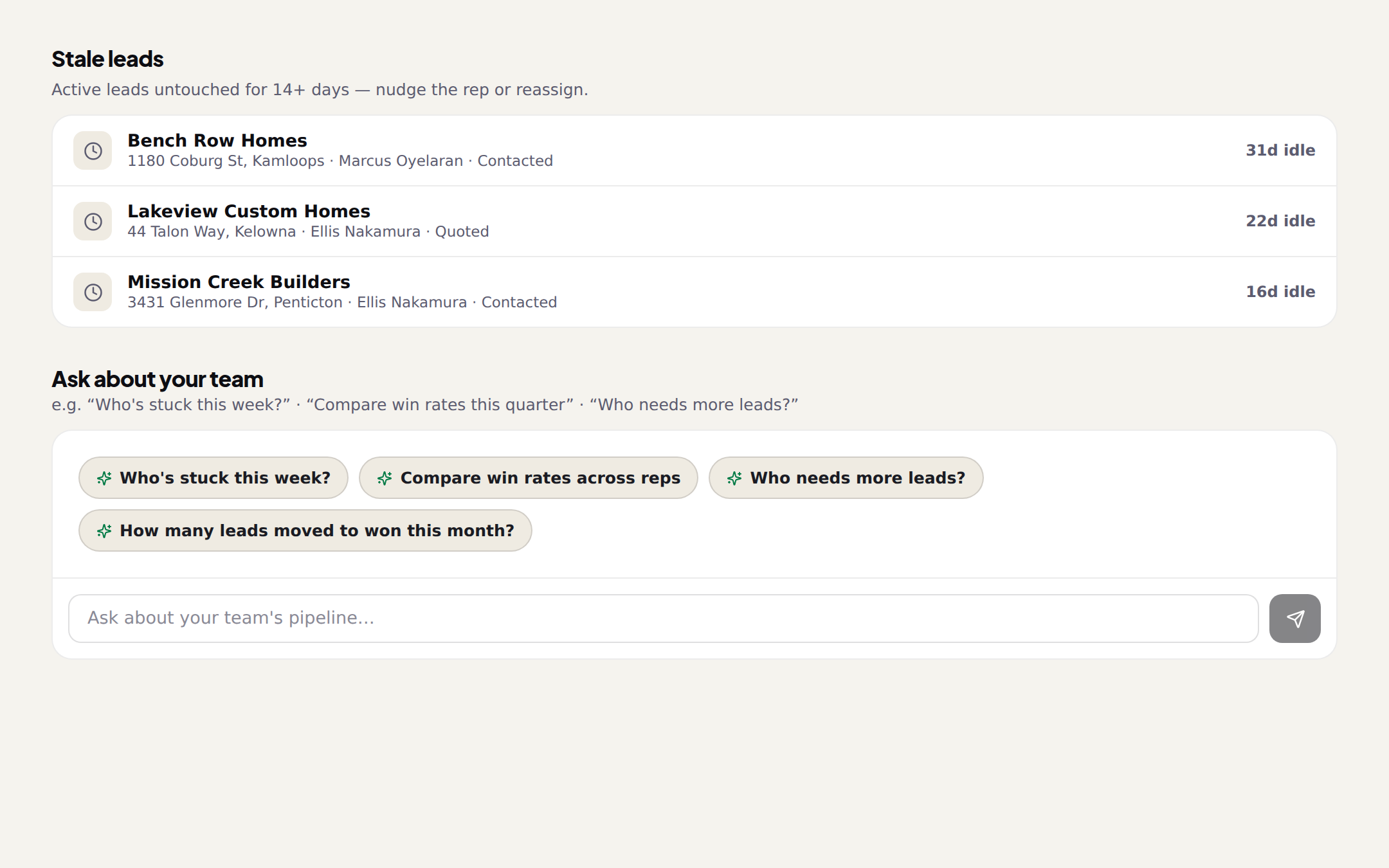
- Stale leads: anything active and untouched for 14 days, with the rep and the stage
- Ask about your team: a chat that answers from the same numbers
Nudge the rep. Or just ask.
The bottom of Performance is where the week's problems show up. Stale leads list every active lead nobody has touched in two weeks, with the rep and the stage, one click from the project. Under it, a chat over your team's numbers.
- "Who's stuck this week?"
- "Compare win rates across reps"
- "Who needs more leads?"
- "How many leads moved to won this month?"
Leads sorted by rep, before anyone opens a spreadsheet.
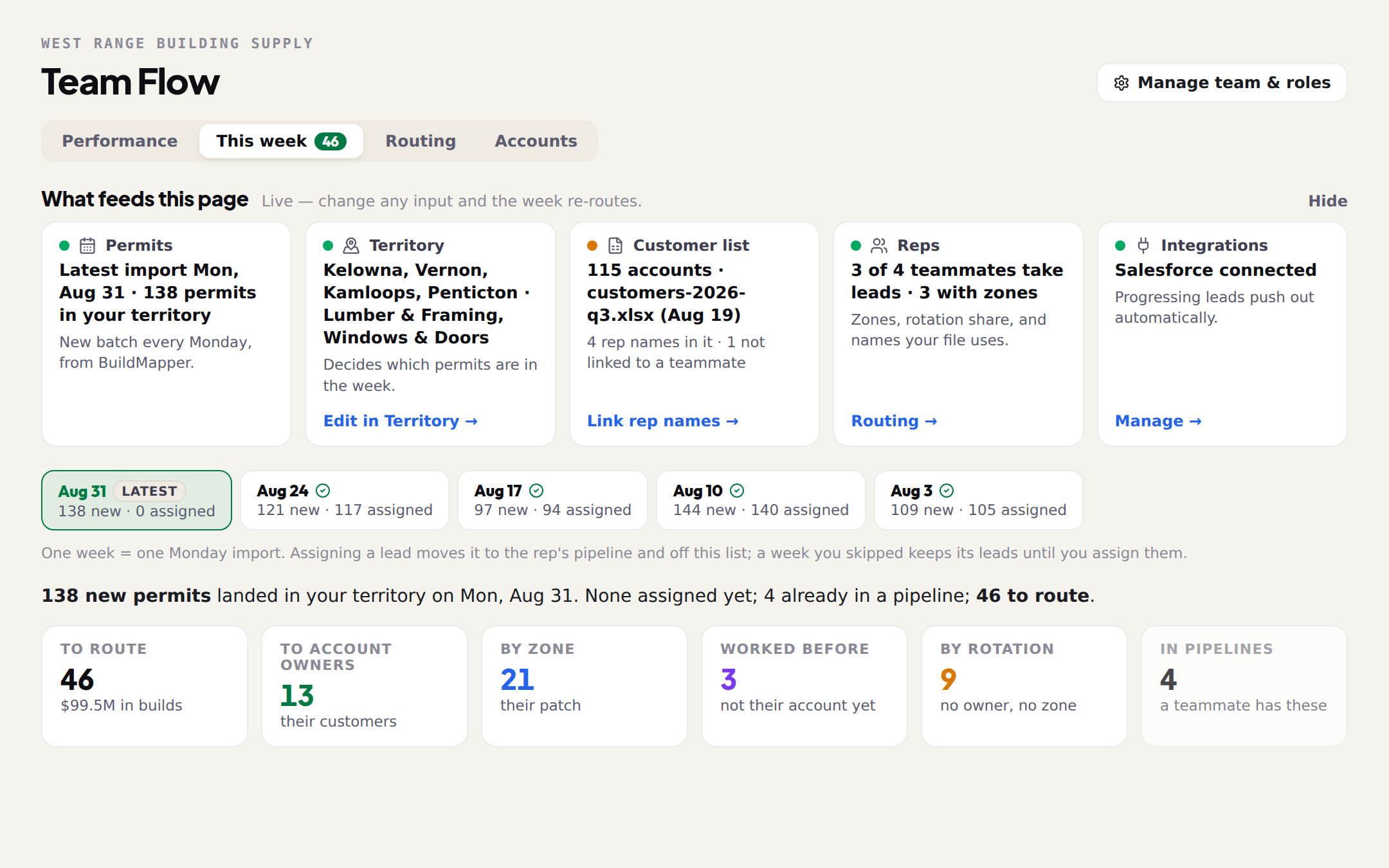
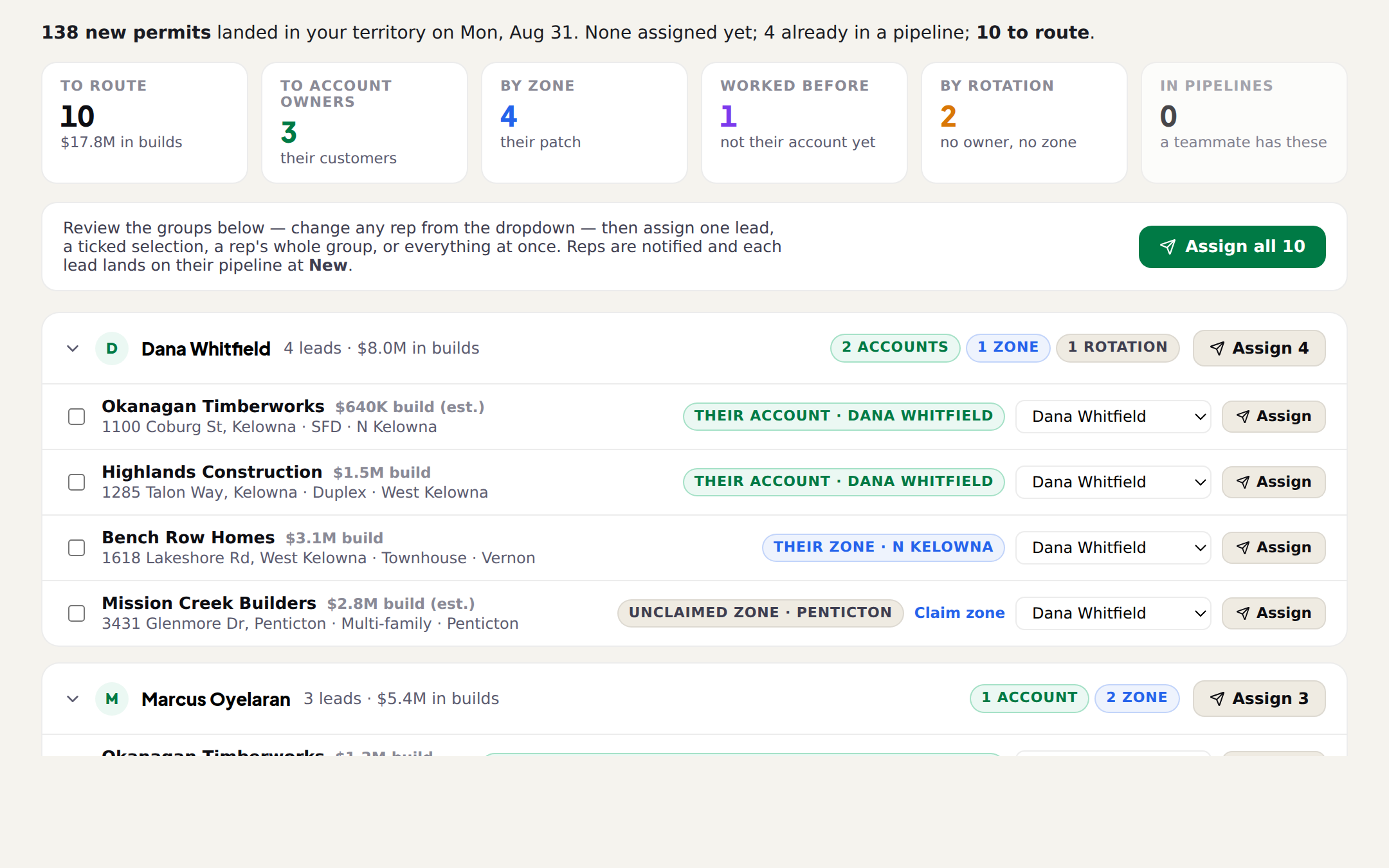
Every Monday, the new permits inside your area arrive together, already grouped by the rep who should work each one. The strip at the top shows what went into the week and what still needs you. Below it, one group per rep, with the reason on every lead.
- What goes into this page: permits, your area, customer list, reps and connections, each with its status and the one thing it needs
- One week = one Monday's permits. Go back to a skipped week; its leads wait until you assign them
- Per-rep groups with the reason on every row: their account, their area, worked them before, next up
- Change any rep from the dropdown. Assign one lead, a ticked selection, a rep's whole group, or the whole week
- Leads a teammate already holds show inside that rep's group with the pipeline stage, never assigned twice
- Reps are notified and each lead lands on their pipeline at New
Who takes what, and why.
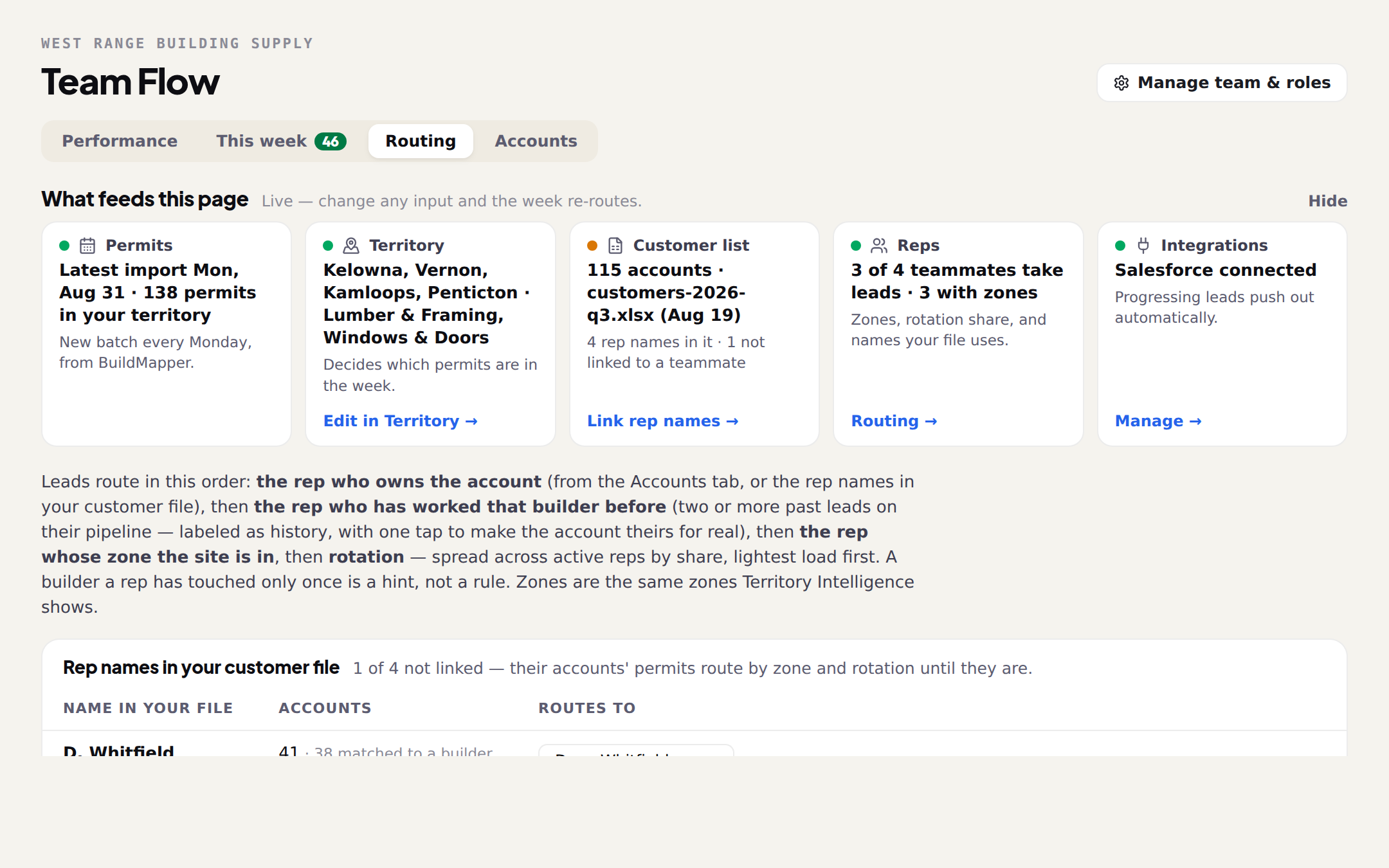
Routing is where you tell BuildMapper how your branch works: which reps take leads, which areas each covers, how the rest is shared. The rep names in your customer list get linked to real teammates here, so “D. Whitfield” in the spreadsheet is Dana on the team.
- Which teammates take leads, and who is on the bench
- The areas each rep covers, the same ones your territory uses
- How leads nobody owns get shared out
- Rep names in your customer list, linked to the teammate each belongs to
- Overlaps called out, so two reps never claim the same street
- 1The rep who owns the accountSet on the Accounts tab, or named in your customer list.
- 2The rep on your listYour customer list says who looks after that builder. You link that name to a teammate.
- 3The rep who has worked that builderTwo or more past leads with that builder. Marked as a hint, and one tap makes the account theirs for real.
- 4The rep who covers that areaThe areas you set for your territory. Areas nobody covers are called out, with a Claim button.
- 5Next upShared across active reps, lightest load first. Only when nothing above applies.
One builder, one rep.
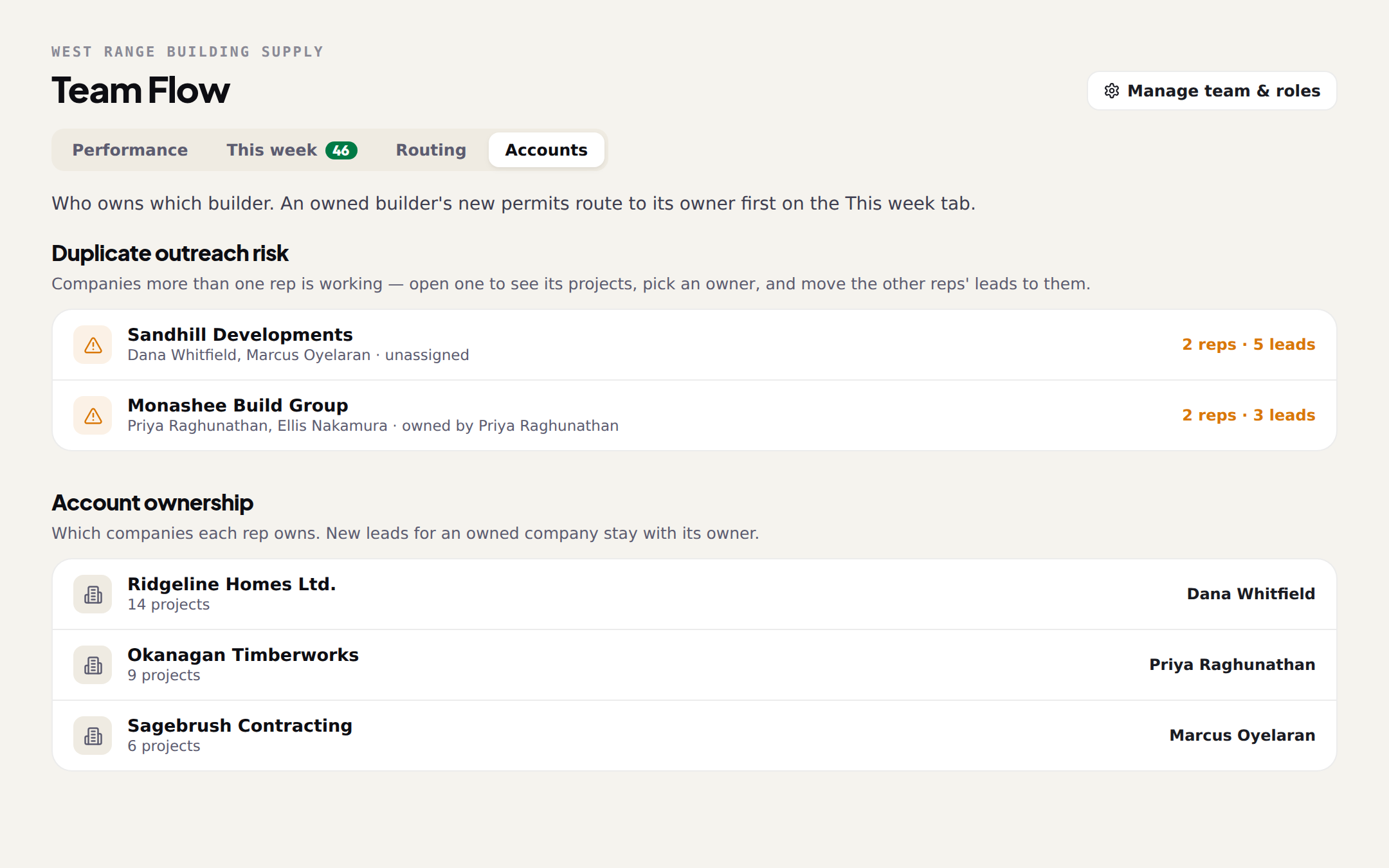
Accounts shows who owns which builder. Which companies each rep owns, and, above it, every builder that two reps are working at once. Pick an owner and the other reps' leads move to them. From then on that builder's new permits go to its owner first on the This week tab.
- Duplicate outreach risk: companies more than one rep is working, with each rep's leads
- Open a company to see its projects, pick an owner, and move the other reps' leads
- Account ownership: which companies each rep owns and how many projects
- Ownership is the first rule This week uses. Past leads are only a hint until you confirm it
- Ownership also shows on the project page and the map, so a rep sees whose account it is before they call
Invite the crew. Set who does what.
The button at the top of the manager's page opens your roster in Settings. Invite by email or share a join code, change a role in one click, and remove someone when they leave. Every teammate is a full Pro seat, Scout included, added to your subscription as they accept.
- Invite by email, with an accept link, or share a join code with the whole branch
- Change a member to a manager, or back, from the roster
- Removing a member releases their seat and keeps their leads on the team
- The manager's page works on a phone: Performance, This week and Routing