
Work the leads 6 min read
A quote from the plans in ten minutes
Describe the job or drop the plan set, let the line items draft from the price book, send a private link, and the amount lands on the pipeline card when they accept.
This guide is hands-on. Follow along in the app.
A free trial takes two minutes: 25 project views or 14 days, whichever comes first. No card.
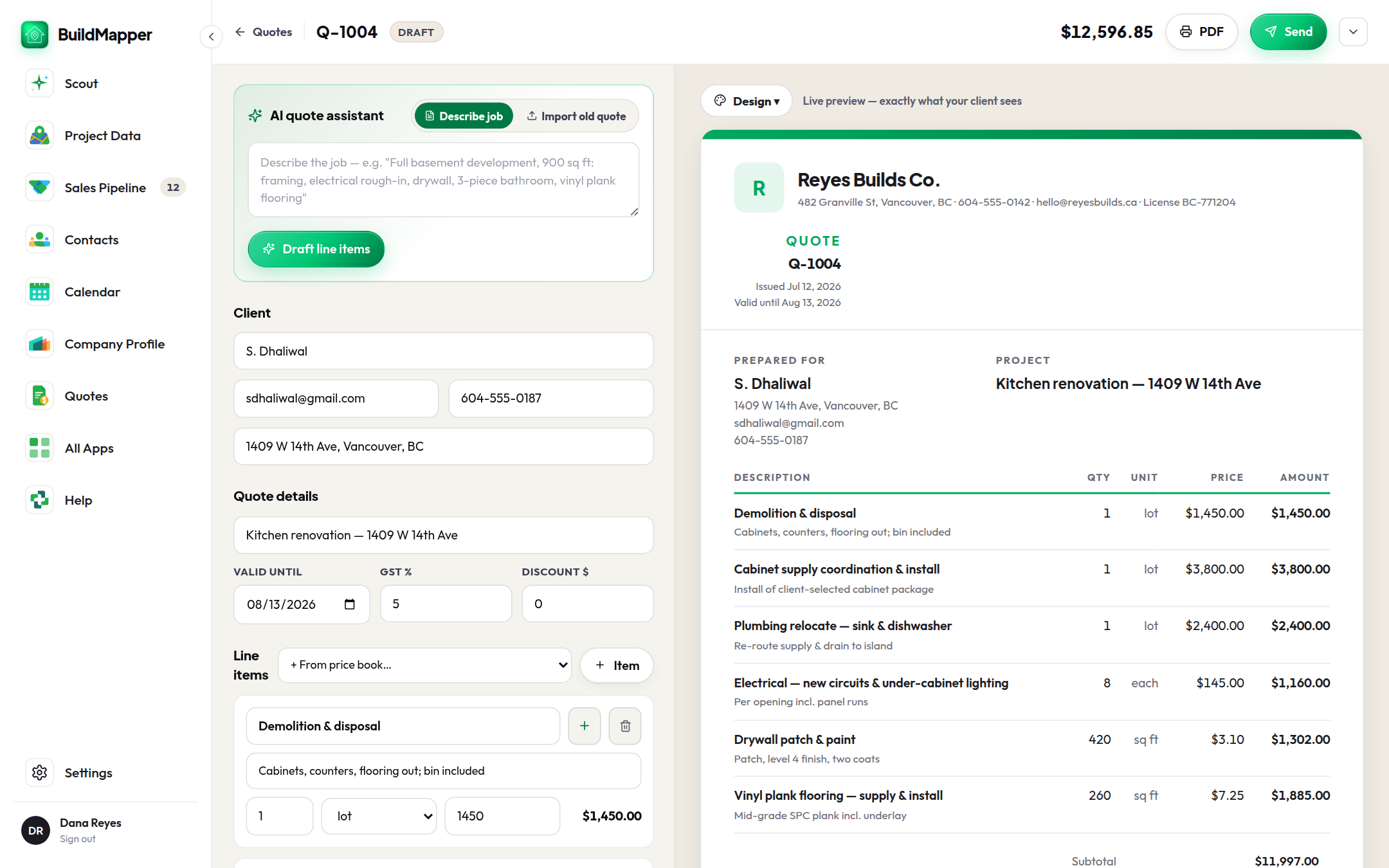
- 1Start from the cardQuotes → New quote, or from the pipeline card, or just tell Scout quote the Alder Ave job. Starting from a card carries the client, the address and the project title across.
- 2Describe the job, or start from the plans"Full basement development, 900 sq ft: framing, electrical rough-in, drywall, 3-piece bathroom, vinyl plank flooring." Draft line items builds the quote from your description and the branch's price book. Got the drawings? Start on the Takeoffs tab instead (see Plan takeoffs: from drawings to a quote): the whole set, up to 30 files of 100 MB each, read in the background and checked beside the drawings before it becomes a quote.
- 3Edit like a spreadsheetEvery line has a description, quantity, unit and price. Pull any item from the price book with From price book…, save a new one back to it with Save to price book, set valid-until, tax and a discount. It autosaves.
- 4Send the linkSend creates a private link and a PDF. The client sees the quote on a branded page with Accept quote, Decline, and Download PDF. The status moves through Sent, Viewed, and Accepted or Declined (with their reason).
- 5The card knowsSending sets the pipeline card to Quoted and writes the total on it. An accepted quote is the starting point for a contract, an invoice, and a job, each prefilled from it.
The price book
The Price book tab holds your common items: name, client-facing description, unit, price, category. Fill it once and quoting gets ten times faster, because the drafter prices from it. Paste the text of an old quote, invoice or price list into Import from old quote and the items are extracted for you. If the branch runs Product Brain, selected catalog rows push straight into the price book.
NoteA quote's total is what the job is worth, and it sits on the card whatever the stage. Won value is only written when you mark the deal won. They answer different questions and BuildMapper keeps them apart on purpose.