
The tools 4 min read
Import your contacts and watch the builders you know
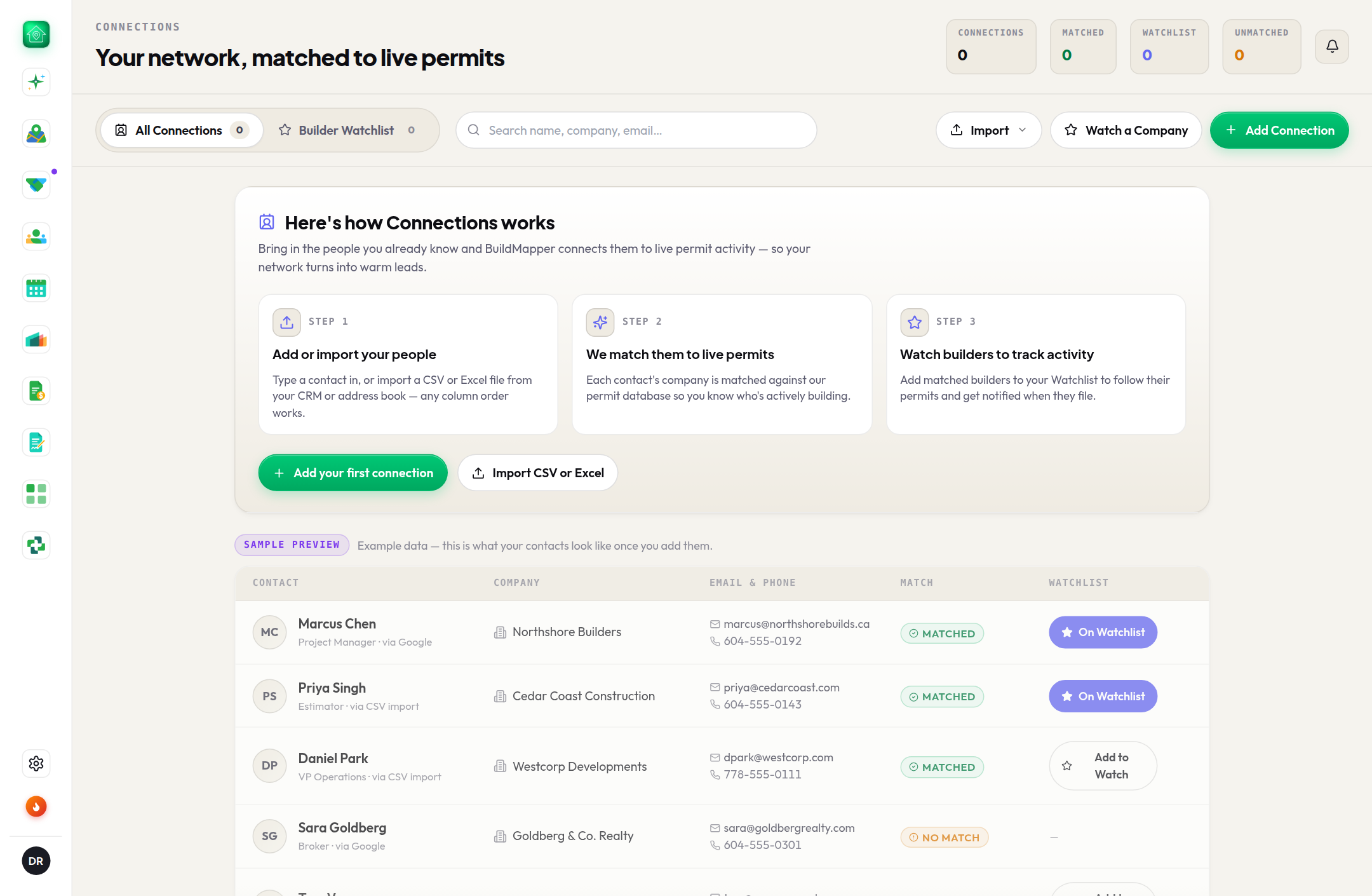
Upload your address book once, let BuildMapper match each name to the builder pulling permits, then star the ones whose next permit you want to hear about.
This guide is hands-on. Follow along in the app.
A free trial takes two minutes: 25 project views or 14 days, whichever comes first. No card.
- 1Import CSV or ExcelConnections → Import CSV or Excel. Any column order; the columns are mapped for you. Save a legacy .xls as .xlsx or CSV first. Google Contacts and vCard import are on the way, and the sheet says so.
- 2See who matchedEach contact is matched against the builders named on permits and tagged Matched or Unmatched. A match ties the person to the company actually pulling permits, so their activity shows up against the right name. Export the whole book, matched or not, as CSV or Excel.
- 3Star to watchAdd to Watch on a matched contact, or Watch all matched. When that builder pulls a new permit, it lands in the bell under Watchlist. A contact that is not matched to a builder yet cannot be watched, and the page tells you.
Watchlist that works overnight
- Watch builders you know. A new permit from someone who already knows your work is the easiest call of the week.
- Let your territory watch itself. With hot-lead alerts on (Settings → Notifications), any permit that scores Hot lands in the bell on its own.
- A watched builder is Hot automatically. The score gives a builder on your watchlist, or one you have won with five or more times, the top tier without asking.
- Keep it tight. Ten builders you would drop everything for beats two hundred you will ignore.
NoteOn a team, the customer file your manager dropped on Territory drives coverage and routing for the branch, and the people in it (rows with a name and an email or phone) are brought into Connections for you, never duplicated. Connections is still your own book and your own watchlist; the top of the page says what is already on file.