See the job before anyone else.
The heart of BuildMapper. Every permit near you, ranked for what you sell, with Scout, your AI assistant, and your contacts. And your storefront, so jobs can find you too.
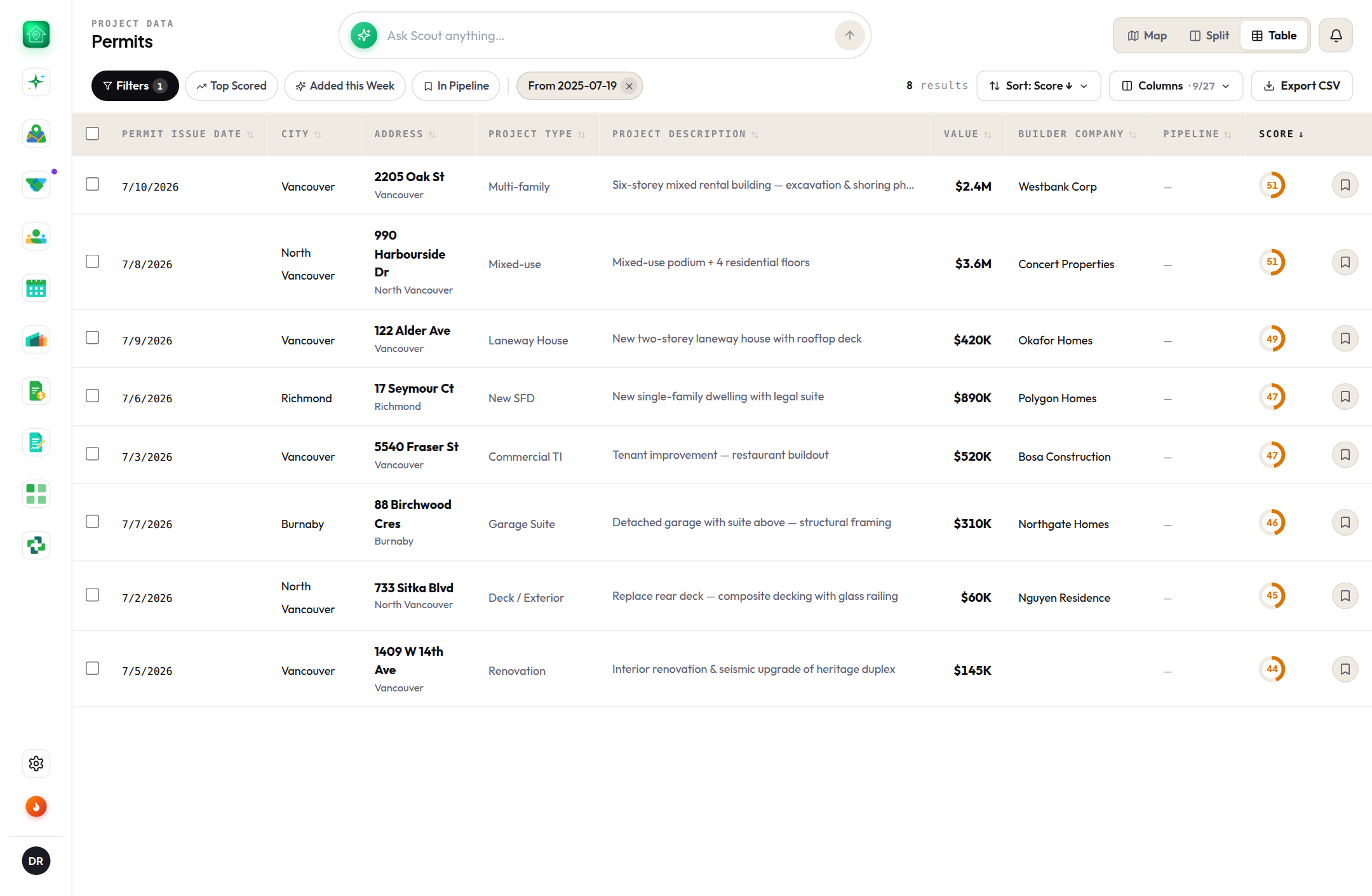
Project Data
In every accountExplore building permits and construction projects on an interactive map. Filter by type, value and status, group dense areas, and click through to full project details, contacts and history for any site.
- Live permit map, grouped and filtered your way
- Full project details, contacts and history per site
- Save any project straight to your pipeline
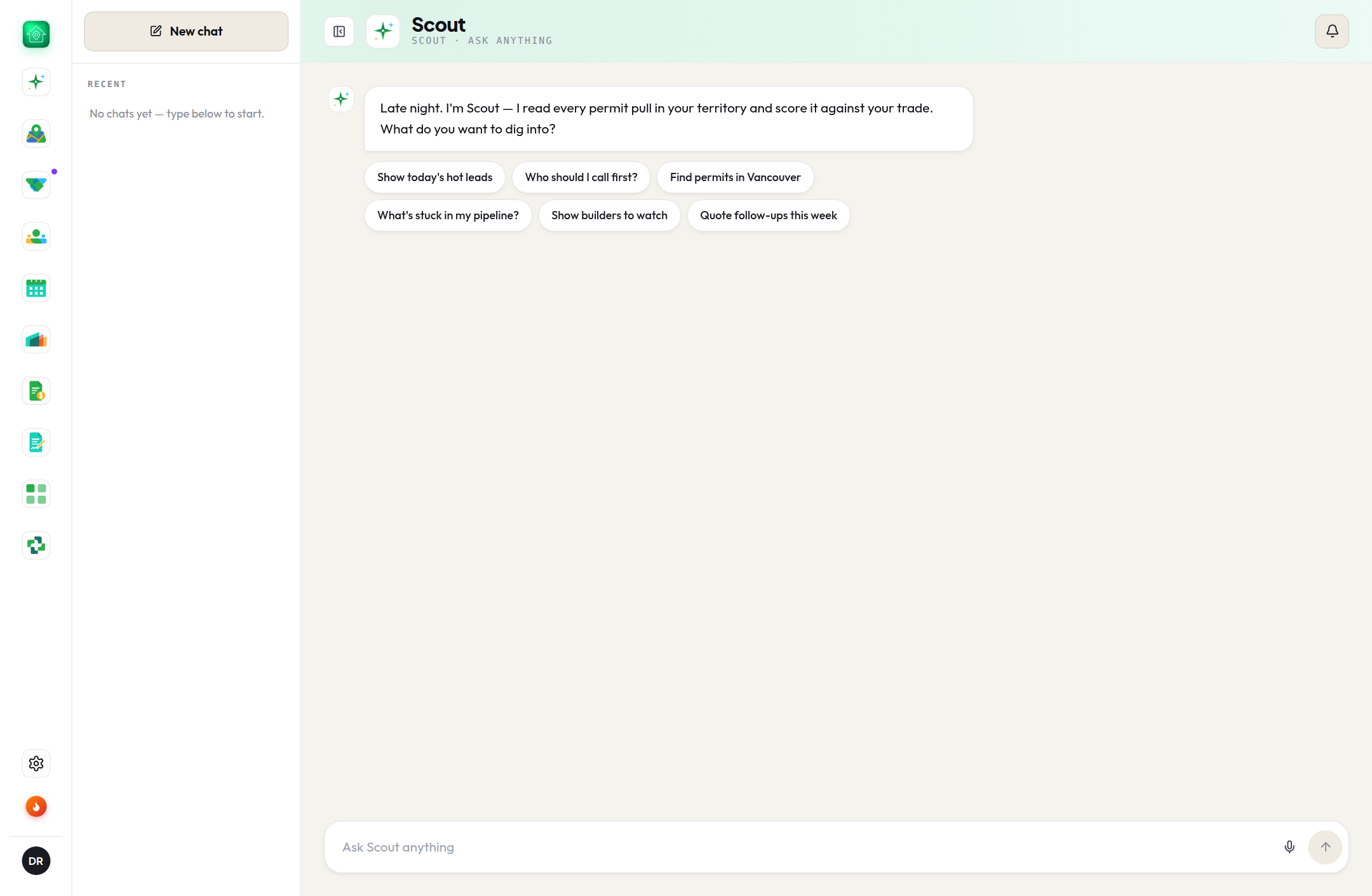
Scout
In every accountScout, your AI assistant, reads each week's new permits, picks out the leads worth chasing, and answers questions about any project in plain English. It keeps a ranked list of leads so you start every morning knowing exactly who to call.
- Reads every new permit in your area
- Ranks them so you know who to call first
- Answers questions about any project in plain English
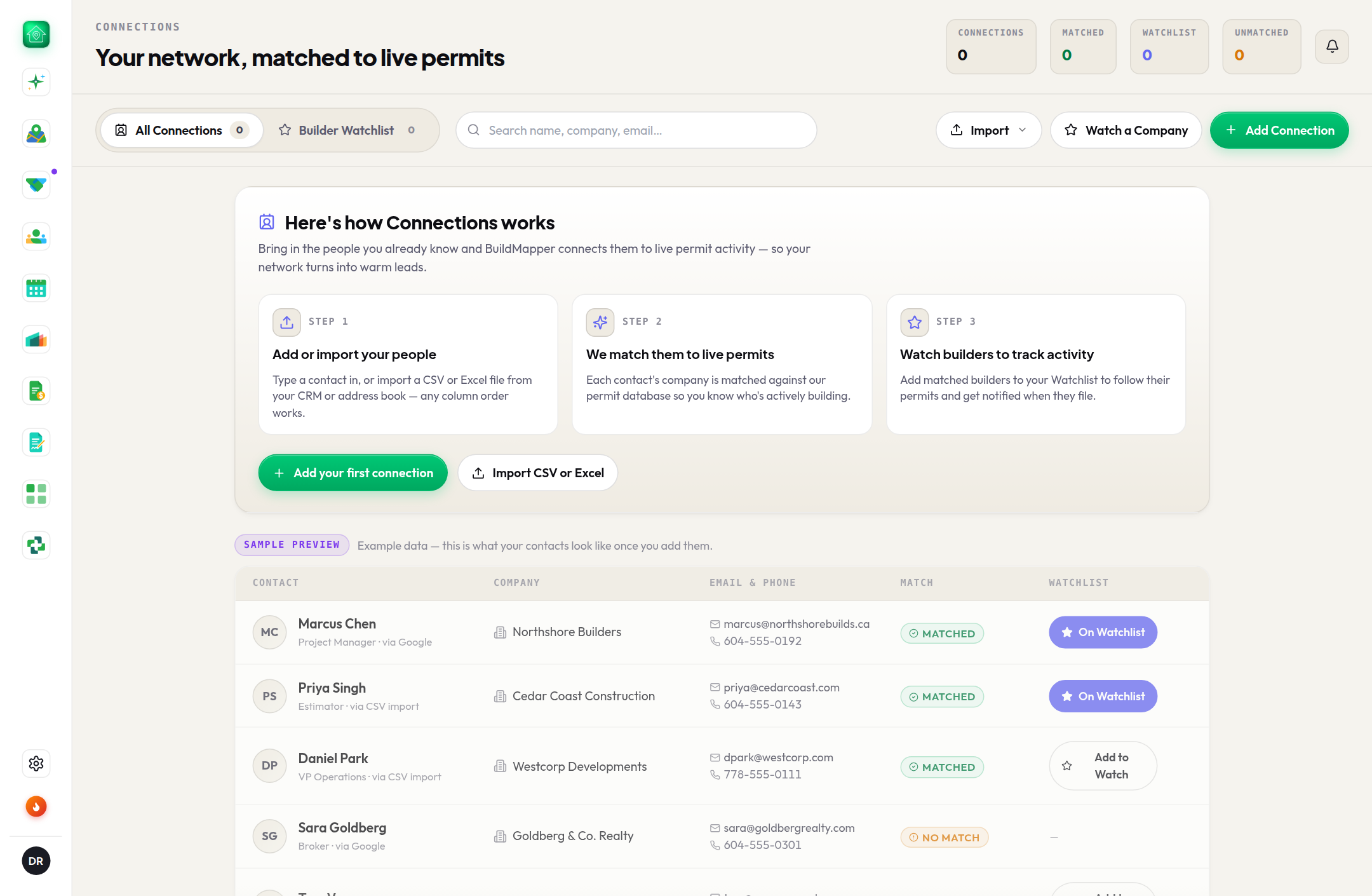
Connections
In every accountYour own contacts inside BuildMapper: upload them, and we match them to the builders named on permits. Watch the companies you care about, and their new permits show up right away in Scout and your notifications.
- Upload contacts; we match them to builders on permits
- Watch companies to get pinged on their new permits
- Reach the right person in one tap
Company Profile
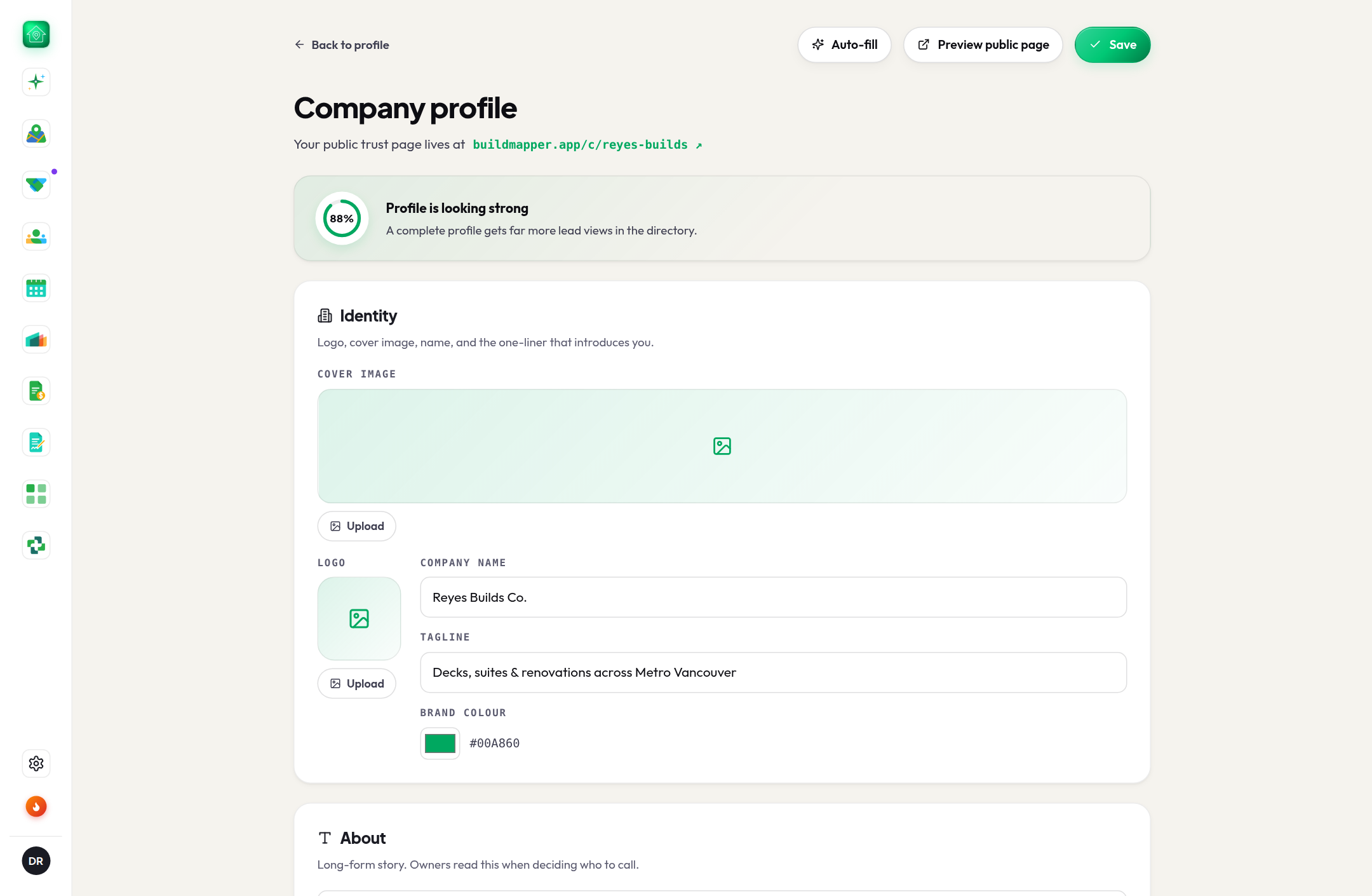
In every accountManage how your company appears to builders and homeowners: services, service area, photos and credentials. A polished profile turns map views into new work.
- Your public storefront on BuildMapper
- Showcase services, photos and credentials
- Turns map views into new work
Turn the lead into a signed deal.
Track it, quote it, get it signed. On Pro, Scout texts you the lead and drafts the message.
Sales Pipeline
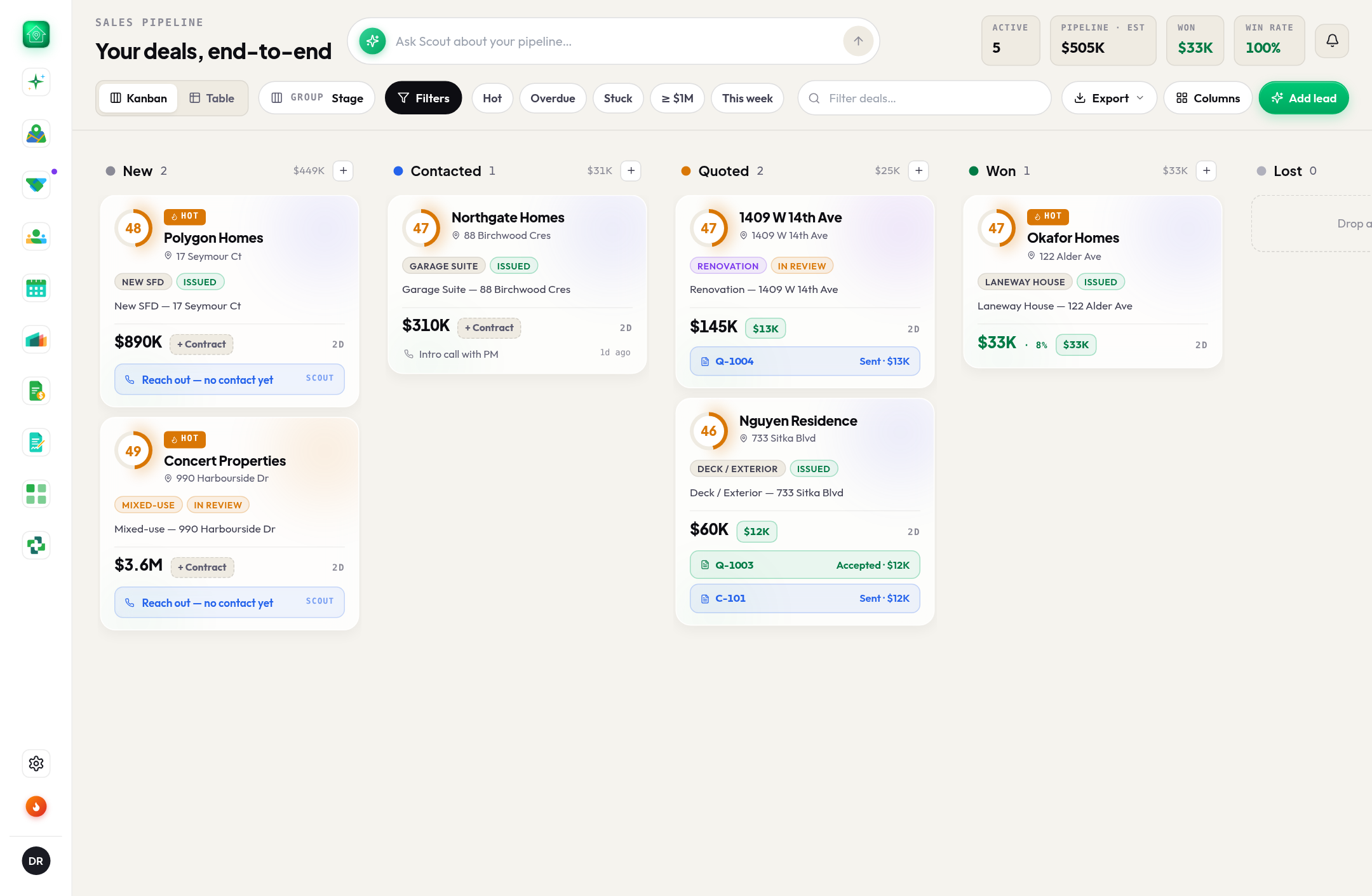
In every accountA drag-and-drop pipeline built for construction sales. Track every lead through your stages, log notes and activity, and see at a glance what needs attention before deals go cold.
- Drag-and-drop stages built for construction sales
- Deal values come from real quotes, not guesses
- Spots stuck deals and overdue follow-ups
Quotes & Plan Takeoffs
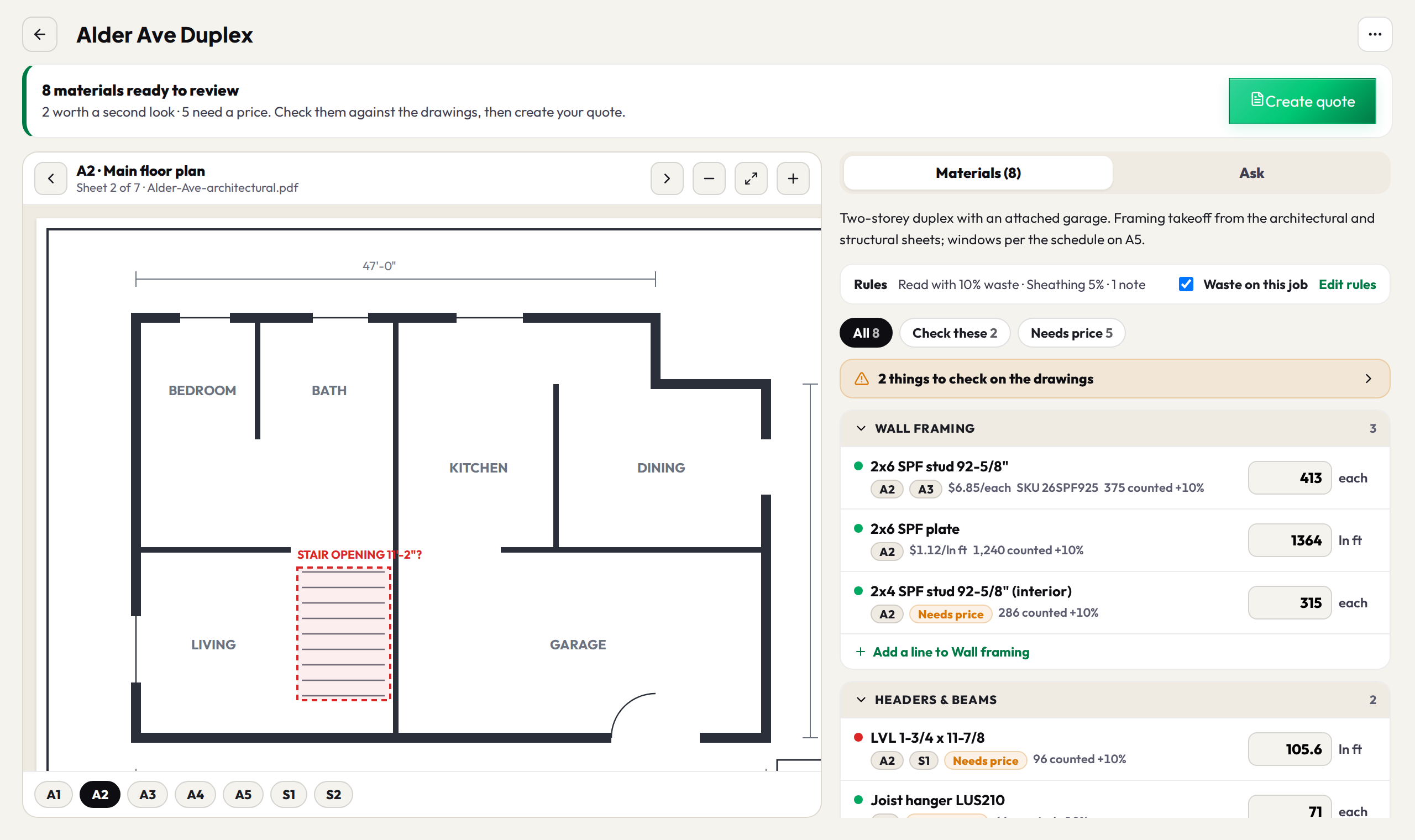
Included with your planDrop a full plan set and get the materials, read sheet by sheet in the background. Check each count against the drawings side by side, fix what's off, then put it on a quote with one button, priced from your own price list, or export a materials list or purchase order first. Set your waste % and standing notes once and every takeoff uses them. No drawings? Describe the job and AI drafts the line items. Send a private link your client can accept online; the amount lands on your pipeline lead automatically.
- Plan takeoffs from a full set, split into as many files as you like
- Check every quantity against the drawings, side by side, before it goes on a quote
- Your waste % and standing notes, applied to every takeoff
- Export a materials list or purchase order before you quote
Contracts
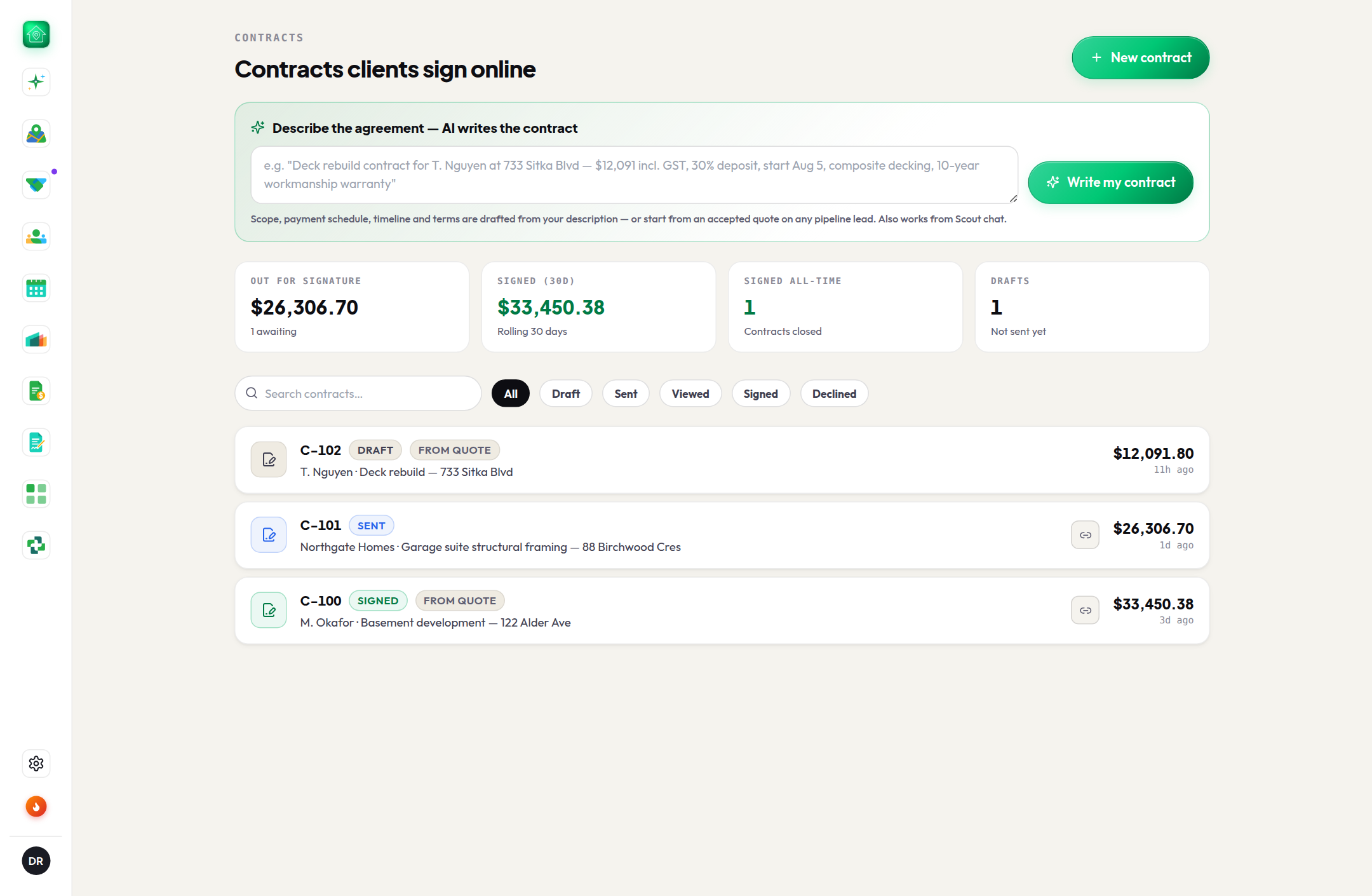
Included with your planTurn a won quote (or a plain-language description) into a professional contract in minutes: AI drafts the scope, payment schedule, timeline and terms. You review, tweak, and send. Your client signs digitally from a private link, and the signed value lands on your pipeline lead automatically.
- AI writes the contract wording from your description or an accepted quote
- Clients sign digitally, draw or type, from a private link
- Signed value lands on your pipeline lead automatically
- Matches your quotes; or ask Scout, your AI assistant
Scout · on your phone
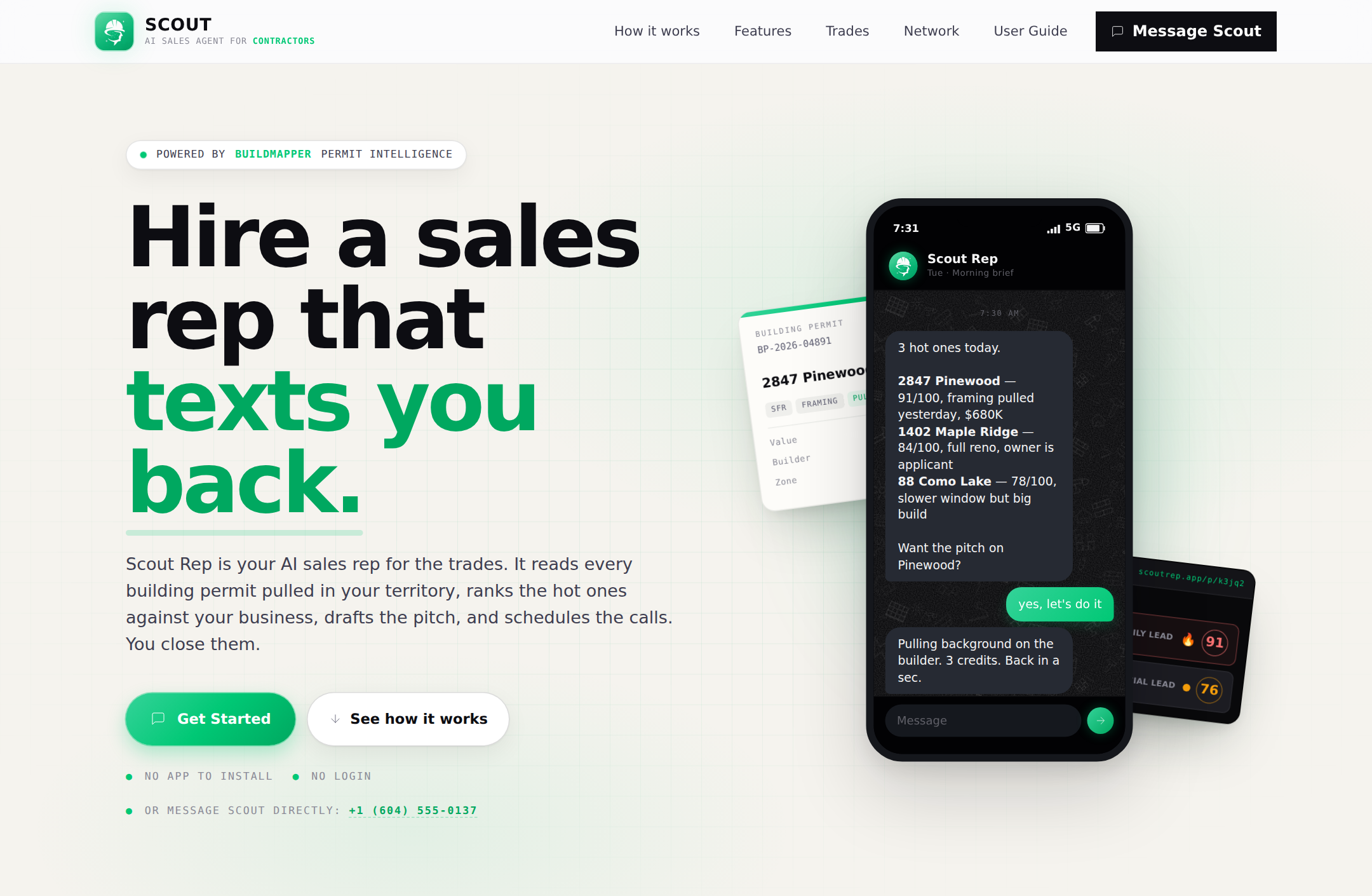
Included with ProScout runs BuildMapper for you over WhatsApp or text, and it talks back. Ask who to call first and why, what a builder has pulled this year, or what's stuck. It drafts the pitch in your words and you send it from your own phone. Reply in plain words after the call, like left a message or quoted them 24k, and the card moves and the follow-up gets set. Scout never messages a customer; you are always the sender. Connecting takes a minute: enter your mobile number and Scout texts you a hello.
- Talks back: ask who to call first, what a builder has pulled, what's stuck
- Drafts the pitch in your words; you read it and send it from your phone
- Reply in plain words and the pipeline keeps up: left a message, quoted them 24k, won it
- Same leads, cards and watched builders in both apps, no new tab
You won it. Keep the money right.
The job you closed gets run, billed, and scheduled in the same place you found it.
Jobs
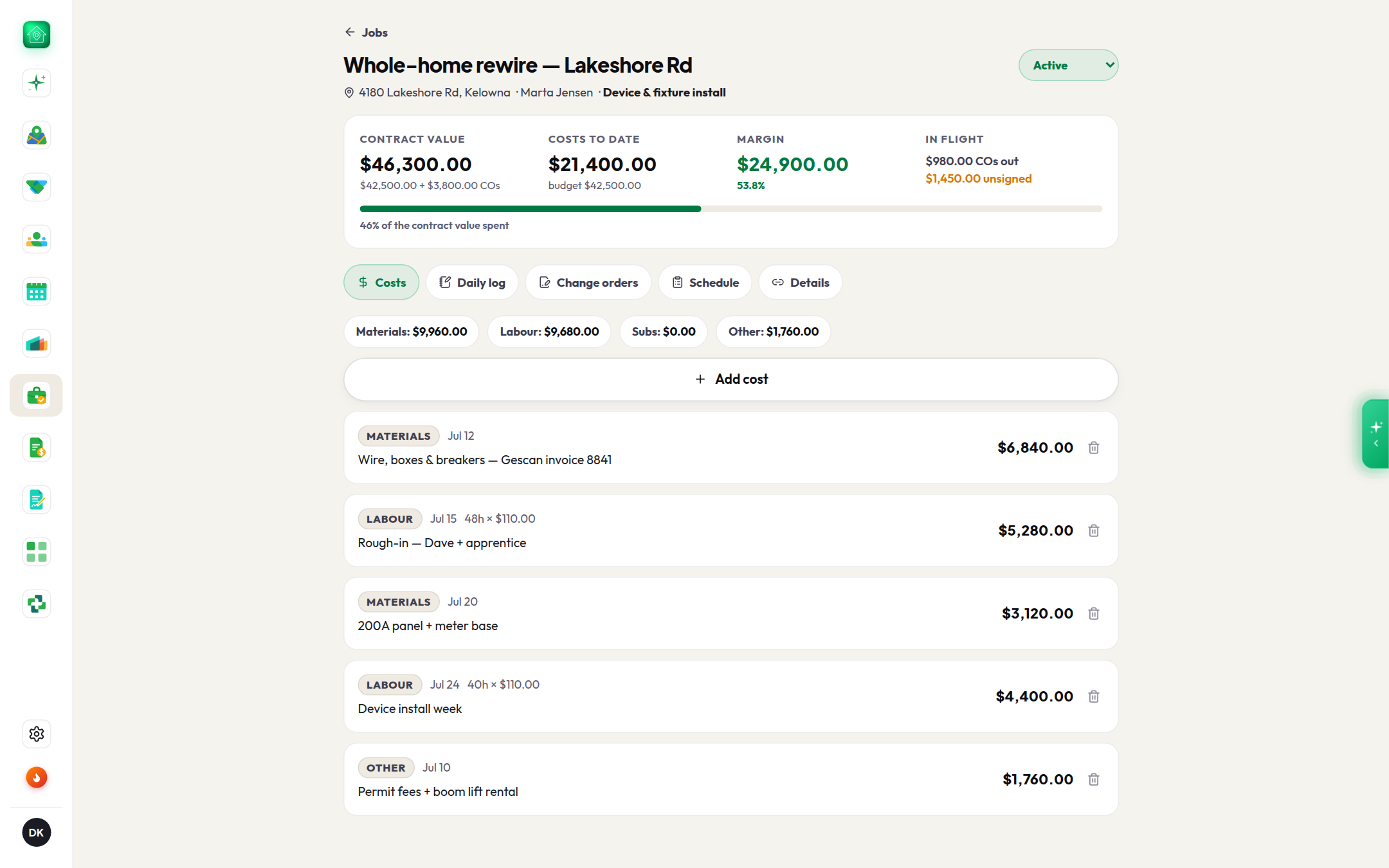
Included with your planTurn a won deal into a live job in one tap. Address, client, contract value and budget prefill from your signed contract and accepted quote. Log costs and daily photos from your phone, send change orders your client signs online, keep the schedule on your calendar, and share a progress link that never shows your numbers.
- One-tap job from a won lead or signed contract, zero data entry
- Live margin: contract value + signed change orders − costs
- Change orders signed online through your Contracts flow
- Daily photo log from your phone, your dispute protection
Invoices
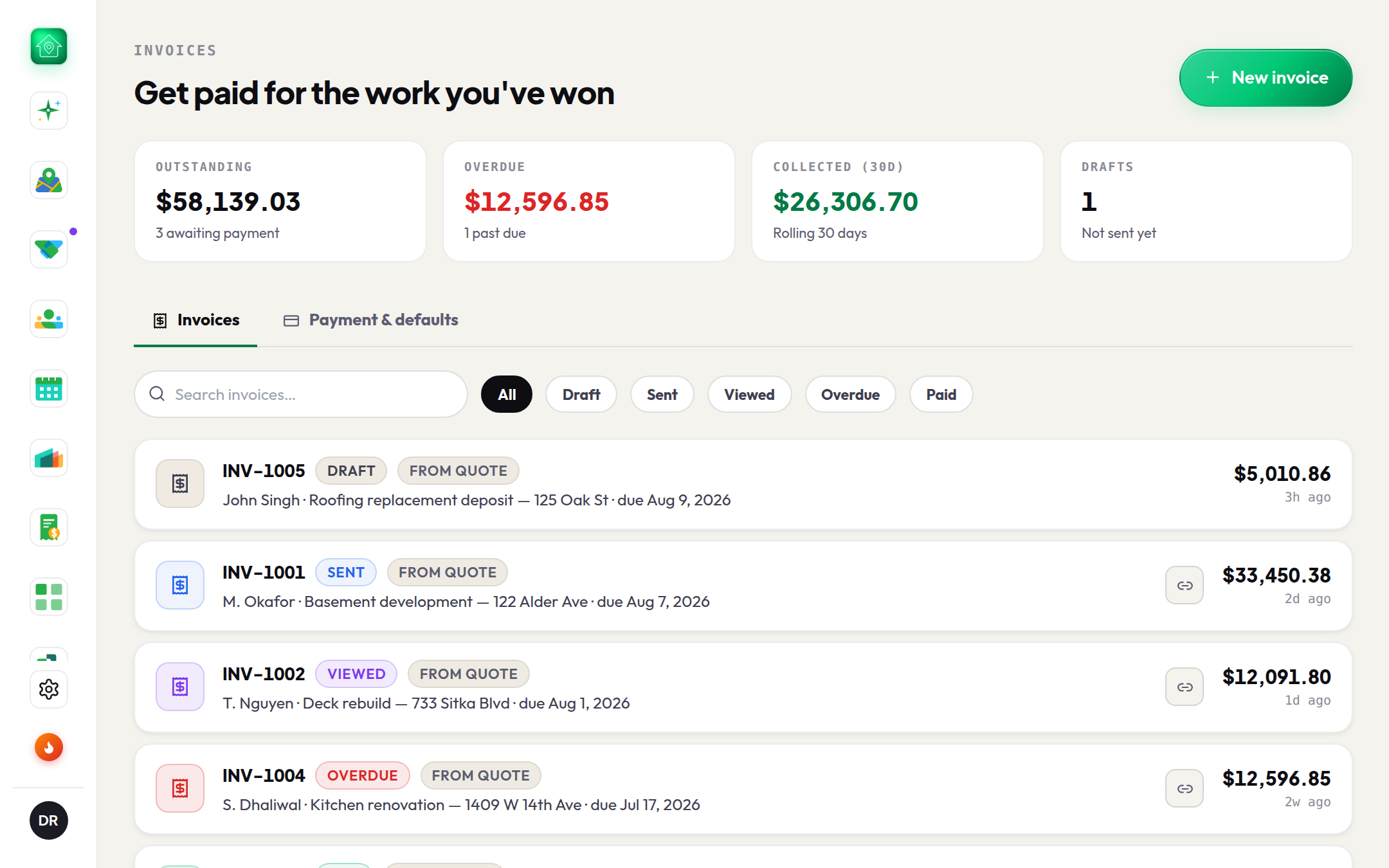
Included with your planTurn an accepted quote into a polished invoice in one tap. Line items, client details and your branding carry straight over. Send a private link your client can open on any device, with your payment instructions and a PDF copy built in. Track outstanding, overdue and collected at a glance, and mark invoices paid the moment the money lands.
- One-tap invoice from an accepted quote, zero re-typing
- Clients get a private link with your payment instructions and a PDF
- Get pinged the moment a client opens an invoice
- Outstanding, overdue and collected, tracked automatically
Calendar
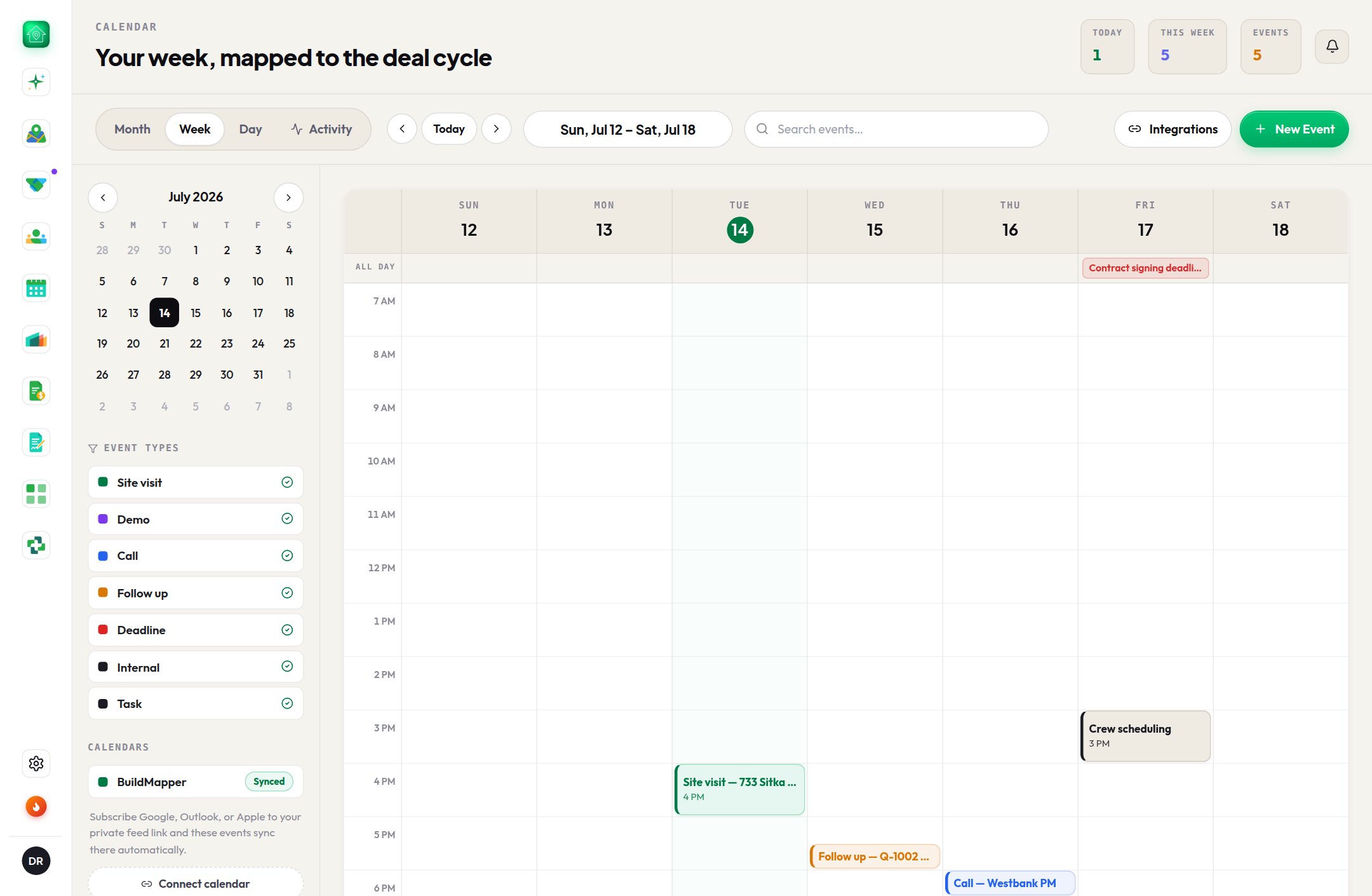
In every accountPlan site visits, calls and follow-ups alongside your pipeline. See your week at a glance and never let a hot lead slip because a follow-up wasn't booked.
- Site visits and follow-ups beside your pipeline
- Schedule from projects, leads and Scout
- Your week at a glance
For the branch: your whole area.
Built for supply dealers and their managers. Hand each rep this week's leads, talk it through in a chat that has the jobs in it, see which builders you don't sell to yet, and answer any product question on the spot.
Team Flow
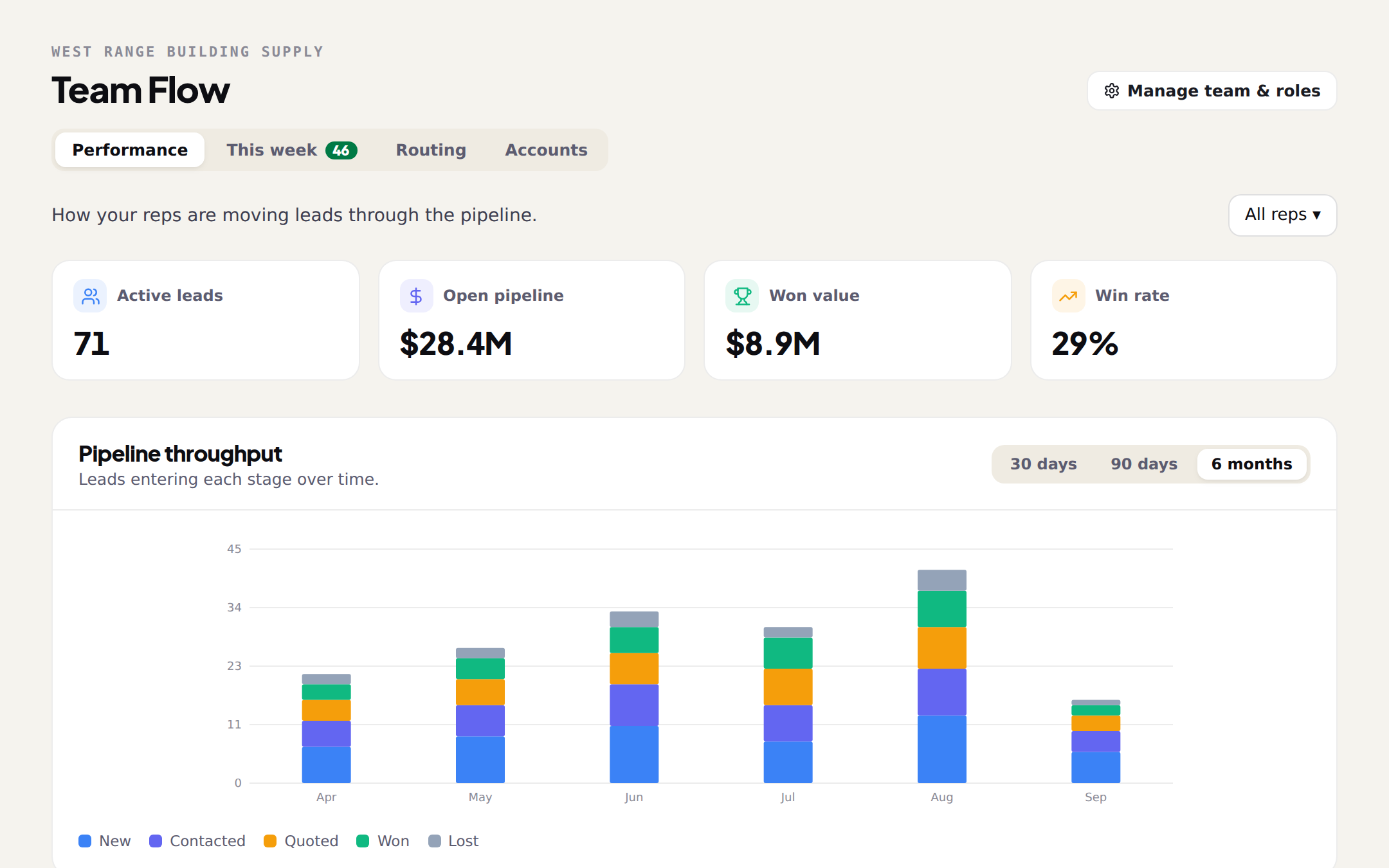
Included with ProThe manager's page, in four tabs. Performance: leads moved per stage, every rep's funnel and win rate side by side, and which leads have gone quiet. This week: every Monday's new permits inside your area, grouped by who should work them (the rep who owns the account, covers that area, or has worked that builder before), with the reason on every lead and one-click assignment. Routing: each rep's area, share of unclaimed leads, and the names your customer file uses. Accounts: who owns which builder, and where two reps are working the same one.
- Every rep's funnel and win rate, side by side
- Monday's new permits in your area, already grouped by rep
- Leads go to the rep who owns the account, covers the area or knows the builder, and it says why
- Assign one lead, a few, or a rep's whole week; they get notified
Team Chat
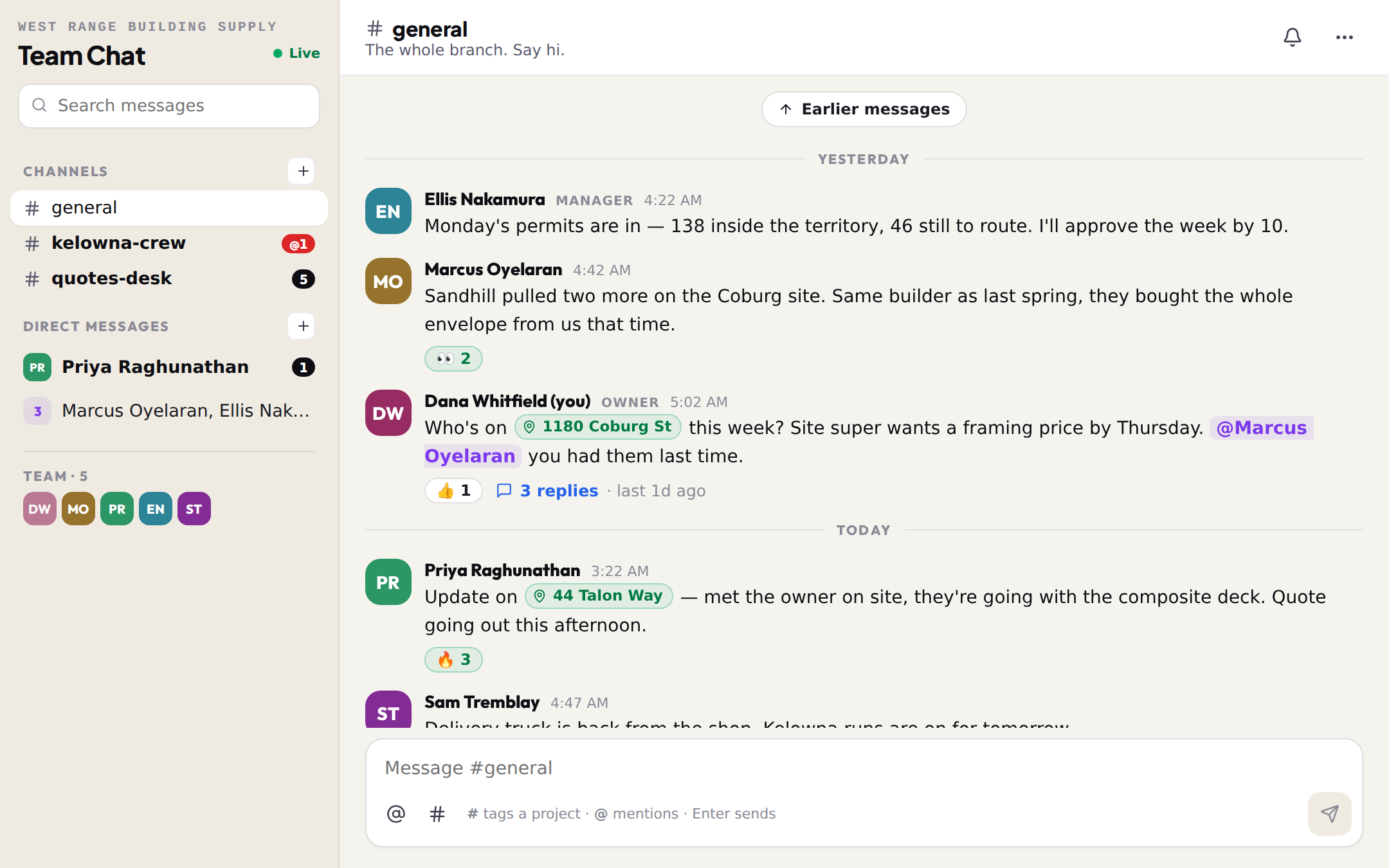
Included with ProTeam Chat is your team's group chat inside BuildMapper. Channels for the branch, direct messages for one-to-one, threads to keep a conversation tidy, files and links, reactions, and the one thing a general chat app can't do: tag a project, a builder or a quote right in the message. Type # and pick the permit; the tag opens the project panel for whoever reads it, so "who's on the Lakeshore Rd job?" comes with the job attached. Every message stays with your team, alongside the pipeline it's about.
- Channels for the whole team, direct messages for one-to-one
- Reply in a thread so the channel stays readable
- Tag a project, a builder or a quote with #. It opens right from the message
- @mention a teammate and they get a notification
Territory Intelligence
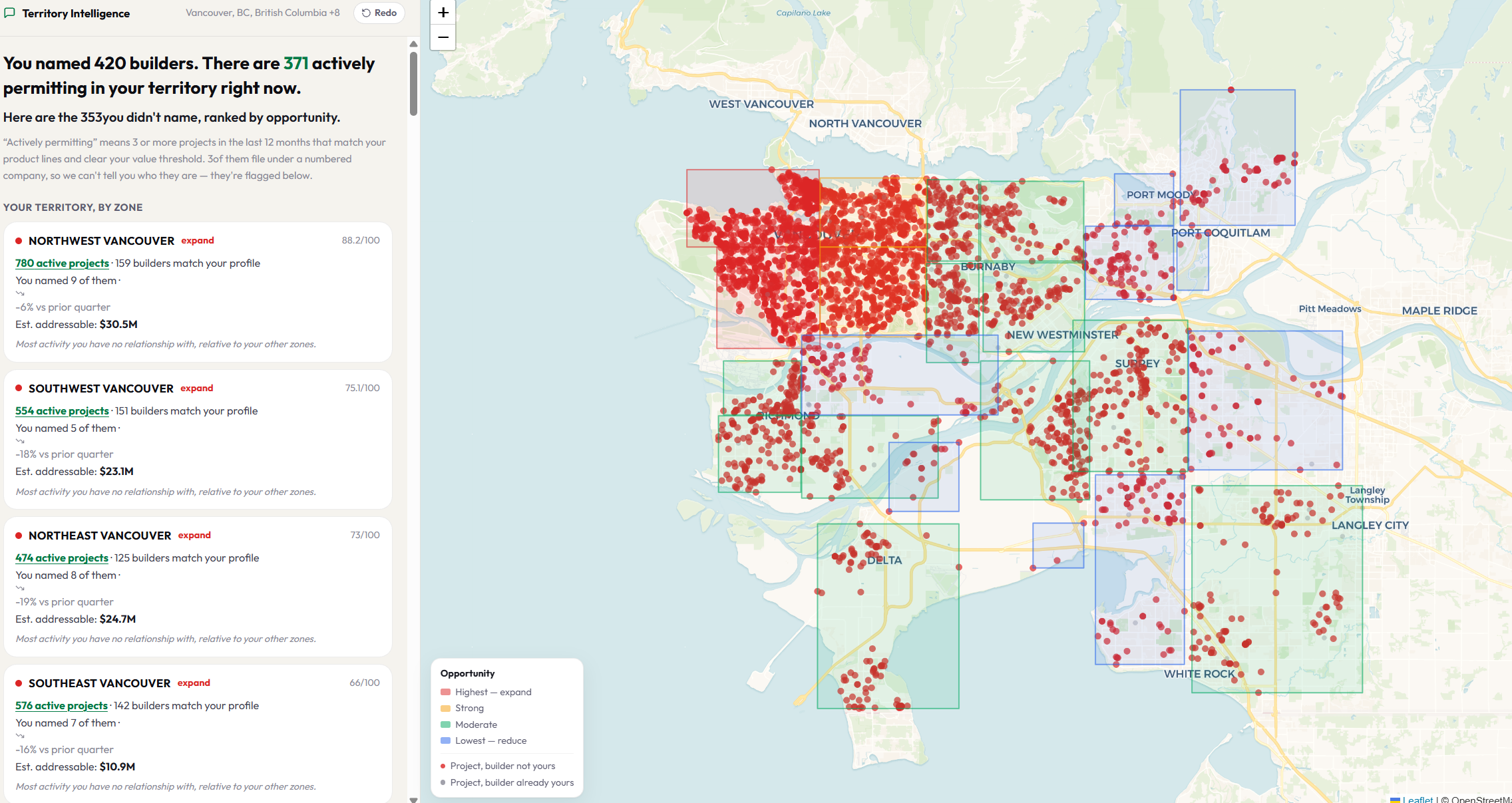
Included with your planBuilt for the branch manager, not the rep. Open it and see every builder actively permitting in your territory, the ones filing right now on top — no setup, no upload. Then drop your customer list and Territory Intelligence matches it to the permits: which of those builders already buy from you, how much of each one's work you're on, and who is building nearby with no relationship to you at all. Every figure opens the permits behind it, so you can check it against what you know.
- Every builder pulling permits in your territory, on your first visit
- Filed in the last 90 days on top — a call list, not a research list
- Add your customer list to see who already buys from you, and what you're not on
- Areas ranked by opportunity, including where to spend less time
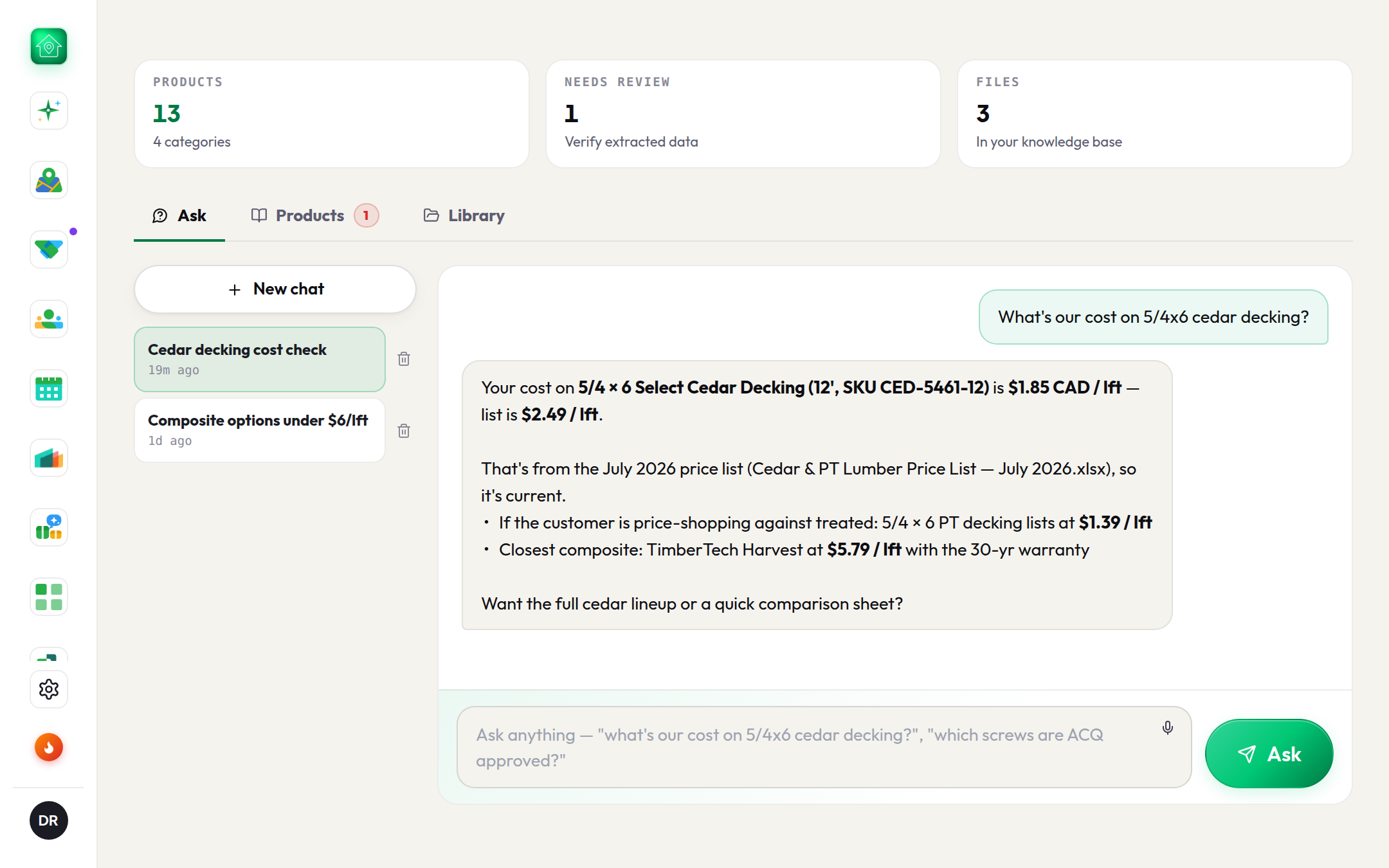
Product Brain
Included with your planProduct Brain is your price list made searchable. Drop in every product file (price lists, spec sheets, flyers, catalogs, spreadsheets) and it builds a searchable library and a product list. Anyone on your team can ask questions in plain English ("what's our cost on 5/4 cedar decking?") and get exact answers with the source file cited, so reps can answer any customer on the spot.
- Drop in any file: PDFs, photos, spreadsheets. No formatting needed
- A clean product list with prices and specs, built automatically
- Ask questions in plain English, get exact answers with sources
- Same product in a newer price list? It merges and keeps price history