
Product Brain: your price list in plain English
Drop price lists, spec sheets and catalogs. Ask a question, get the exact price with the source file cited, and never a guess.
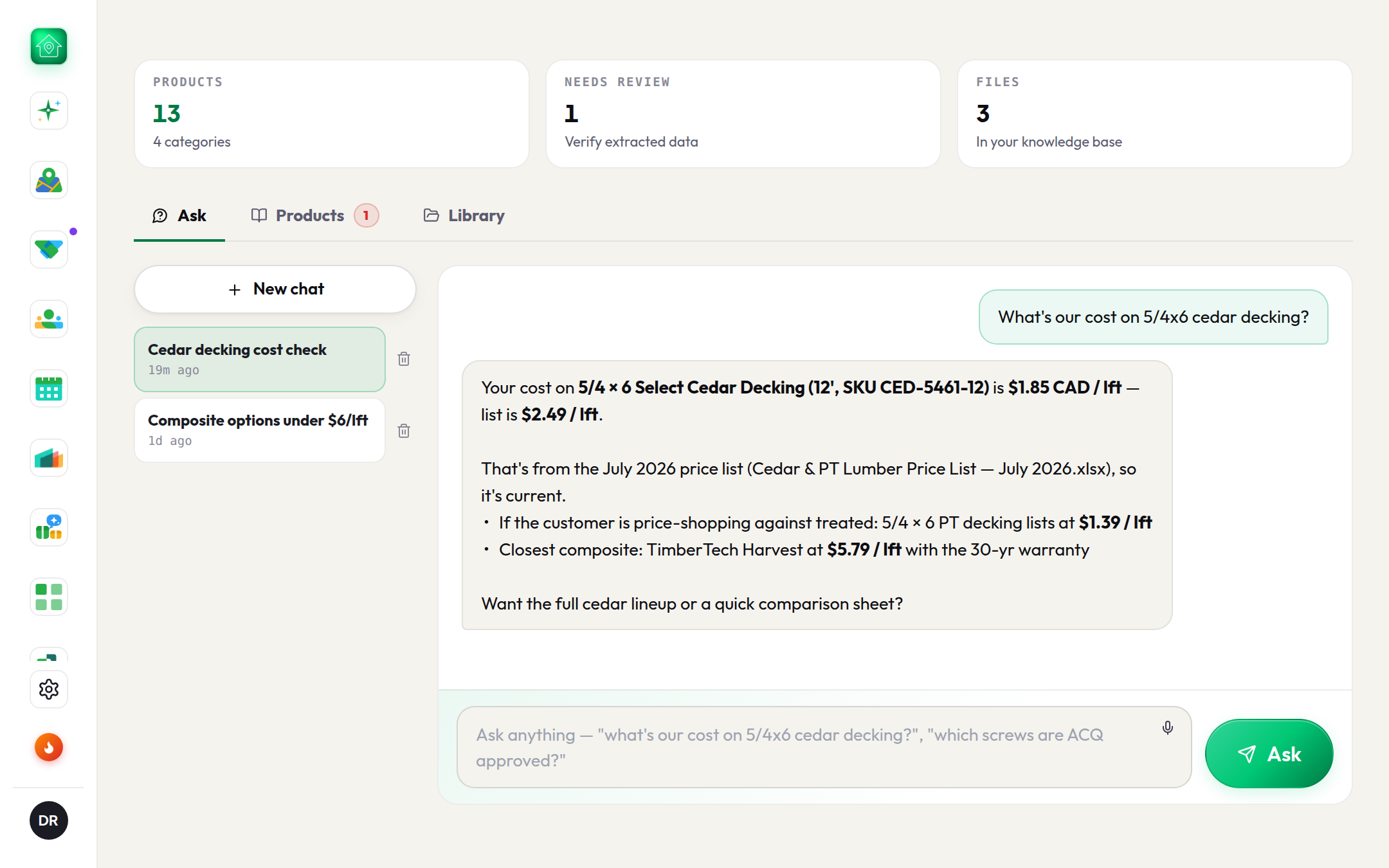
Product Brain is one place for everything the branch sells. Drop the files you already have and it builds two things: a structured catalog of products with prices, and a searchable index of the documents themselves. Then anyone on the team asks in plain English.
Three tabs
- 1Library: drop the filesPrice lists, spec sheets, flyers, catalogs. PDF, PNG or JPG, CSV, XLSX, DOCX, TXT, up to 30 MB each. Each file shows Uploading, Processing (a minute for a big file), then Ready with the number of products it found, or Failed with the reason. Re-process or delete any file.
- 2Products: the catalogSearch, filter by category, edit inline, Export CSV. Anything the reader was not confident about is pinned on top under Needs review: auto-extracted with low confidence, confirm or fix before reps quote from it. Selected rows push straight into the Quotes price book.
- 3Ask: the questionWhat's our cost on 5/4x6 cedar decking? Which screws are ACQ approved? The answer is the exact price with currency and unit, the SKU, and the file (and page) it came from, plus alternatives when the catalog has them.
The rule that makes it trustworthy
Ask only quotes a price the catalog actually holds, repeated exactly. It never derives one, never estimates one, and never falls back on what the internet thinks your inventory costs. If the price is not in the knowledge base, it says so and suggests which file to upload. It tells cost from list when both exist, and flags any product still in the review queue as unverified.
Shared by the whole team
The knowledge base belongs to the team, not the person who uploaded it. A rep can ask about files the owner dropped, and any active teammate can correct the catalog. Scout answers from it too: once the branch has Product Brain set up, ask Scout the same question in the chat or, on Pro, from your phone.