
Team Chat: tag the job into the message
Channels, direct messages, threads and files for the branch, with the project, builder or quote tagged right into the message so whoever reads it opens the real thing.
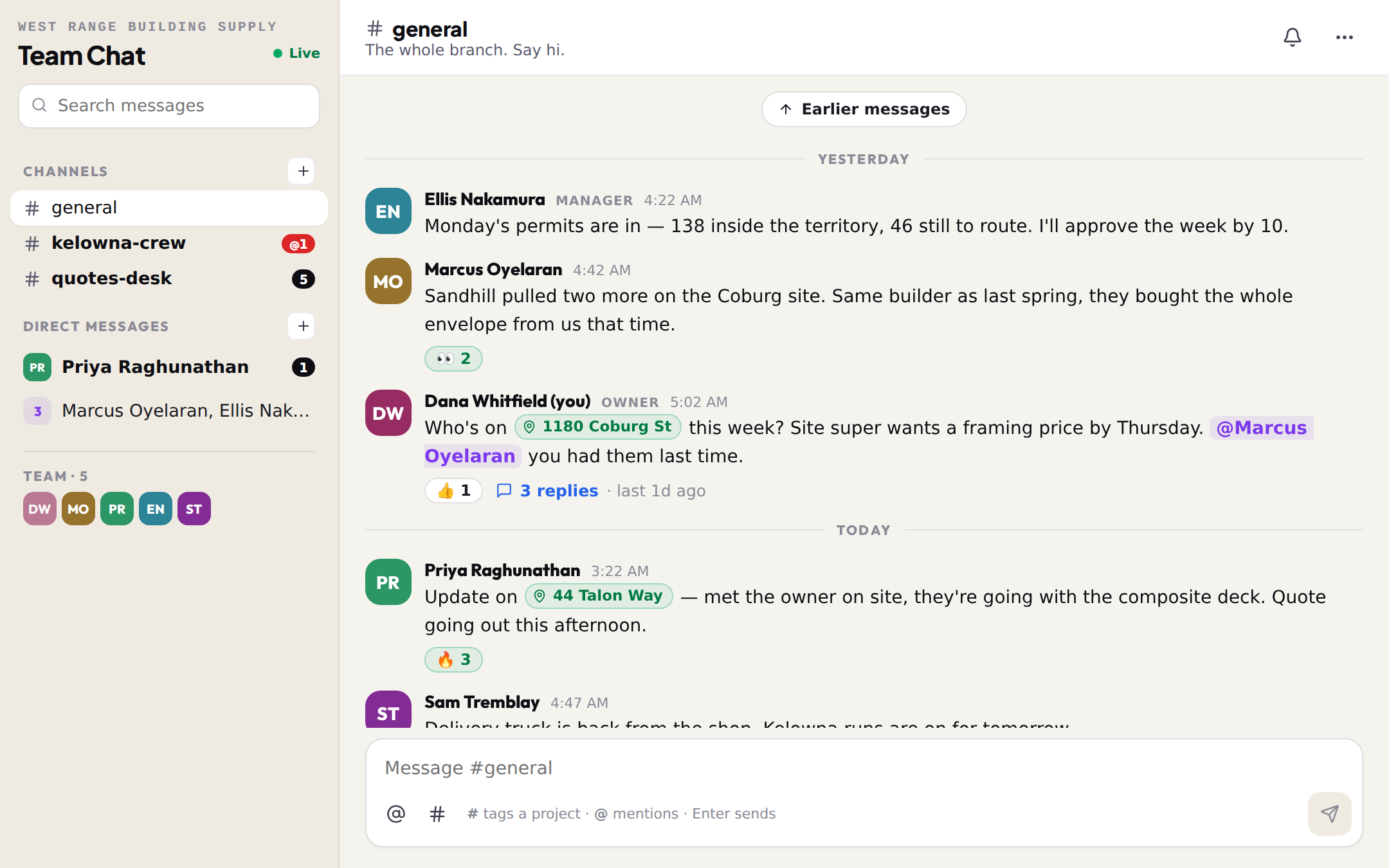
Team Chat is the team's group chat inside BuildMapper. It is in every member's sidebar the moment they join a team, reps included, and there is nothing to install. It has what a chat needs: channels everyone on the team sees, direct messages only their people see, threads, reactions, files and search. Then it has the one thing a group text never will: the job.
The # tag
- 1Type # and start the nameAn address, a builder, or a quote number. The list shows projects (with the value), builders (with how many permits they pulled in 90 days) and your own quotes (with the total). Pick one, or arrow down and press Enter.
- 2The message carries a chipThe tag keeps the label it had when you typed it, so an old message still reads right a year later.
- 3Whoever reads it opens the real thingA project tag opens the project panel right in the chat: builder, value, contacts, and which teammate already holds it. A builder tag opens that builder in Connections. A quote tag opens the quote.
Channels and direct messages
- #general exists from the day the team does. Anyone can add a channel from the + beside Channels: a crew, a city, the quotes desk. Every member of the team reads and posts in every channel.
- A direct message is one teammate or a group of up to 8. Only the people in it can read it, the owner and managers included. Start one from the + beside Direct messages, or tap a face at the bottom of the sidebar.
- Unread counts sit on every channel. A red @ means it is you they need.
- Mute a channel that is not yours from the bell in its header. Archive one whose job is done from its settings; a manager or whoever made it can.
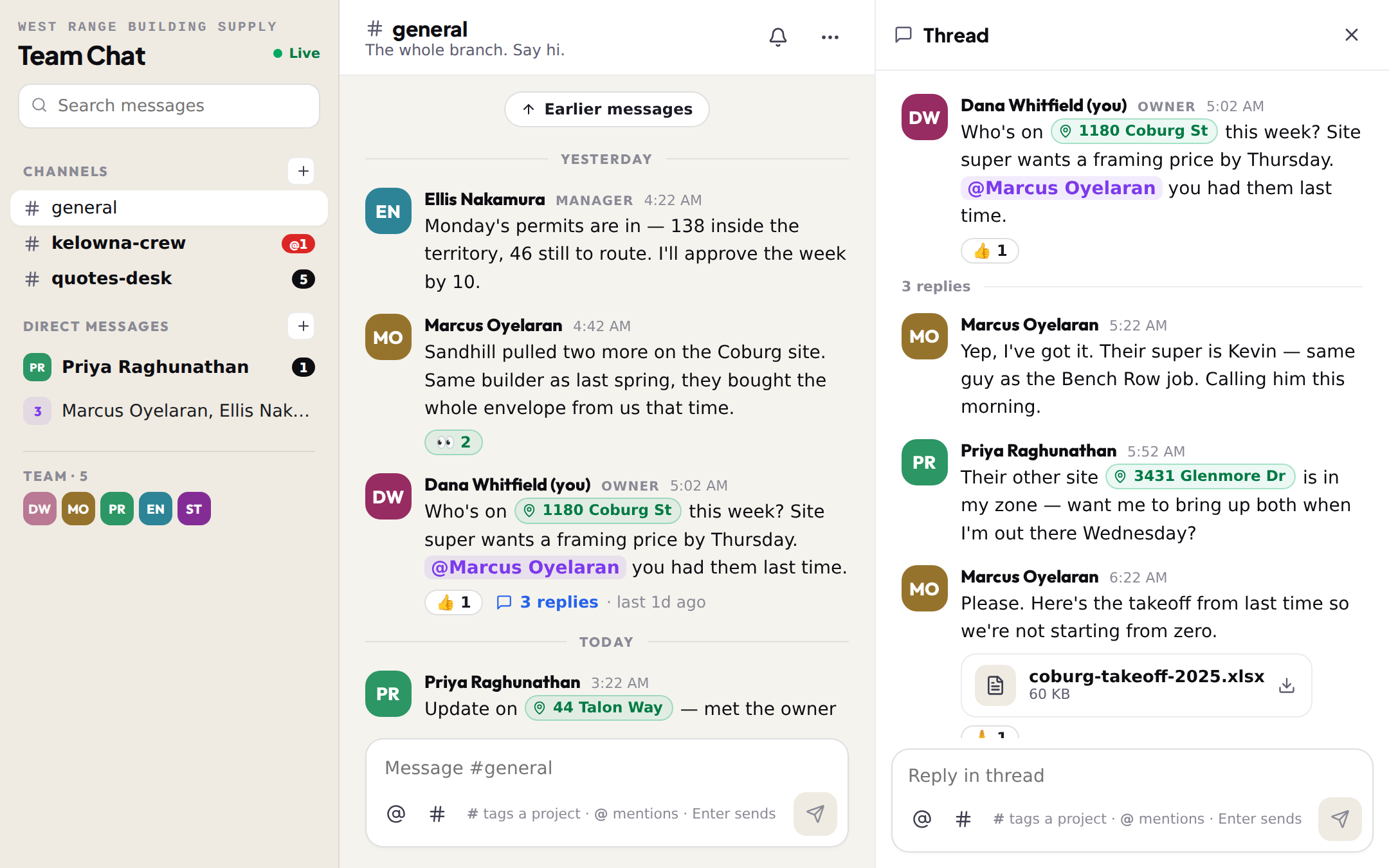
Threads, mentions, files
Hover a message for the quick actions: three reactions, the smiley for more, Reply in thread, and edit or delete on your own messages (a manager can delete anyone's in their team). A deleted message shows as deleted so the thread keeps its shape. @ a teammate and they get a notification in the bell; the author of a message you reply to gets one, and so does everyone else in a direct message. Drop a file on the message box or paste a photo: images show inline, everything else as a card, up to 25 MB each, private to the team.
Search and the bell
The search box at the top of the sidebar looks through every channel and direct message you can see. A hit opens the channel at that message and, if it was a reply, its thread. Notifications from the chat open the same way, so a mention from the truck lands you on the exact message.
How you find out
Any post in a channel you have not muted leaves one entry in the bell — New messages in #general — with a link, not the text. It clears when you open the channel and comes back on the next post, so a busy channel is one entry, never fifty. Mentions, replies to you and direct messages get their own entries. If chat sits unread in your bell for a while, you get one email naming the channels and the people, at most one every few hours and never while you are keeping up. Turn that email off in Settings → Notifications.