
ERP Connect, Salesforce Sync, the API and webhooks
Read-only beside every ERP mention. What is live, what is next, what is a CSV, and what the API gives a developer.
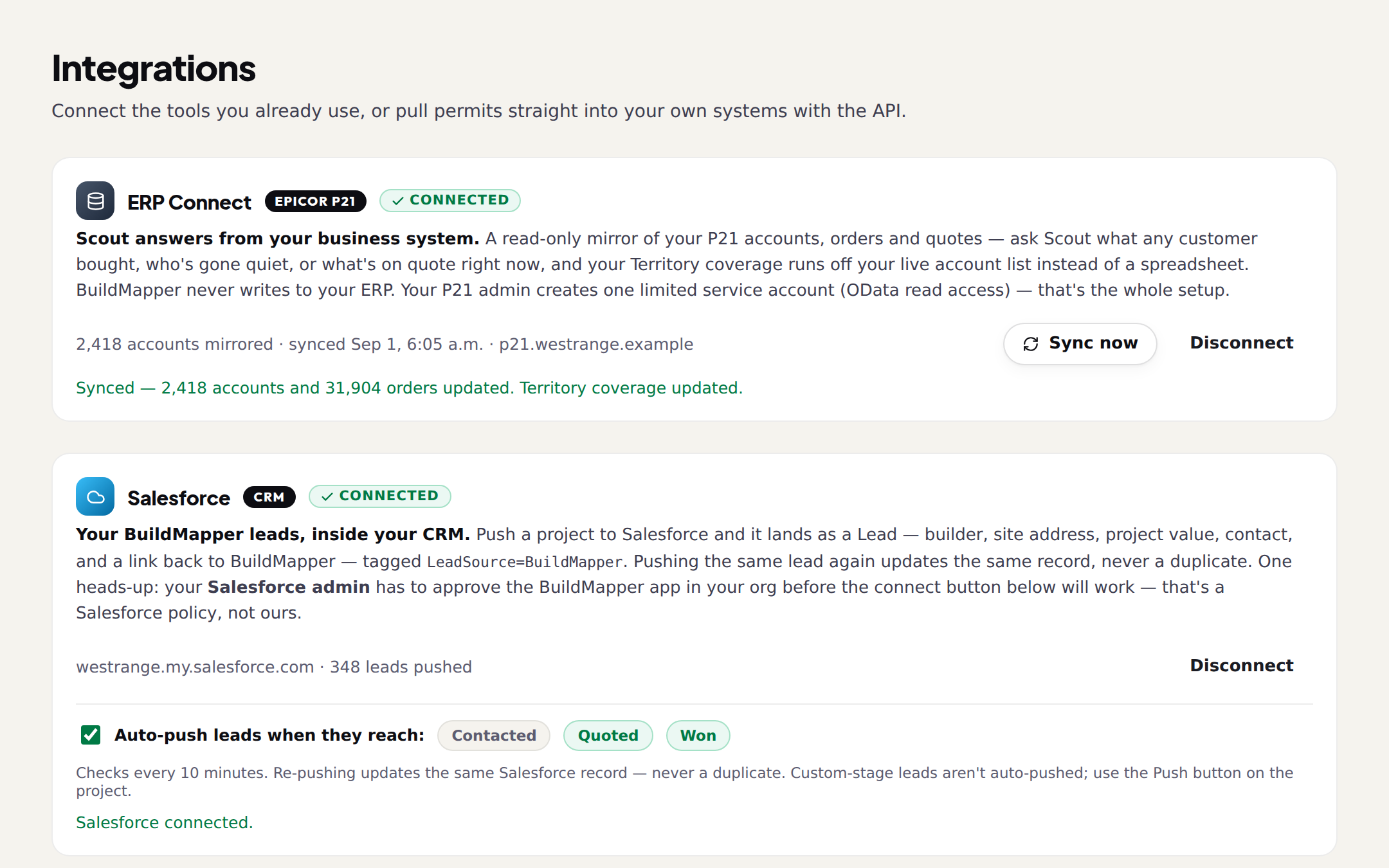
Everything under Settings → Integrations, in the order the page shows it. The rule for all of it: every ERP connection is read-only. BuildMapper never writes to your business system, and your records stay yours.
| System | What it is | Status |
|---|---|---|
| Salesforce | CRM · BuildMapper leads pushed in as Leads | Live |
| Epicor Prophet 21 | ERP · read-only mirror of accounts, orders, quotes | Live |
| ECI Spruce | ERP · read-only | Next |
| HubSpot | CRM · leads sent | Set up with us |
| BisTrack | ERP · CSV upload | CSV upload |
| Any CSV or Excel | Customer list, contacts, product files | Live |
ERP Connect (Epicor Prophet 21)
A read-only mirror of your P21 accounts, orders and quotes, so Scout can answer from your business system (what did Highlands order last month?). Setup is your middleware URL, a service-account username and password, and Connect P21; connecting runs a live test and the first sync, a minute or two. Credentials are stored encrypted and never shown again. Sync now whenever you like. Disconnect removes the mirrored records from BuildMapper; your ERP itself is never touched. ECI Spruce is next.
Salesforce Sync
Push a project to Salesforce and it lands as a Lead: builder, site address, project value, contact, and a link back to BuildMapper, tagged LeadSource = BuildMapper. Pushing the same lead again updates the same record, never a duplicate. Optional auto-push, off by default, sends leads when they reach the stages you choose (Quoted and Won to start; New is deliberately not offered). One thing to know before you start: your Salesforce admin has to approve the BuildMapper app in your org before the connect button works. That is a Salesforce policy, not ours. Disconnecting leaves the leads already pushed in your org.
Permits API and webhooks
- API keys stream your scored permits into a CRM, a warehouse or a script, sent as a bearer token. A key is shown once; if you lose it, revoke it and make another. The Developers page documents the endpoints.
- Webhooks fire on
permit.createdandproject.savedto any HTTPS endpoint, signed with your endpoint's secret and retried on failure. Test sends one to confirm it is wired. Point it at Zapier or Make and most workflows are covered without a connector.
CSV and Excel
Your customer list goes to Territory (any columns, names are all it needs). Your address book goes to Connections. Price lists and catalogs go to Product Brain. Pipeline and contacts export to CSV or Excel. If your system only exports a file, that is enough to run the whole loop.