
Work the leads 6 min read
Your first week as a rep on BuildMapper
Your manager set the territory. Your Monday leads arrive scored, with the reason. Here is the loop: read, call, quote, move the card.
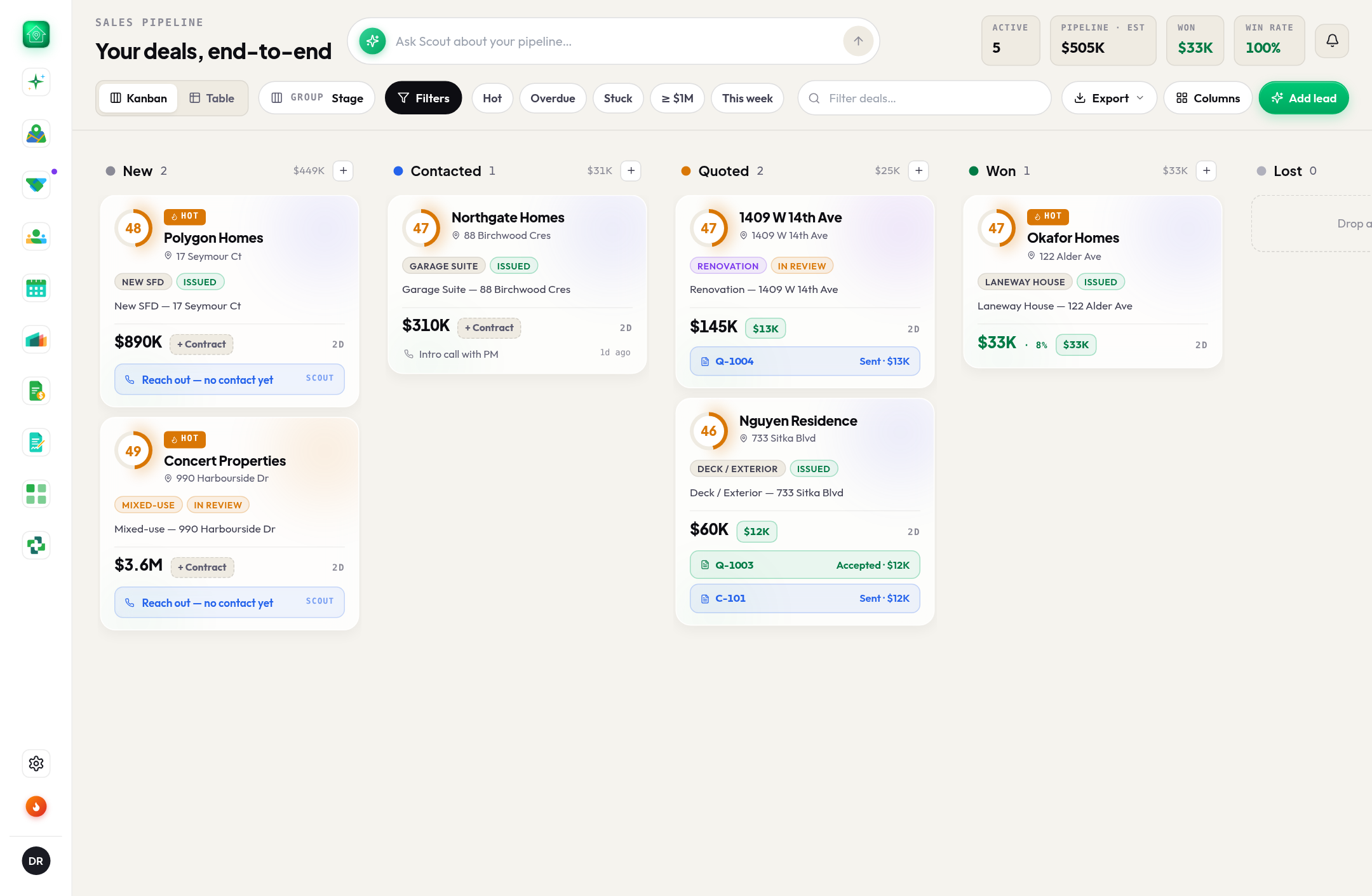
This guide is hands-on. Follow along in the app.
A free trial takes two minutes: 25 project views or 14 days, whichever comes first. No card.
If you joined with an invite, most of the setup is already done. Your manager set where the branch sells and what it sells, so every permit on your map is scored for the branch's lines, and on Monday your leads arrive already assigned. Your week is the part that needs a person.
- 1Monday: read your listAssigned leads land in your pipeline at New, and the bell says New lead assigned to you. Each card carries the builder, the address, the build's value and the reason it came to you (Their account, Their zone, Worked them before). If you have Scout on your phone, the same leads are in the morning brief with a draft message for each.
- 2Two minutes per leadOpen the project. The header is the shape of the job: type, class, status, value, units, floors, and the builder. Expand the score to see why it ranks where it does, check Reachability before you dial, and glance at the builder's other permits: one permit is a maybe, five in a quarter is an account.
- 3Call, then move the cardCall the builder about the material, not the sub (the supplier's first call is its own guide). Whatever happens, drag the card: Contacted after the call, Quoted when a price is in their hands, Won or Lost when it is decided. A card that moves is a card your manager never has to ask you about.
- 4Quote from the plansFrom the card, Quotes → New quote: describe the job or drop the plan set, and line items are drafted from the branch's price book. The client accepts from a private link and the amount lands on the card. Ten minutes, not an afternoon.
- 5Follow up on ThursdayCreate a follow-up on your Calendar from the card and it stays linked. Follow-ups are not created for you; this is the habit that separates reps who close from reps who were busy. Ask Scout what's stuck? on Thursday and clear it.
Beyond the list
- The map is yours to browse. Every permit in the territory, scored, with the Hot pins on top. Browsing never costs a view; opening a project's full record does, and it stays open for the whole team.
- Star the builders you know. A starred builder's next permit lands in your bell under Watchlist. The lead comes to you.
- Add a lead the batch did not have. Save any project from the map and it is on your board. A builder you met on site, a permit you spotted driving past: same pipeline.
- Your board is yours. Your manager can look at it and sees the roll-up on Team Flow (stage moves, wins, leads gone quiet), never your notes or your emails.
TipWork in this order: Stale first, assigned leads second, new pins last. A quoted job going quiet is worth more than any new permit.