
Your team's chat. With the jobs in it.
Channels, direct messages, threads, files and reactions, inside BuildMapper. Then the part no general chat app can do: type # and tag the project, the builder or the quote. Whoever reads it opens the real thing from the message.
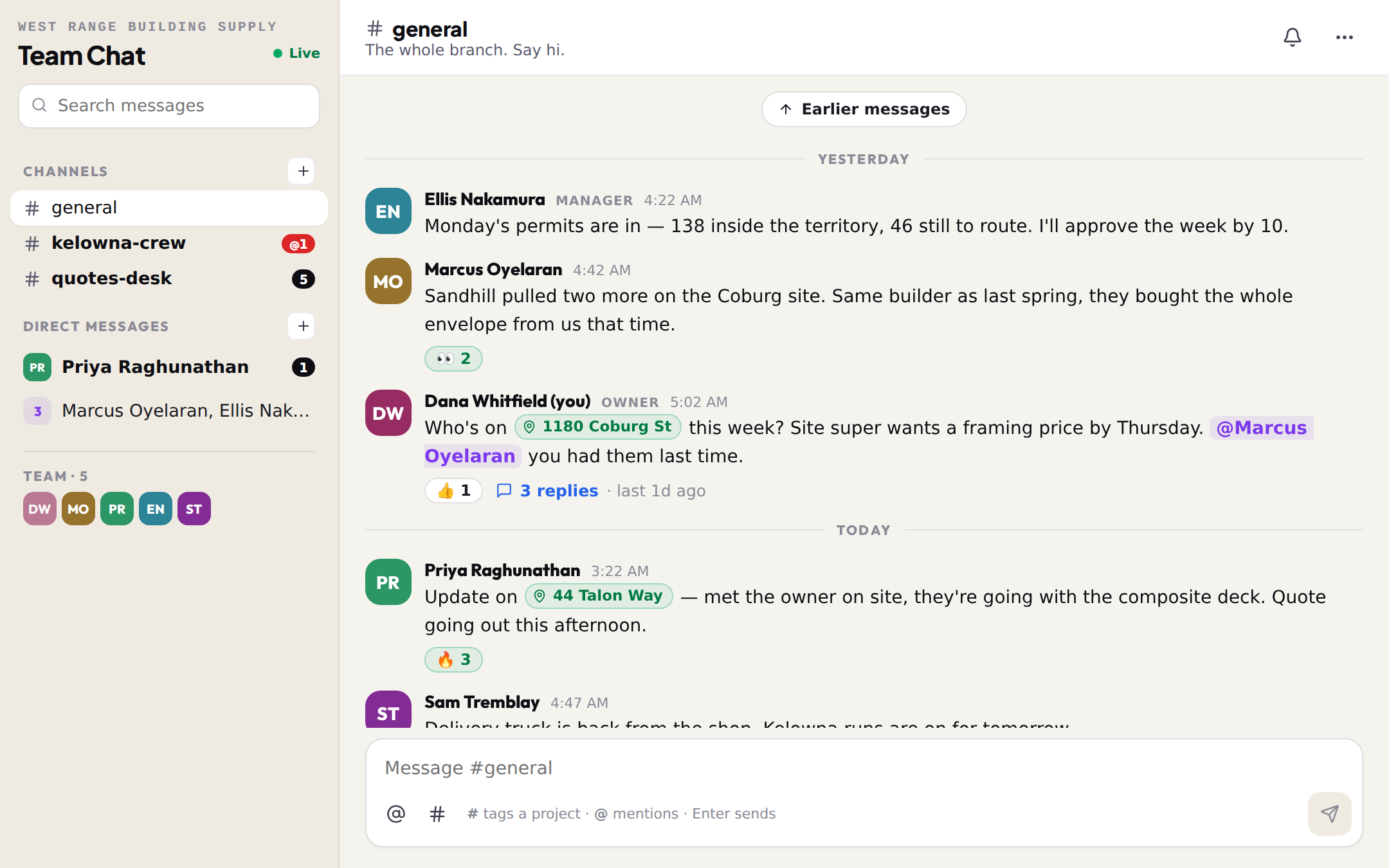
Everything a chat needs, plus the one thing yours never had.
The branch already talks all day, in texts, in group chats, in an inbox. The address gets pasted, the quote gets forwarded, and nobody can find either a week later. Here the message carries the job.
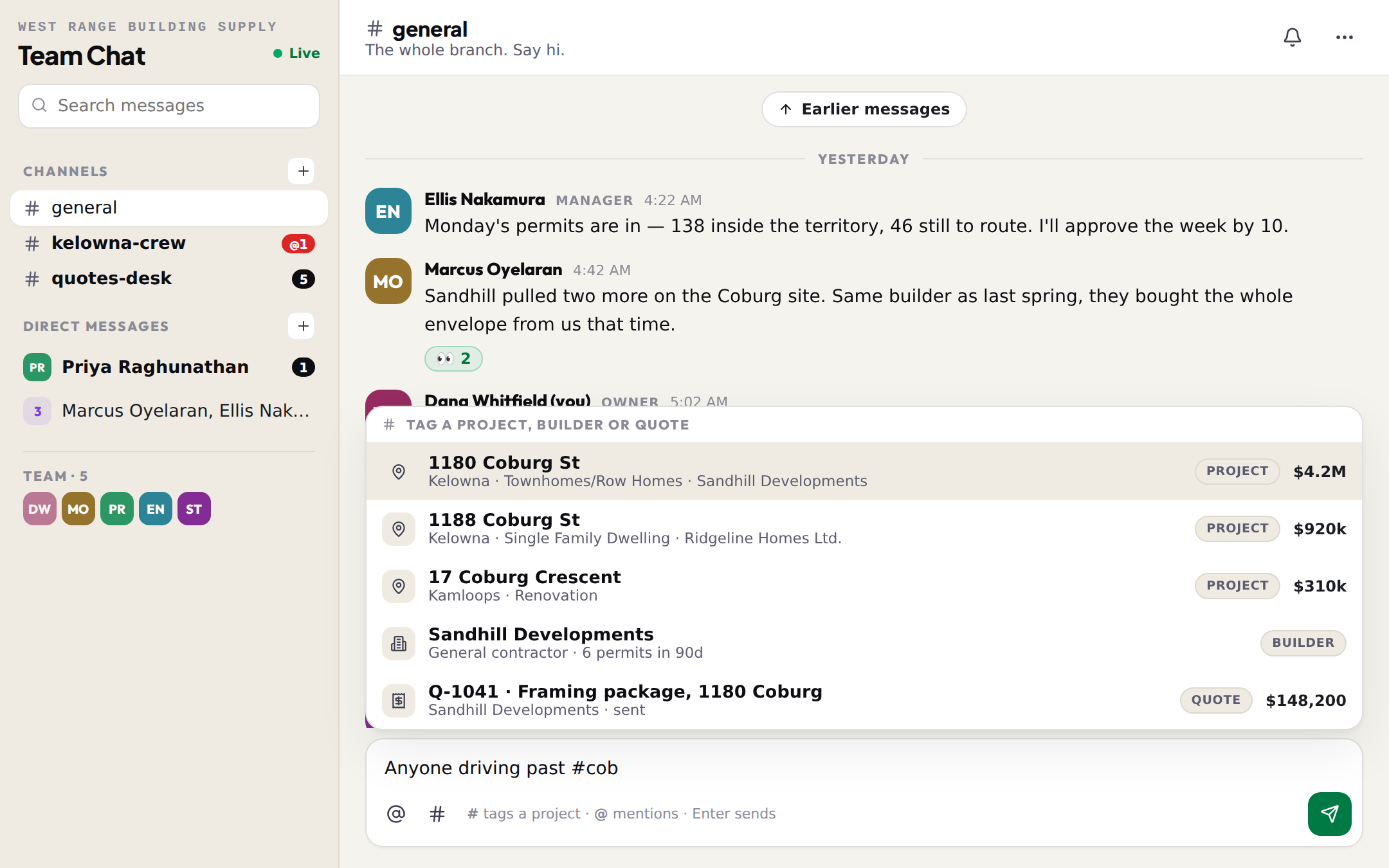
Type # and the job is in the message.
Start typing an address, a builder's name or a quote number and pick from the list. The tag shows the project, the builder or the quote as a chip. Whoever reads it taps the chip and the real record opens: the project panel for a permit, the builder's drawer in Connections, the quote itself.
- Projects: any permit on the map, found by address, builder or city, with the value beside it
- Builders: any company pulling permits in your area, with how many they pulled in the last 90 days
- Quotes: your own, by number, title or client, with the total
- The chip keeps its label for good, so an old message still reads right
- A project opens in the side panel right there in the chat: builder, value, contacts, who on the team holds it
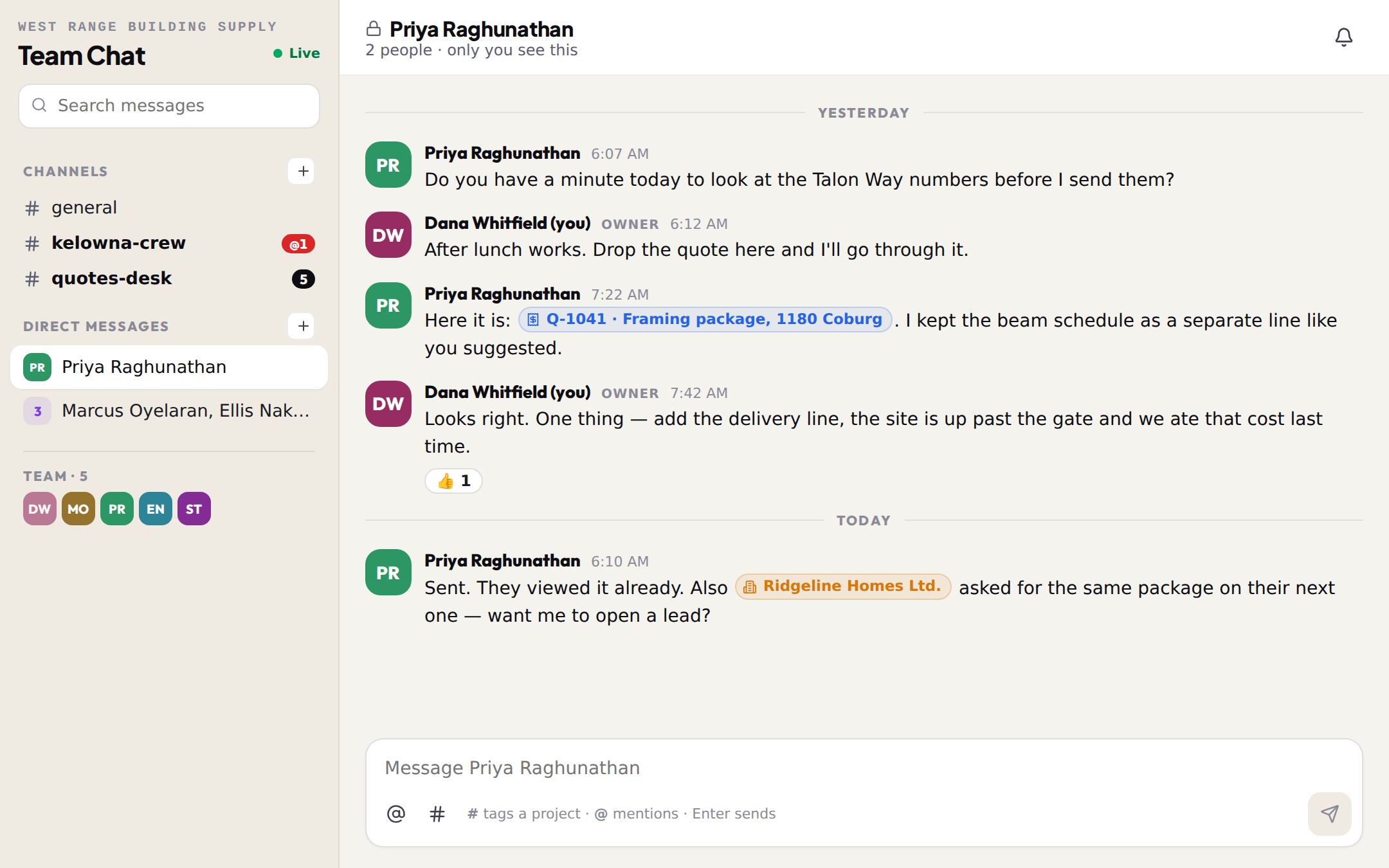
The branch in one place. A word in private when you need it.
Every team starts with #general. Make a channel for a crew, a city or a desk, and everyone on the team can read and post in it. A direct message is the opposite: one teammate or a small group, and only they can see it.
- #general from the moment the team exists; add channels for a crew, a city, the quotes desk
- Direct messages with one person or a group of up to 8; nobody else can read them, managers included
- Unread counts on every channel, a red @ when it is you they need
- Mute a channel that is not yours; archive one whose job is done
- Search across everything you can see, and jump straight to the message
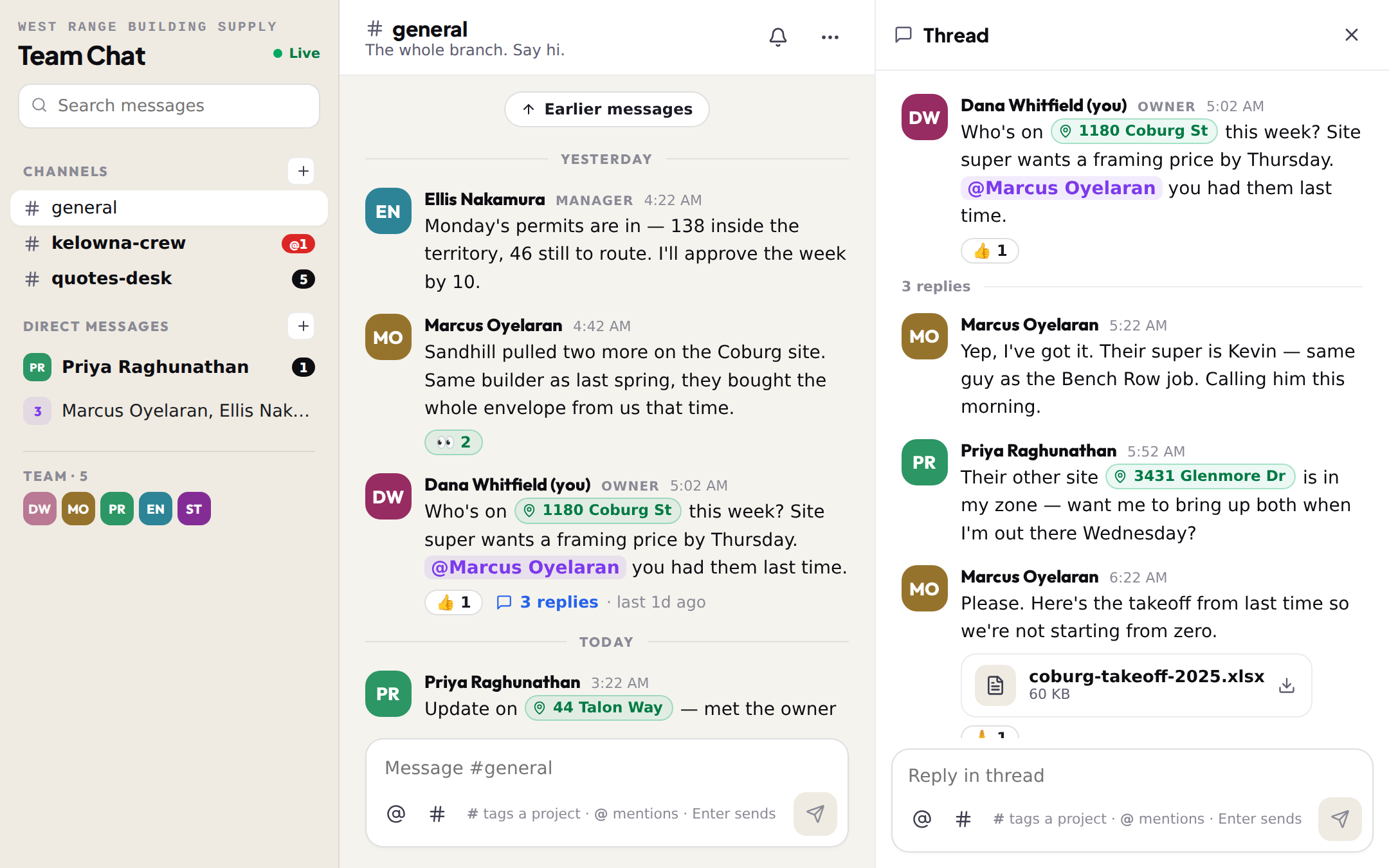
Reply under it, not over it.
A question about one job gets its answers in a thread beside it, so the channel stays a list of things that happened, not a wall. A thumbs up, a check, a pair of eyes: reactions cover the replies that were never words.
- Reply in thread from any message; the channel shows the count and when the last reply landed
- Threads carry tags, files and mentions like any message
- Six quick reactions, and who reacted on hover
- Edit your own message; delete it and the thread keeps its shape
- Deep links from the bell open the channel at the message and the thread
The takeoff, the site photo, the person who needs to see it.
Drop a file on the message box or paste a photo. Mention a teammate with @ and they get a notification in the bell, on the phone too. Messages arrive as they are sent, and if the connection drops the chat catches up on its own.
- Photos, PDFs, spreadsheets, up to 25 MB each; images show inline
- @ a teammate; a reply to your message and a direct message notify you the same way
- Search every message you can see, and jump to it in its channel
- Built for the phone: two screens and a back button, threads over the top
- Tag a permit and it opens the project panel, the same one the map uses
- Tag a builder and it opens their Connections drawer: permits, contacts, who owns the account
- Tag a quote and it opens the quote
- Mentions, replies and DMs land in the same bell as lead assignments
- Every message stays with your team; nobody outside it can read a word