Plan takeoffs

AI material takeoffs from PDF plans

Drop the whole plan set. BuildMapper reads it sheet by sheet, lists the materials with the sheet each came from, prices them from your own price book, and puts them on a quote when you have checked them.

Start a free trialQuotes & Plan Takeoffs in depth
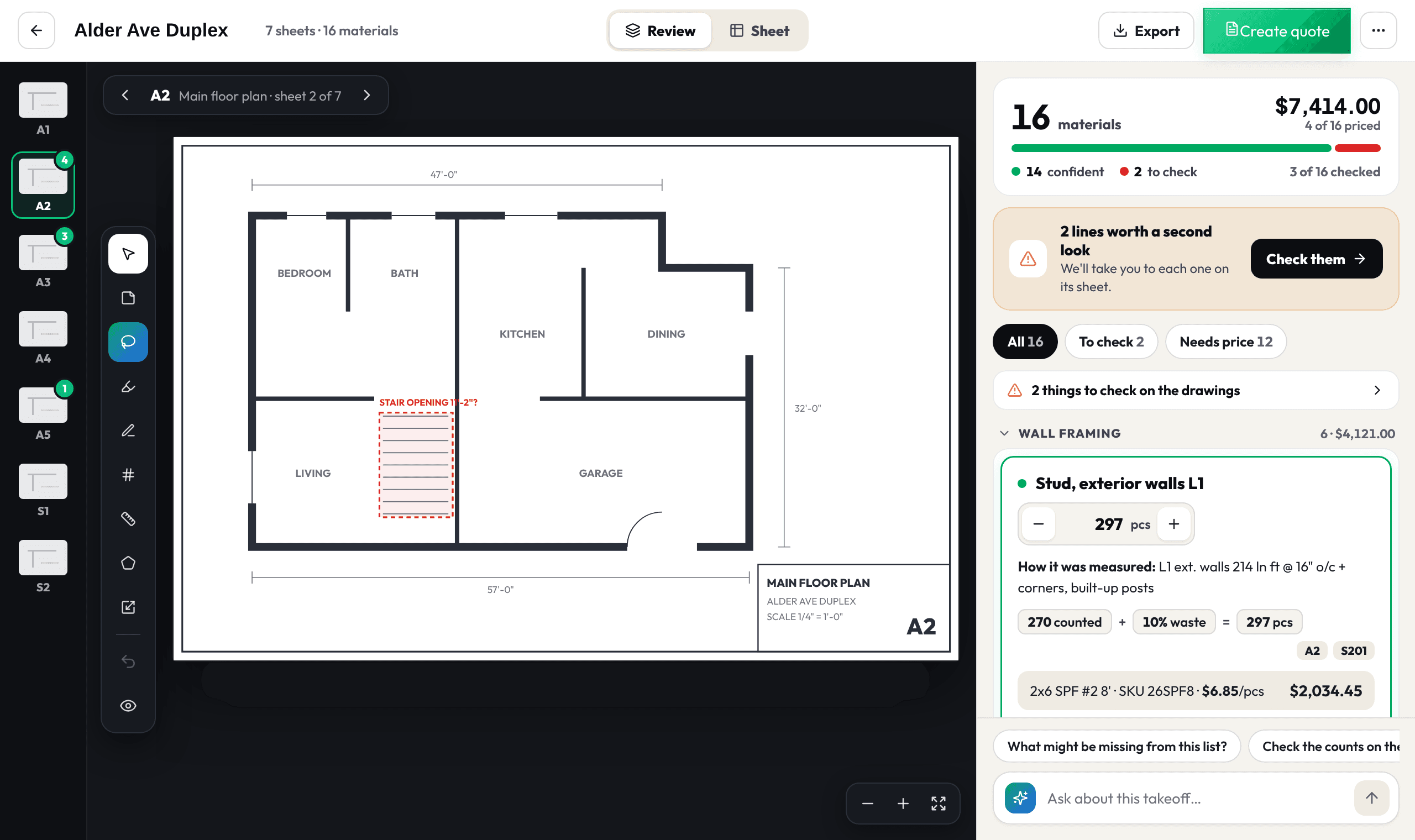
A BuildMapper takeoff: the drawing on the left, the materials list on the right with quantities and the sheet each came from

How it works

  1. Upload the plan set and say which trades or pages to take off.
  2. Leave the page: the takeoff runs in the background and the bell tells you when it is ready.
  3. Check the lines beside the drawings; the uncertain ones are flagged first.
  4. Export the materials list or put it on a quote your client accepts online.

Reads the plans the way an estimator does

A plan set says the same thing several times: the floor plan, the elevations and the schedules all show the same windows. The takeoff reads every page, keeps an index of the sheets, and folds the same item seen on several sheets into one line instead of counting it three times. Each line carries the sheets it was read from, so checking it is a click, not a hunt.

Priced from your book, never from a guess

Lines are matched to the products in your price book or in the price lists you uploaded to Product Brain, and the price comes from that row. A line with no match says "Needs price" and is flagged before a quote goes out; it never shows up on a client's document as a made-up number.

Your takeoff rules come with every run: notes the AI follows ("studs at 16 inches", "exterior walls are 2x6") and a waste percentage, overall or by section, added to the counted quantity.
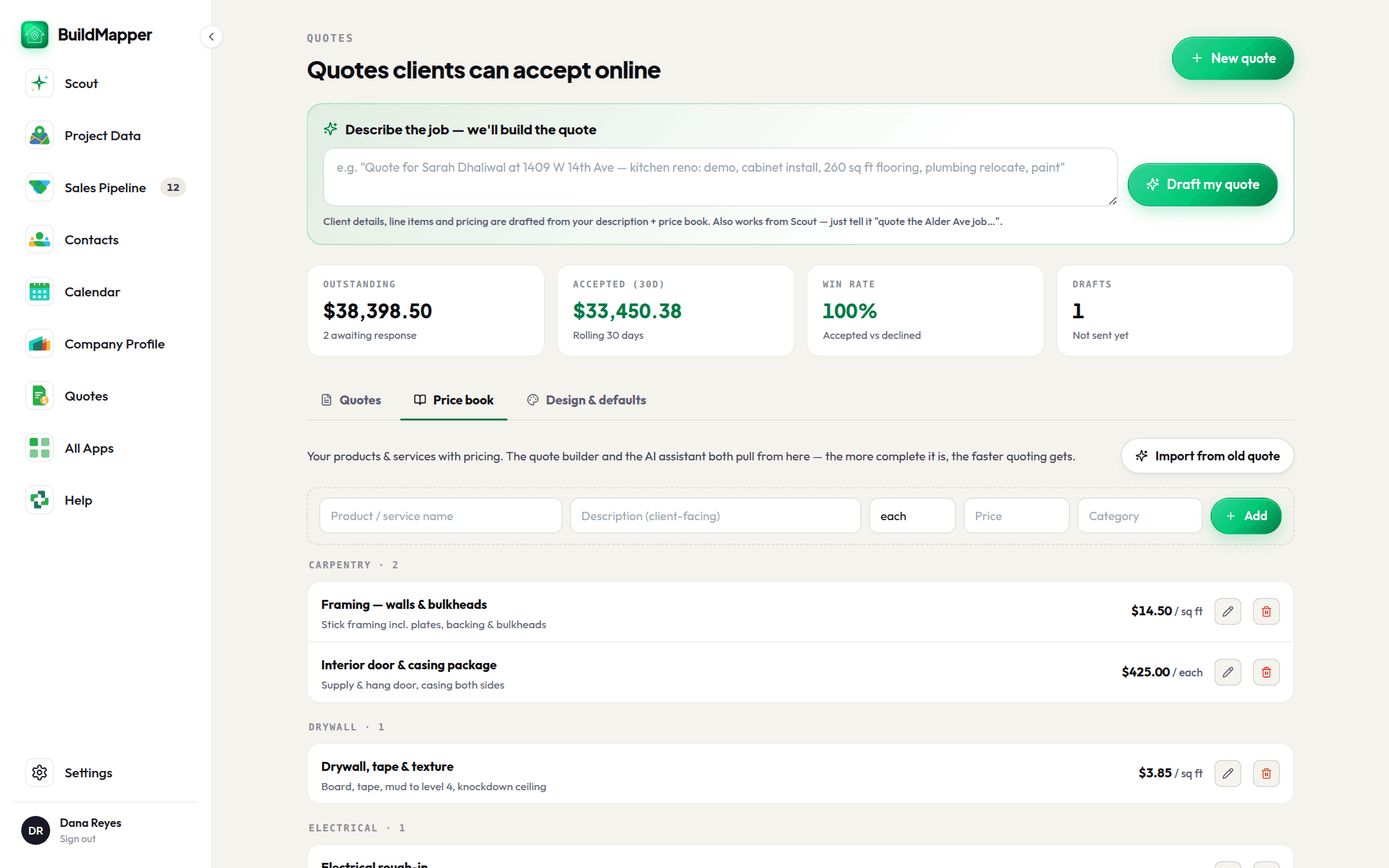
The price book the takeoff prices from

You check it, it learns your corrections

Tick a line when it looks right, fix a quantity by typing it, or circle part of a sheet to count or measure it yourself with a scale you set. When the same correction keeps coming up, BuildMapper offers it as a rule for next time; nothing changes without your press.

From takeoff to quote

Put the takeoff on a quote and the quantities carry over. The takeoff owns the quantities and the quote owns the prices and wording, so putting a corrected takeoff on the quote again updates the quantities and keeps your edits; a quote already sent is never changed. Send it as a link the client accepts online, or export an Excel materials list, a purchase order or the marked-up drawings.
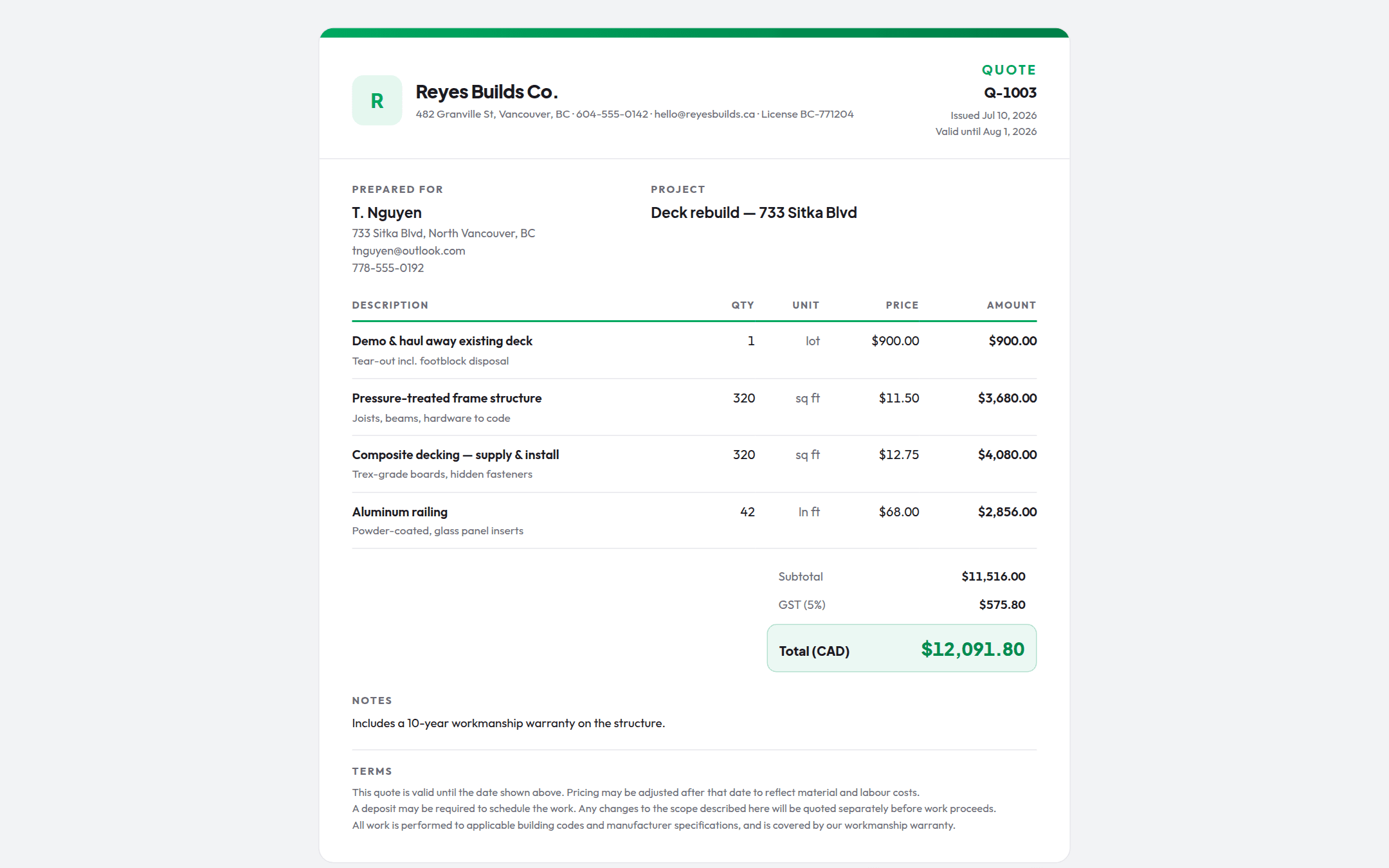
A quote as the client sees it online, ready to accept

Common questions

How accurate is an AI takeoff?

Treat it as a fast first pass for an estimator to check, not a finished bid. Every line names the sheet it came from, lines the AI is less sure of are flagged for a second look, and you can check each one beside the drawing. You can count or measure on the drawing yourself, and a number you type is final.

Where do the prices come from?

From your own price book or the price lists you uploaded to Product Brain. The AI matches a line to one of your products; it never makes up a price. A line with no match reads "Needs price" until you fill it in.

What plans can I upload?

PDF plan sets and images, up to 30 files and 500 pages a run, 100 MB a file. Name the trades or the pages you want, or leave it blank to read everything, and add notes for the job before it starts.

Do I have to wait on the page while it runs?

No. A takeoff is a background job. Close the tab, and the bell and your inbox tell you when it is ready.

Related

Lumber and framing takeoffs from your plansWindow and door takeoffs from the plansRoofing and siding takeoffs from the plansTakeoffs for a lumber yard's estimating desk

Where the leads come from: building permits by city · Pricing