Windows and doors

Window and door takeoffs from the plans

Every window and door in the plan set, read from the schedules, floor plans and elevations, counted once, and priced from your own window and door price list.

Start a free trialQuotes & Plan Takeoffs in depth
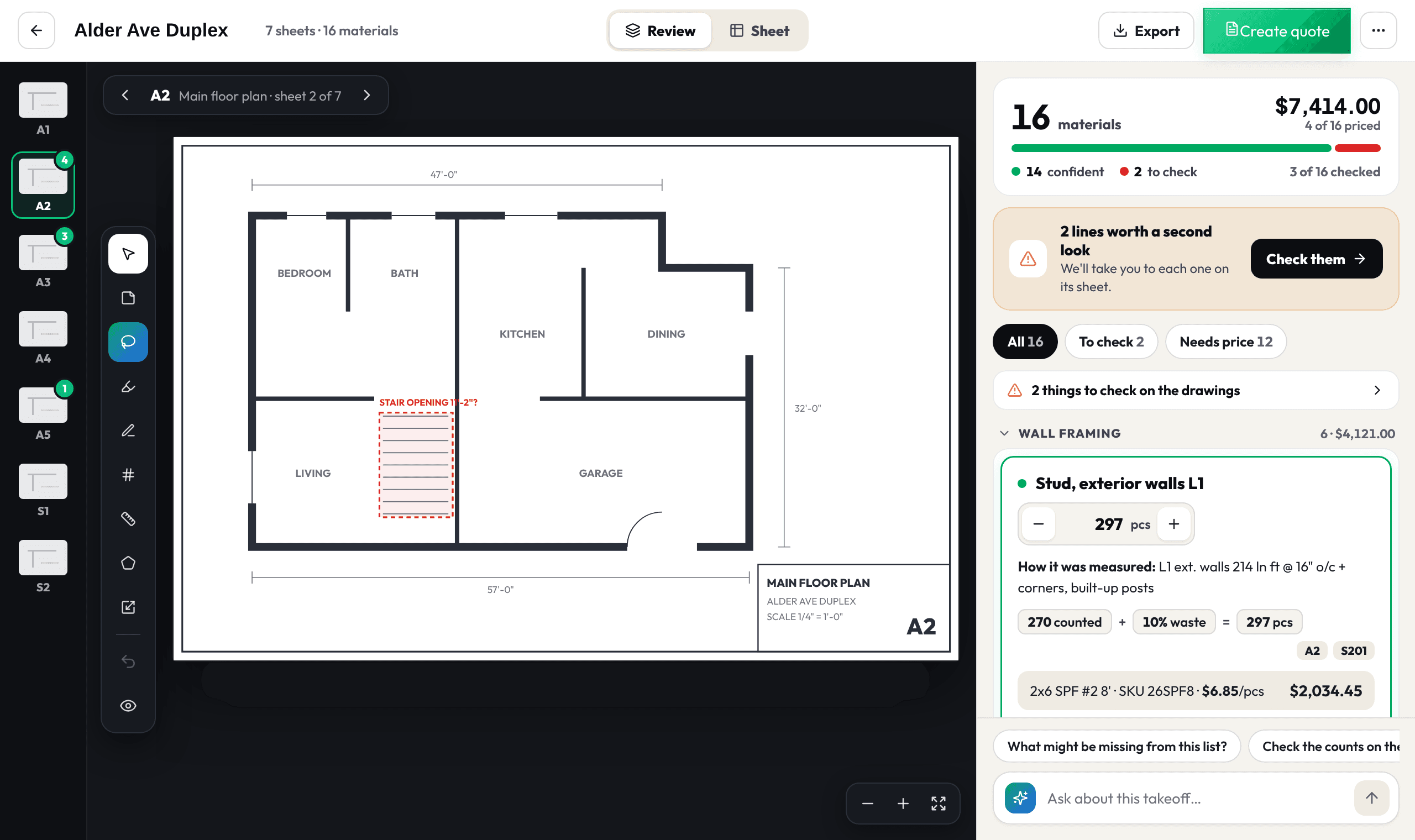
A BuildMapper takeoff: the drawing on the left, the materials list on the right with quantities and the sheet each came from

How it works

  1. Upload the plans and ask for windows and doors.
  2. The takeoff reads the schedules and checks them against the plans and elevations.
  3. Check each opening beside the sheet it came from.
  4. Price it from your list and send the quote.

Schedules, plans and elevations, counted once

A window appears on the schedule, the floor plan and an elevation. The takeoff reads all three and folds them into one line per type, with the size and the count, instead of counting the same unit three times. Lines the AI is less sure of are flagged for you to check first.

Priced from your dealer price list

Upload your manufacturer price lists, net price grids included, to Product Brain, and the takeoff matches each opening to your product. No match means "Needs price", never a made-up number on a client's quote.

Built for a dealer's week

Builders send plans to three dealers at once; the one who answers first with a clean quote usually wins. The takeoff runs while you do something else, and the quote goes out as a link the builder accepts online.
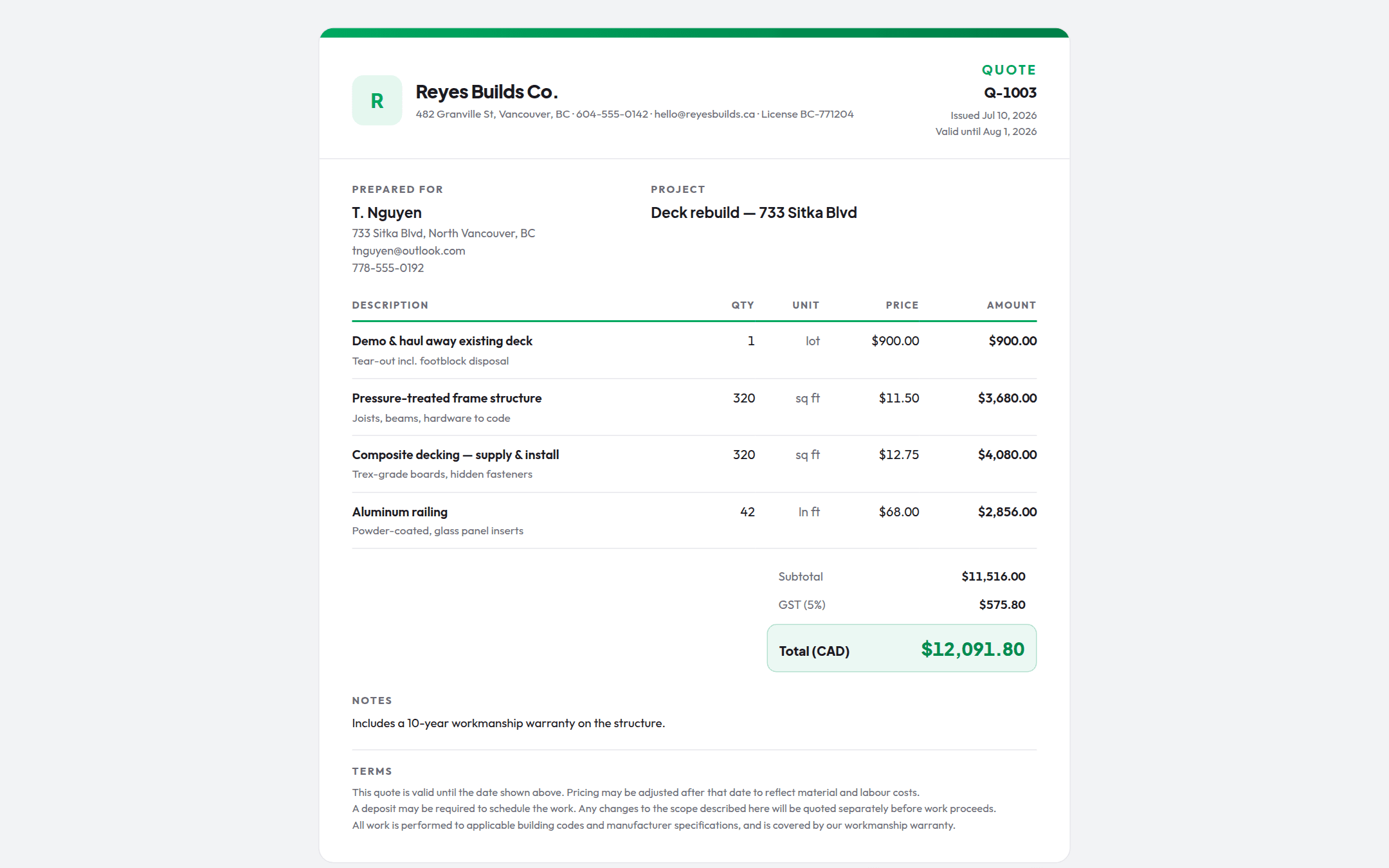
A quote as the client sees it online, ready to accept

Common questions

How accurate is an AI takeoff?

Treat it as a fast first pass for an estimator to check, not a finished bid. Every line names the sheet it came from, lines the AI is less sure of are flagged for a second look, and you can check each one beside the drawing. You can count or measure on the drawing yourself, and a number you type is final.

Where do the prices come from?

From your own price book or the price lists you uploaded to Product Brain. The AI matches a line to one of your products; it never makes up a price. A line with no match reads "Needs price" until you fill it in.

What plans can I upload?

PDF plan sets and images, up to 30 files and 500 pages a run, 100 MB a file. Name the trades or the pages you want, or leave it blank to read everything, and add notes for the job before it starts.

Related

A CRM for window and door dealersAI material takeoffs from PDF plansTakeoffs for a lumber yard's estimating desk

Where the leads come from: building permits by city · Pricing