Quotes & Plan Takeoffs · Sales & CRM
Included with your plan

Plan takeoffs and quotes your clients accept online.

Drop the whole plan set and get the materials, read sheet by sheet and priced from your own price list. Check them beside the drawings, then send a quote your client accepts online, or export a materials list or purchase order first.
buildmapper.ai/app/quotes
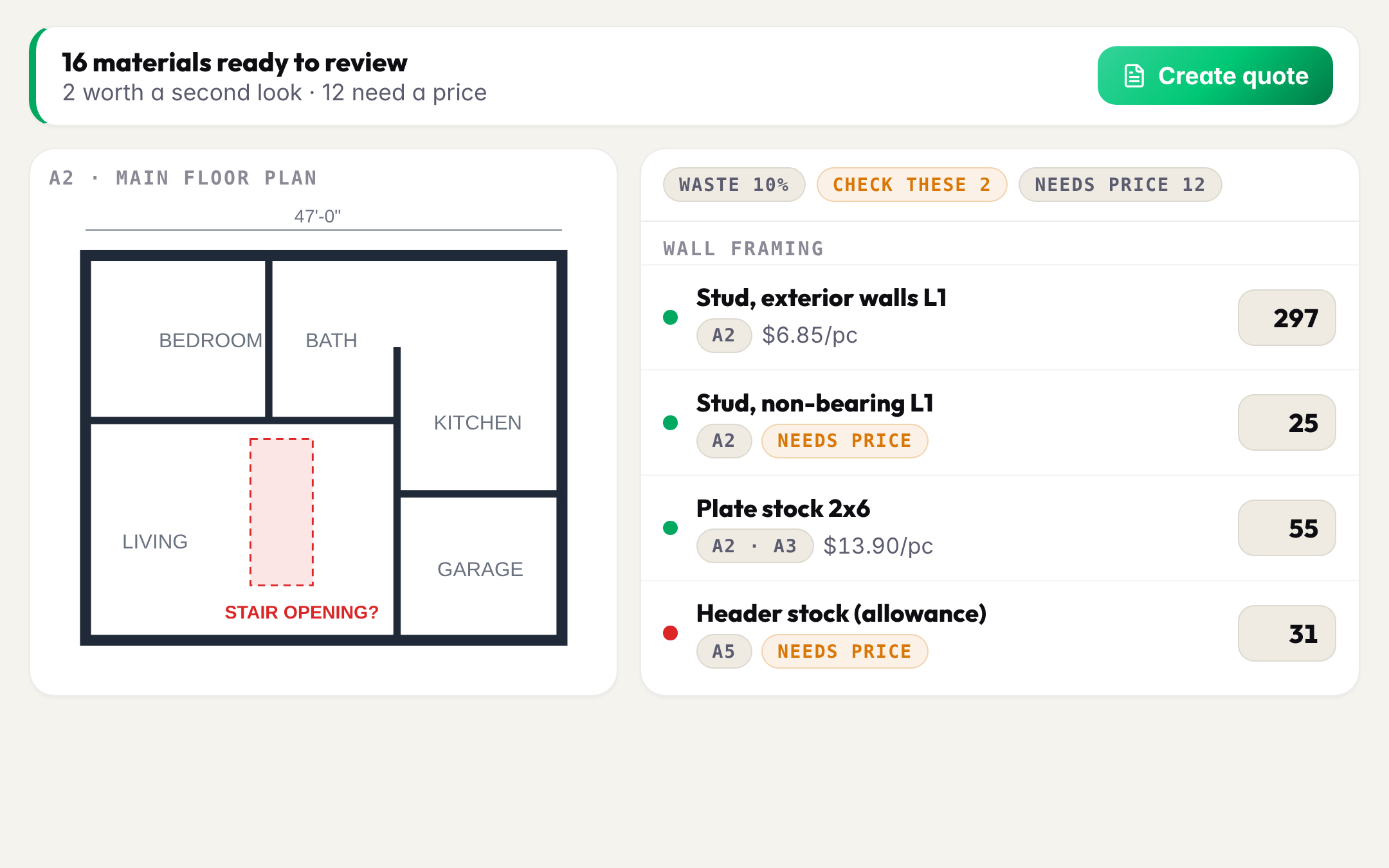
A plan takeoff: the drawing beside the counted materials, with lines that need a price flagged
Quotes & Takeoffs + Product Brain · 3 min video

See it in action

Drop a full plan set and get the materials, read sheet by sheet in the background. Check each count against the drawings side by side, fix what's off, then put it on a quote with one button, priced from your own price list, or export a materials list or purchase order first. Set your waste % and standing notes once and every takeoff uses them. No drawings? Describe the job and AI drafts the line items. Send a private link your client can accept online; the amount lands on your pipeline lead automatically.

Plan takeoffs from a full set, split into as many files as you like
Check every quantity against the drawings, side by side, before it goes on a quote
Your waste % and standing notes, applied to every takeoff
Export a materials list or purchase order before you quote
One button puts the takeoff on a quote, and updating it never touches your prices
Describe the job in plain language and AI drafts priced line items
Clients view and accept online from a private link
Totals land on your pipeline lead automatically
Upload an old quote to build your price book instantly
Get pinged the moment a client views, accepts or declines
Plan takeoffs

From the plan set to a list your yard can fill.

Drop the drawings into BuildMapper. AI reads every sheet, measures the job, counts the openings and builds the materials list, priced from your own price list wherever it has a match. You check it beside the drawings before anything goes to a client.

buildmapper.ai/app/quotes/takeoffs
TAKEOFF · FOOTHILLS CONSTRUCTION
2840 W 4th Ave · 2-storey home + suite
Upload plans
A1.0 Site plan.pdfA2.1 Floor plans.pdfA3.0 Elevations.pdf 3 FILES · 14 PAGES READ
Read off the drawings
Deck 16 × 20320 sq ft
read from stated dimensions
Exterior wall run142 lin ft
scale bar 1/4" = 1'
Windows14
counted on A2.1
Ceiling height9 ft
inferred, confirm
Material list · your catalog
2×10 SPF #2, 16'
38 pcs
$1,254
LVL 1¾ × 11⅞
6 pcs
$888
Vinyl windows, 14
per spec
$9,870
Trex Select, 320 sf
+10% waste
$3,410
Total, your prices$24,180
PrintSend as quoteNo match in your catalog reads “Needs price”, never a guess.
Your product knowledge base: “What's our list on 2×10 16 ft?” → “$33.00 list, $27.40 cost. Source: price_list_aug.xlsx, row 212.”
How a takeoff works

Eight things it does between the drawings and the quote.

Read the step-by-step guide
01
Drop the whole set
PDFs, or photos and scans of the sheets: up to 30 files of 100 MB each and 500 pages a run, split however the architect sent them. Too big to email? Send the builder a private upload link from the quote and they drop the set from any device, no login.
02
It reads while you do something else
The takeoff runs in the background, sheet by sheet. Leave the page and you get a notification when it lands. Say “framing only” and it picks the sheets that scope needs and checks with you before it reads. Sheets with small print get a second, zoomed-in read.
03
Lumber the way your yard sells it
One line per stock size and length, in pieces, and sheet goods in sheets, grouped by section in trade order with hardware last. Every line names the sheet it came from, and a sheet it could not read is listed, never skipped quietly.
04
Check every count beside the drawings
The plan sheet on one side, the materials on the other. Open a line and Show on drawing boxes roughly where it is on the sheet. Filter to the lines it was least sure of. Ask a question about a sheet and it answers with changes you can apply, never edits it made on its own.
05
Priced from your list, never guessed
Each line is matched to your own price book or your Product Brain price lists, and the price comes from that row, SKU shown. No match means the line says Needs price, never a made-up number. Fill in prices once and the same item prices itself on the next takeoff.
06
Your waste and notes, every time
Set a waste % once, with overrides by section, and a few standing notes like “we don’t supply joist hangers”. Waste is added to the counted quantity and shown on the line, “412 counted +10%”. A quantity you type is final.
07
A materials sheet, a PO, or a quote
Export the takeoff as the sheet your yard works from, in Excel or PDF, or as a purchase order, before you quote. Or press one button to put it on a quote: the takeoff owns the quantities, the quote keeps your prices and wording, and a quote you have sent is never changed.
08
New drawings? See what changed
Run the revised set on the same quote and you see the changes since the last takeoff: what went up, what was added, what came off. And when you fix the same thing on several takeoffs, it offers to make that a rule. Nothing changes without your yes.
It never Invents a price Overwrites lines you wrote Adds waste you didn’t set Changes a quote you’ve sent
Takeoff questions

What estimators ask before the first run.

The plan set as PDFs, or photos or scans of the sheets (PNG, JPG or WebP): up to 30 files of 100 MB each, and 500 pages a run. Name a scope like “framing only” and it reads just the sheets that scope needs; leave it blank and it reads everything.
A closer look

Takeoff review

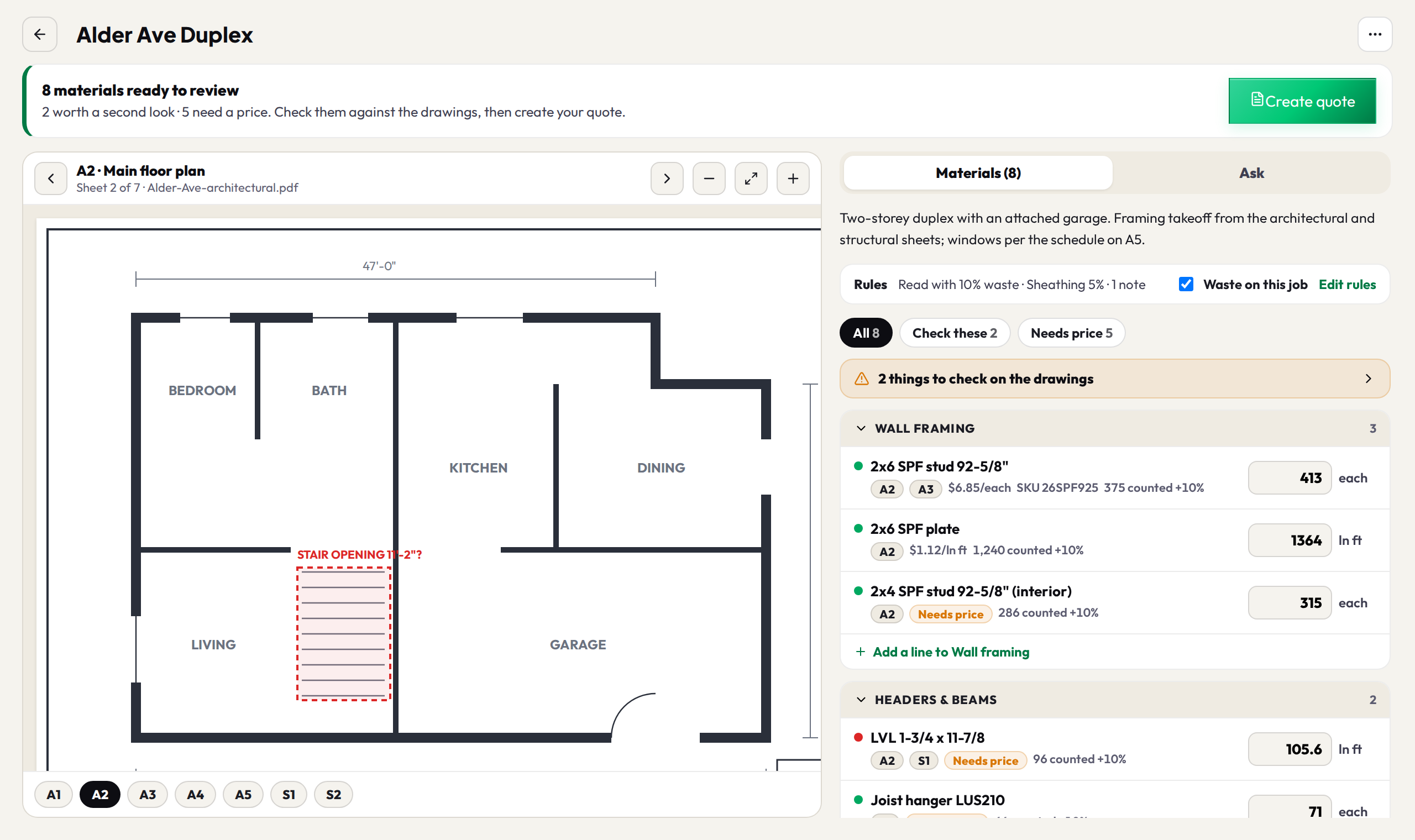
The plan sheet beside the materials, each line tagged with the sheet it came from, and one button to create the quote
buildmapper.ai/app/quotes
Takeoff review: the plan sheet beside the materials, each line tagged with the sheet it came from, and one button to create the quote

Takeoffs tab

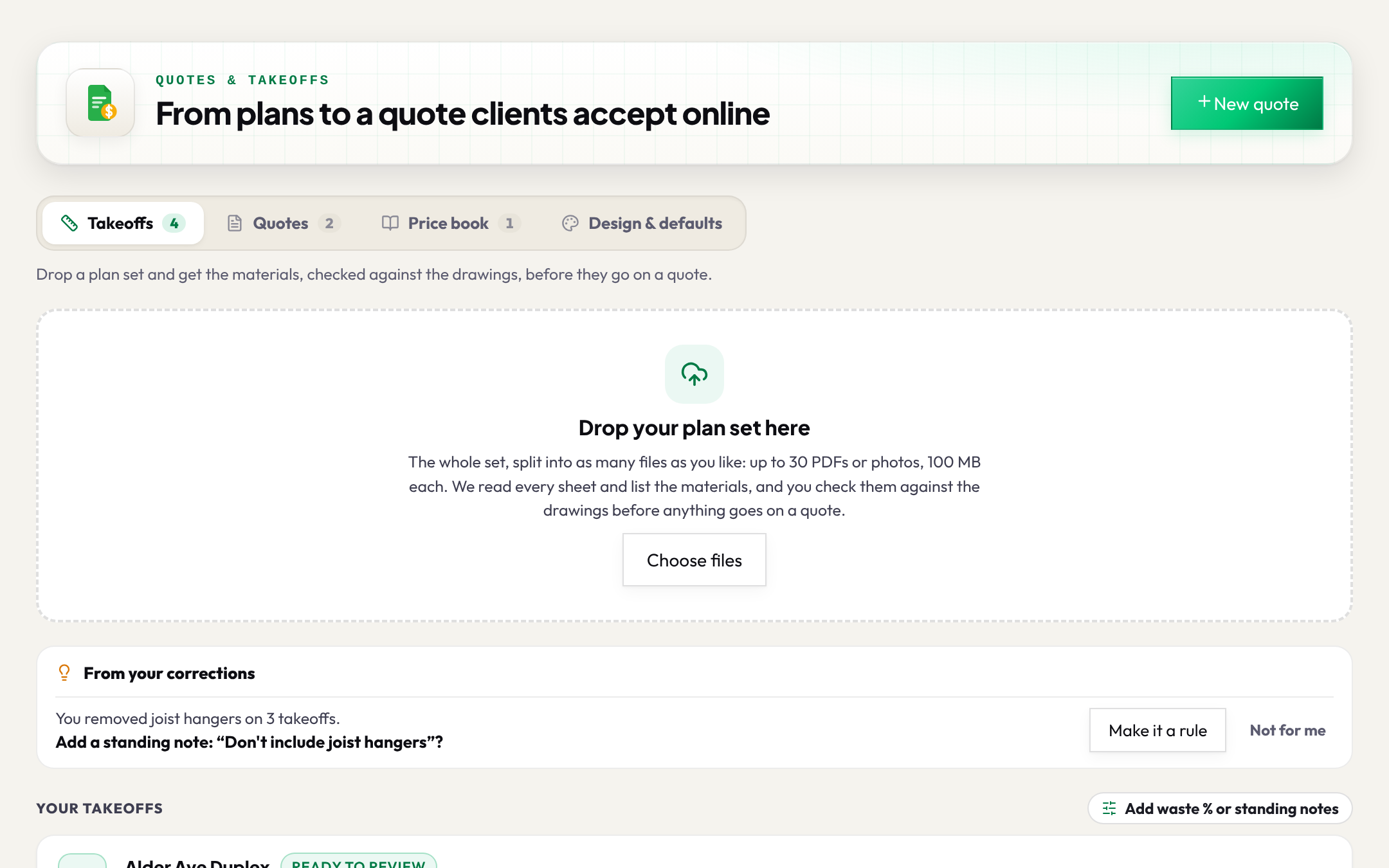
Drop a whole plan set, and every takeoff shows its next step
buildmapper.ai/app/quotes
Takeoffs tab: drop a whole plan set, and every takeoff shows its next step

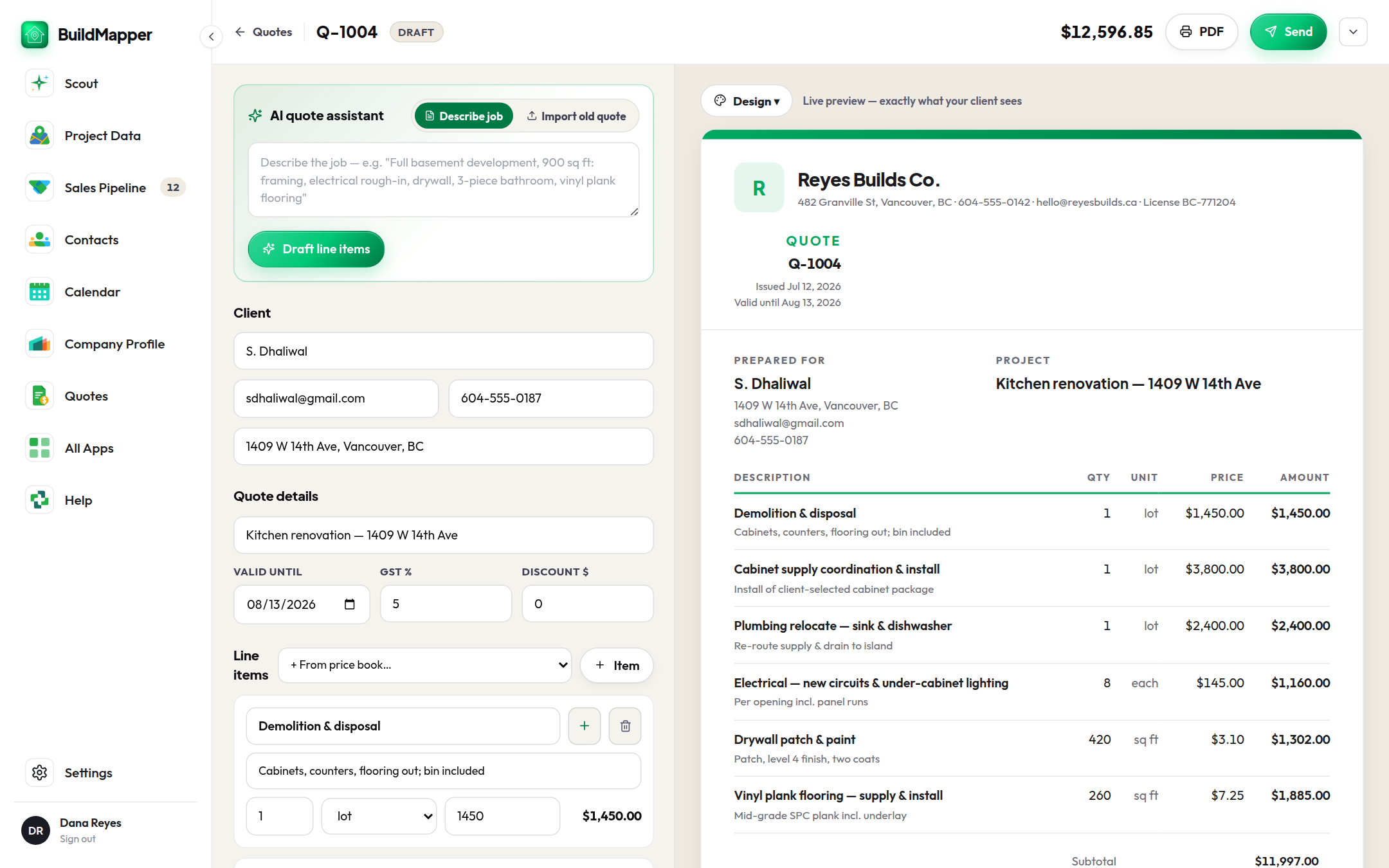
Quote builder with live branded preview and AI assistant
buildmapper.ai/app/quotes
Quote builder with live branded preview and AI assistant

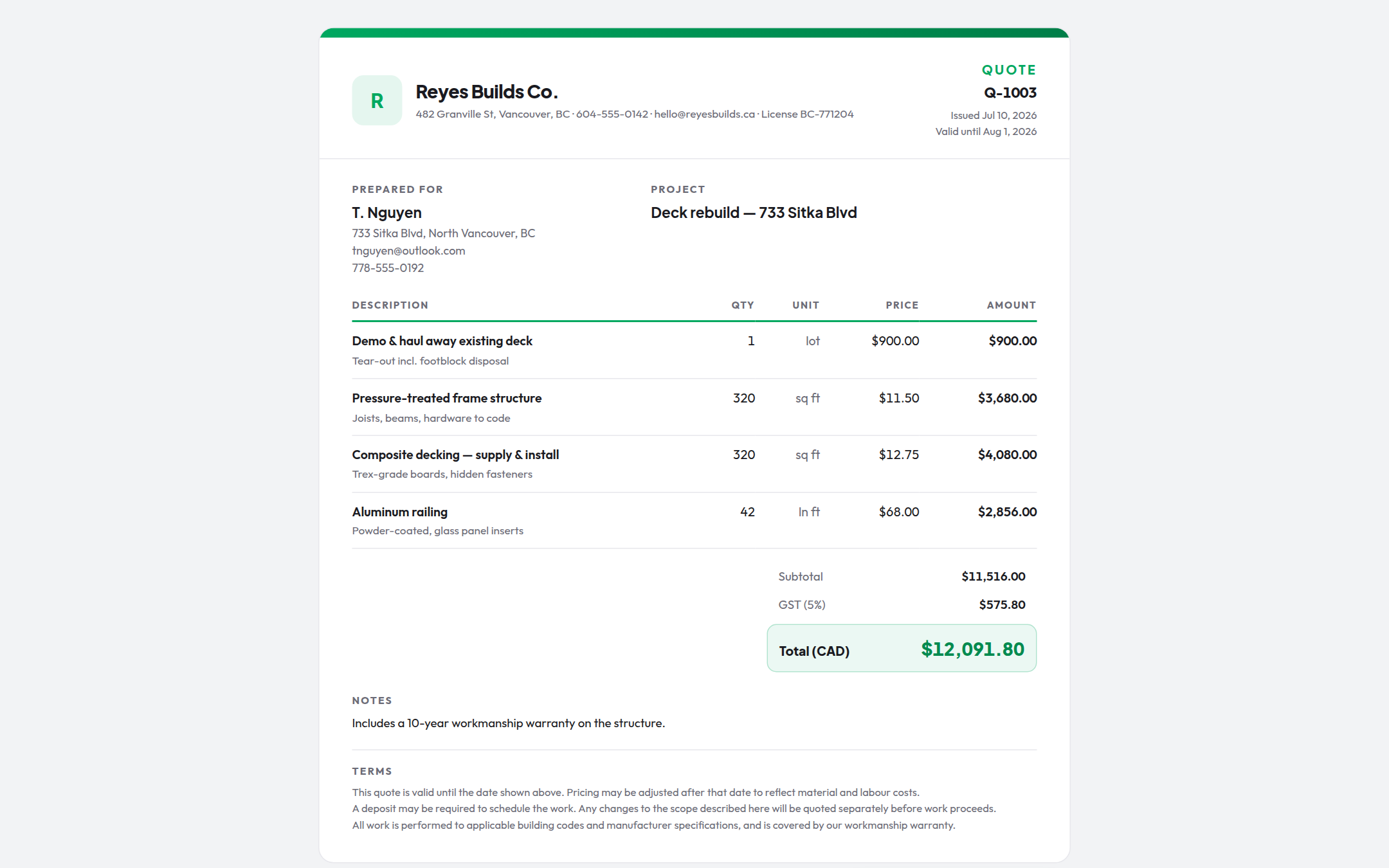
Client view

A private link where clients accept the quote online
buildmapper.ai/app/quotes
Client view: a private link where clients accept the quote online

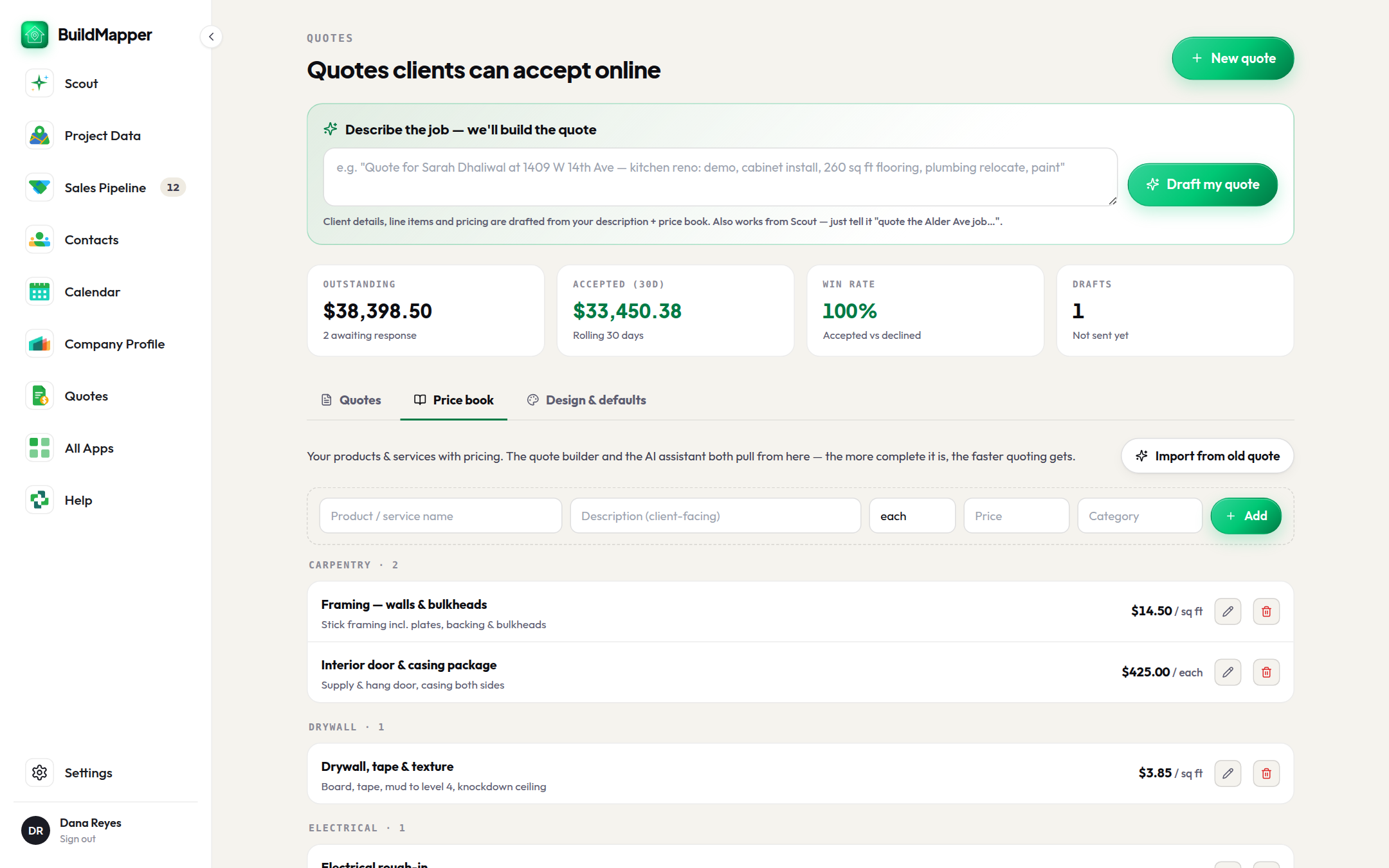
Price book

Saved products & pricing power one-click line items and AI drafts
buildmapper.ai/app/quotes
Price book: saved products & pricing power one-click line items and AI drafts
Works with

Part of the same job.

Try Quotes & Plan Takeoffs on real jobs, free.

25 project views free on signup, full contacts included. No card.