For lumber yards and LBM dealers

Takeoffs for a lumber yard's estimating desk

Builders send plans and expect a number back fast. BuildMapper reads the plan set while your estimator does something else, prices the lines from your own price book, and hands back a list to check, not a blank page.

Start a free trialQuotes & Plan Takeoffs in depth
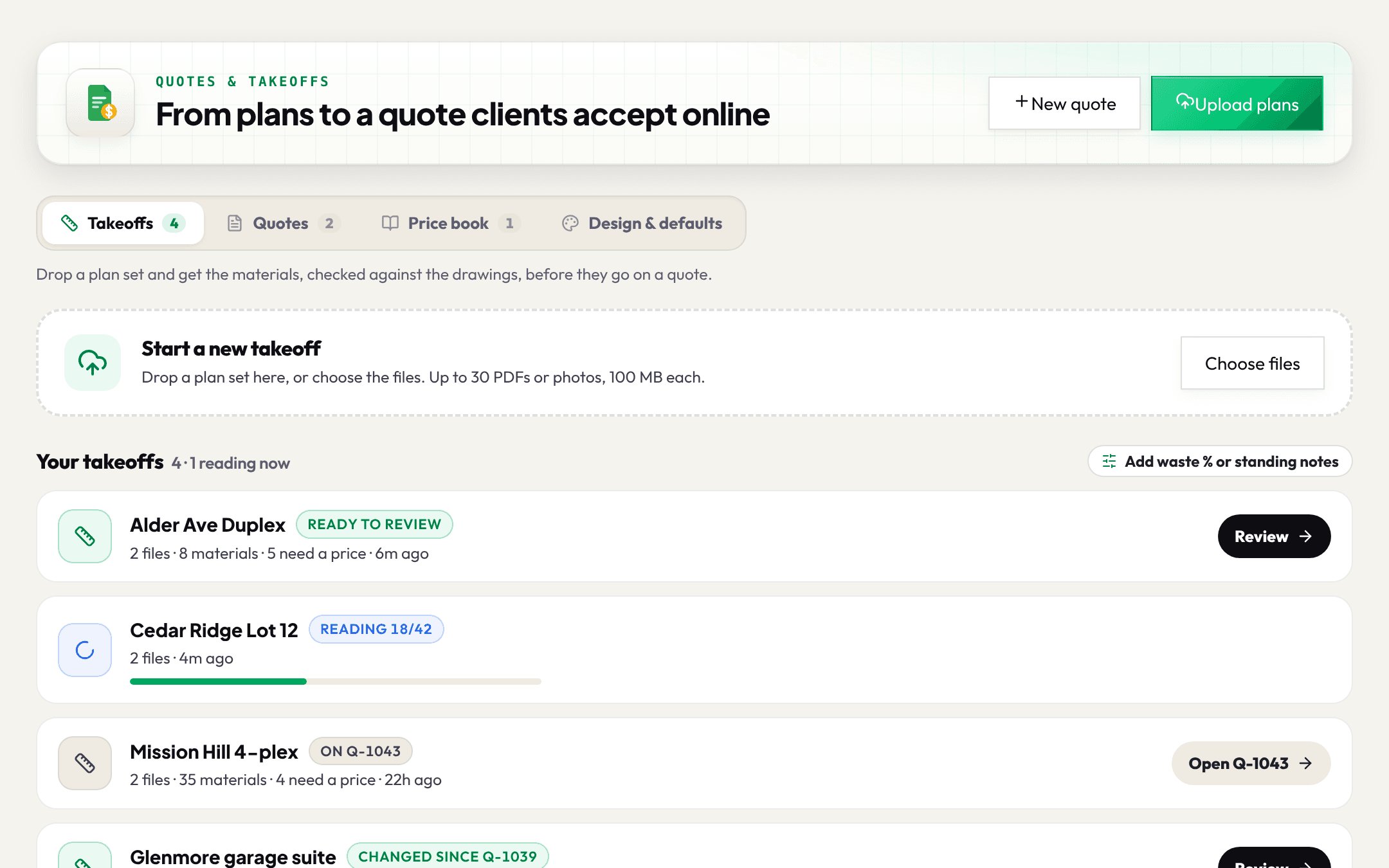
The Takeoffs tab: plan sets uploaded, each takeoff's status and when it finished

How it works

  1. A rep or estimator uploads the builder's plans.
  2. The takeoff runs in the background, for every trade or just the ones you supply.
  3. The estimator checks it beside the drawings and fixes what needs fixing.
  4. It goes out as a quote, a materials list or a purchase order.

More quotes out of the same desk

An estimator's day goes to reading plans, not to judgment. Starting from a read takeoff, with every line tied to its sheet and the uncertain ones flagged first, turns a blank page into a review. The desk quotes more of what comes in, and the builder hears back sooner.

Your prices, your rules

Prices come from your price book or the supplier price lists you upload to Product Brain, newest list first, never from the AI. Your estimators' standing rules (framing, sheathing, waste by section) go into every run, and a correction they keep making is offered back as a rule.

Managers see the desk

A manager can open every rep's takeoff, read only, to see what is in progress and what went out. Quotes that went out and have not been followed up show up in the Leak Tracker.

And the builders who are about to send plans

BuildMapper started as building-permit data: every new permit across British Columbia, Alberta and Ontario, with the builder, scored for what you sell. The same account that does the takeoff shows which builders are filing now and have not asked you for a quote yet.

Common questions

How accurate is an AI takeoff?

Treat it as a fast first pass for an estimator to check, not a finished bid. Every line names the sheet it came from, lines the AI is less sure of are flagged for a second look, and you can check each one beside the drawing. You can count or measure on the drawing yourself, and a number you type is final.

Where do the prices come from?

From your own price book or the price lists you uploaded to Product Brain. The AI matches a line to one of your products; it never makes up a price. A line with no match reads "Needs price" until you fill it in.

What plans can I upload?

PDF plan sets and images, up to 30 files and 500 pages a run, 100 MB a file. Name the trades or the pages you want, or leave it blank to read everything, and add notes for the job before it starts.

Can a manager see the takeoffs reps run?

Yes, read only. A manager on the team can open every rep's takeoff and the drawings behind it.

Related

Lumber and framing takeoffs from your plansA CRM built for lumber yards and LBM dealersAsk your price books anything

Where the leads come from: building permits by city · Pricing