
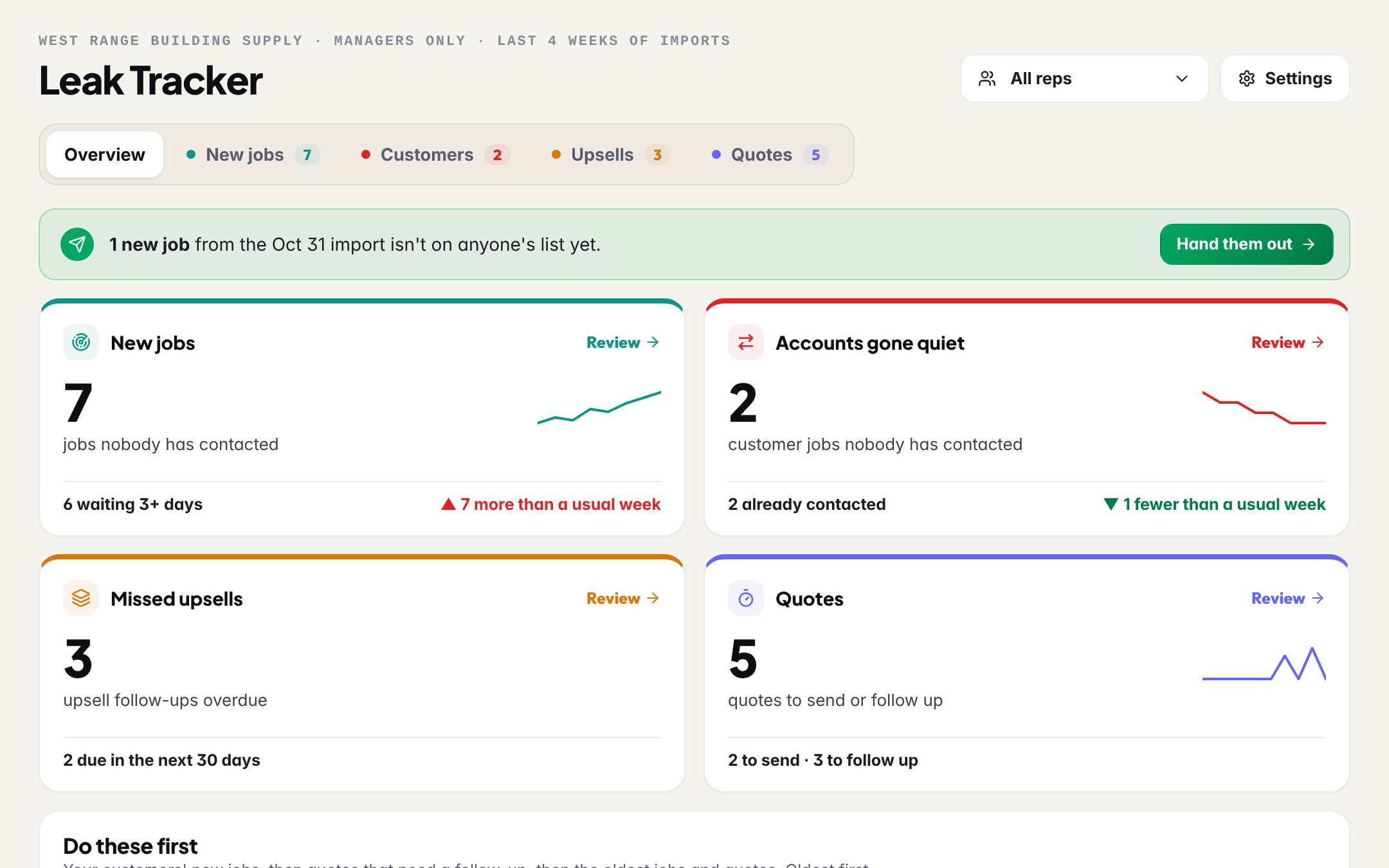
Where sales slip, one tab each.
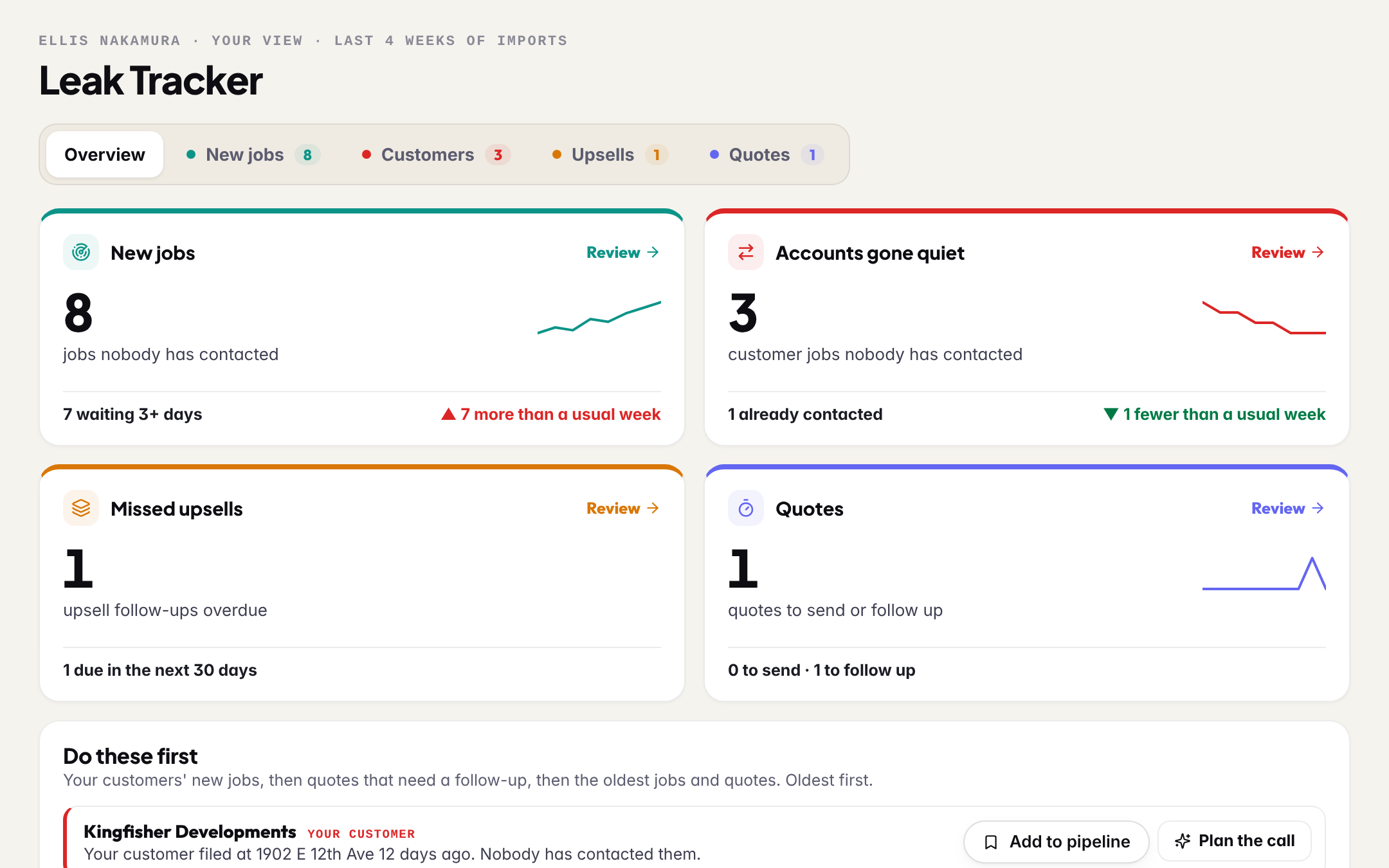
The overview puts all four in one row and lists what to do first: your customers' new jobs, then quotes that need a follow-up, then the oldest jobs. Every row opens the project, and every count comes from the same pipeline your reps work in.
Hand out the week. See who never called.
Every weekly import's jobs in your area arrive with the rep each should go to and the reason. Hand out one, a builder's jobs together, or the whole week. Under it, every job nobody has called or emailed, oldest first, with a Nudge or Assign on each.
- A job counts as late after 3 days, and only jobs over $500K of build value count. Both are yours to change
- Contacted means a call or an email logged, or the card moved past New
- One line per builder, with their jobs underneath
- Hand-outs land on the rep's pipeline and in their bell
- 1The rep who owns the accountFrom your customer list, or set by you.
- 2The rep your customer list namesLink the name in the list to a teammate once, in Settings.
- 3The rep who has worked that builderPast leads with that builder. Shown as a hint, never as fact.
- 4The rep who covers that city or typeEach rep's City, Type and Value filters, set in Settings.
- 5Next upShared across your reps, lightest load first.
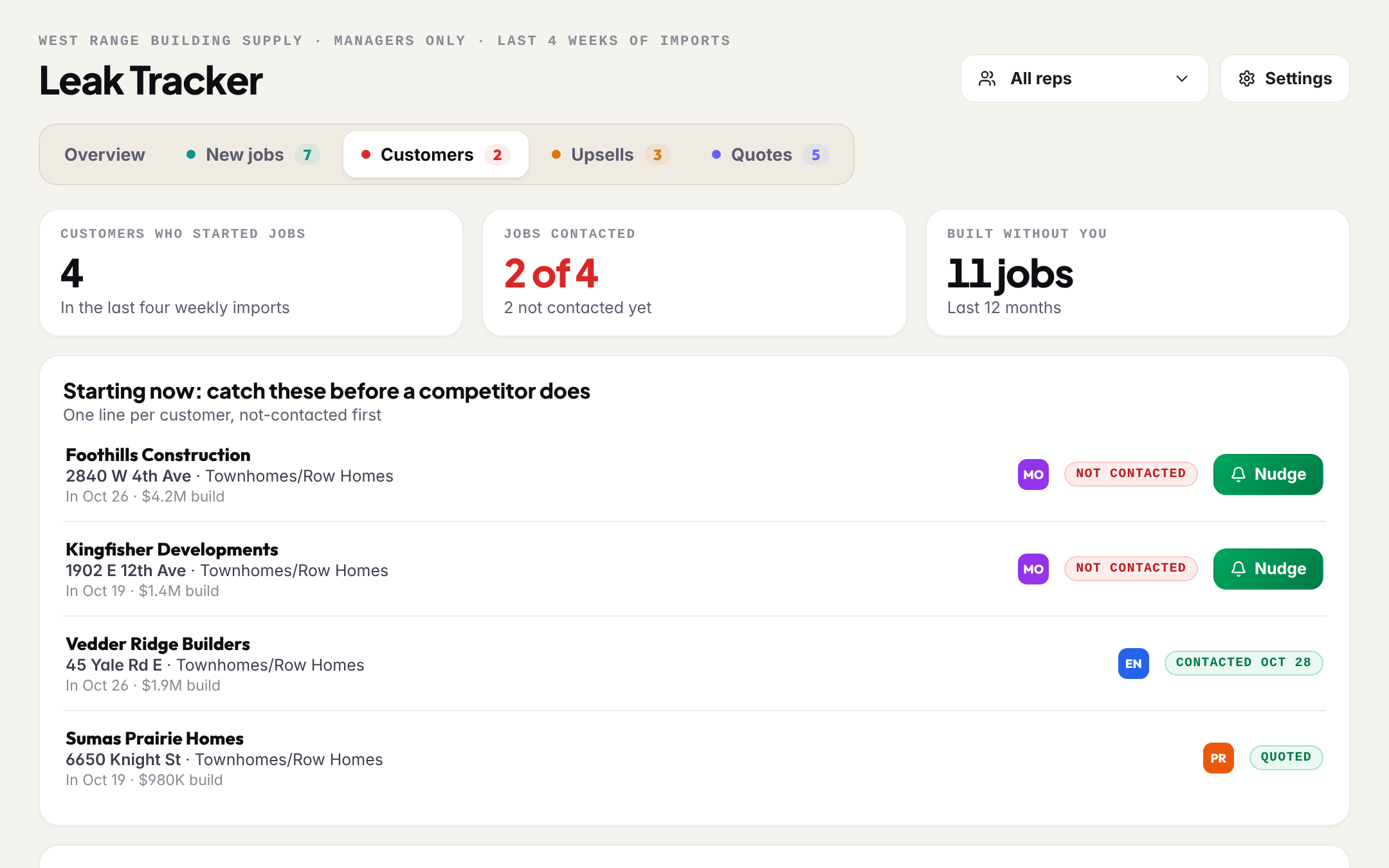
Your customer filed a job. Is anyone on it?
The Customers tab reads your customer list against every new permit. The moment a customer starts a new job, it shows here with whether anyone has called them, and beside it every job a customer built in the last year with nobody from your team on it.
- Starting now: one line per customer, not-contacted first
- Built without you: the customers whose jobs you were not on, and how many
- Your customer list stays in one place, and updates as you add to it
- No list yet? The tab, and every rep's Scout card, asks for one
You won the job. Did you sell the rest?
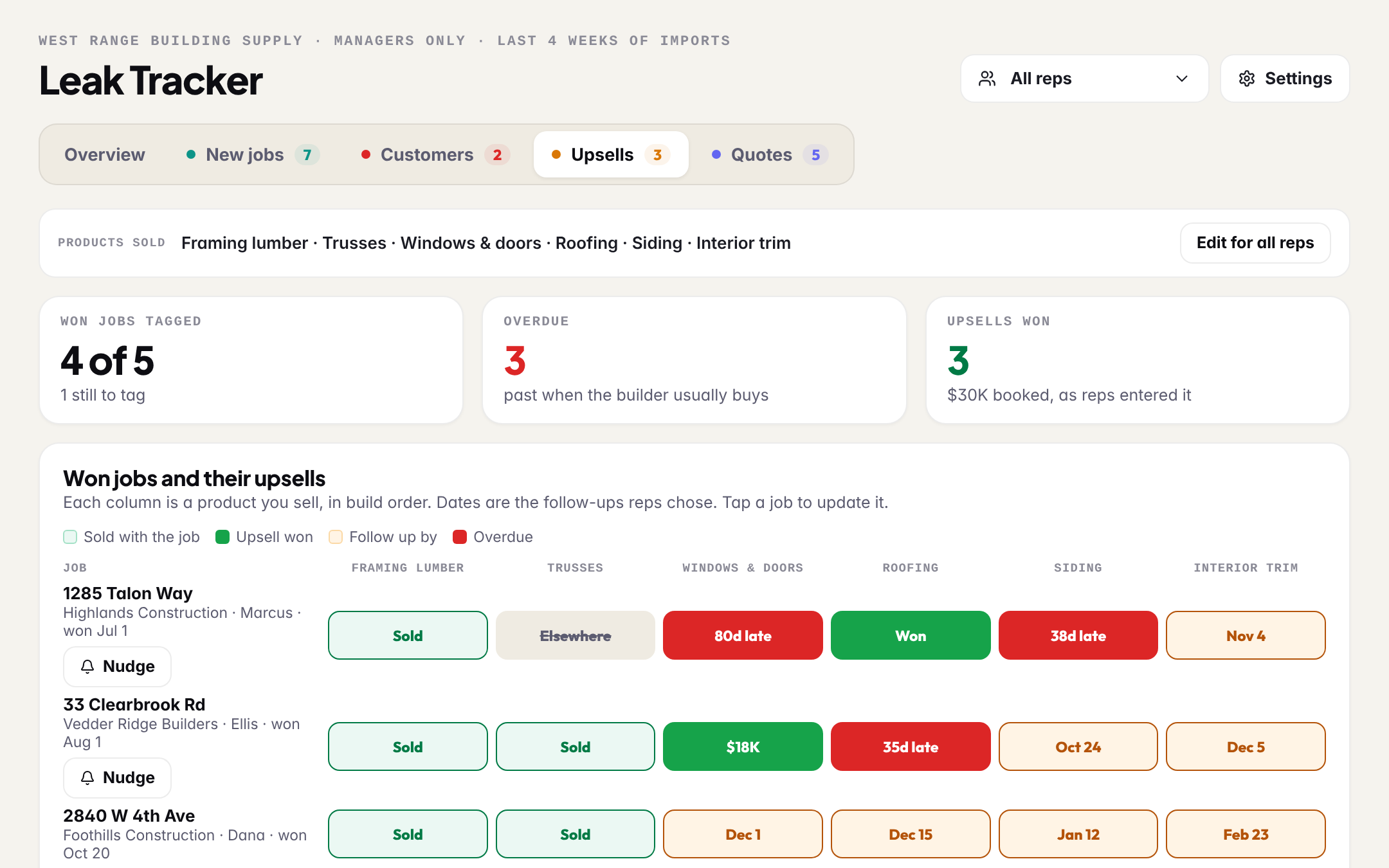
When a card lands on Won, BuildMapper asks the rep what they supplied. The Upsells tab lines every won job up against the products you sell, in build order, with the follow-ups your reps chose and the ones that came due.
- Your team's list of products, set once by you
- A follow-up is chosen by the rep, never assumed. Only those get a date and a reminder
- A won job nobody tagged is listed, and counts as nothing overdue
- The sale your rep types is the number, never an estimate
The quote went out. Then nothing.
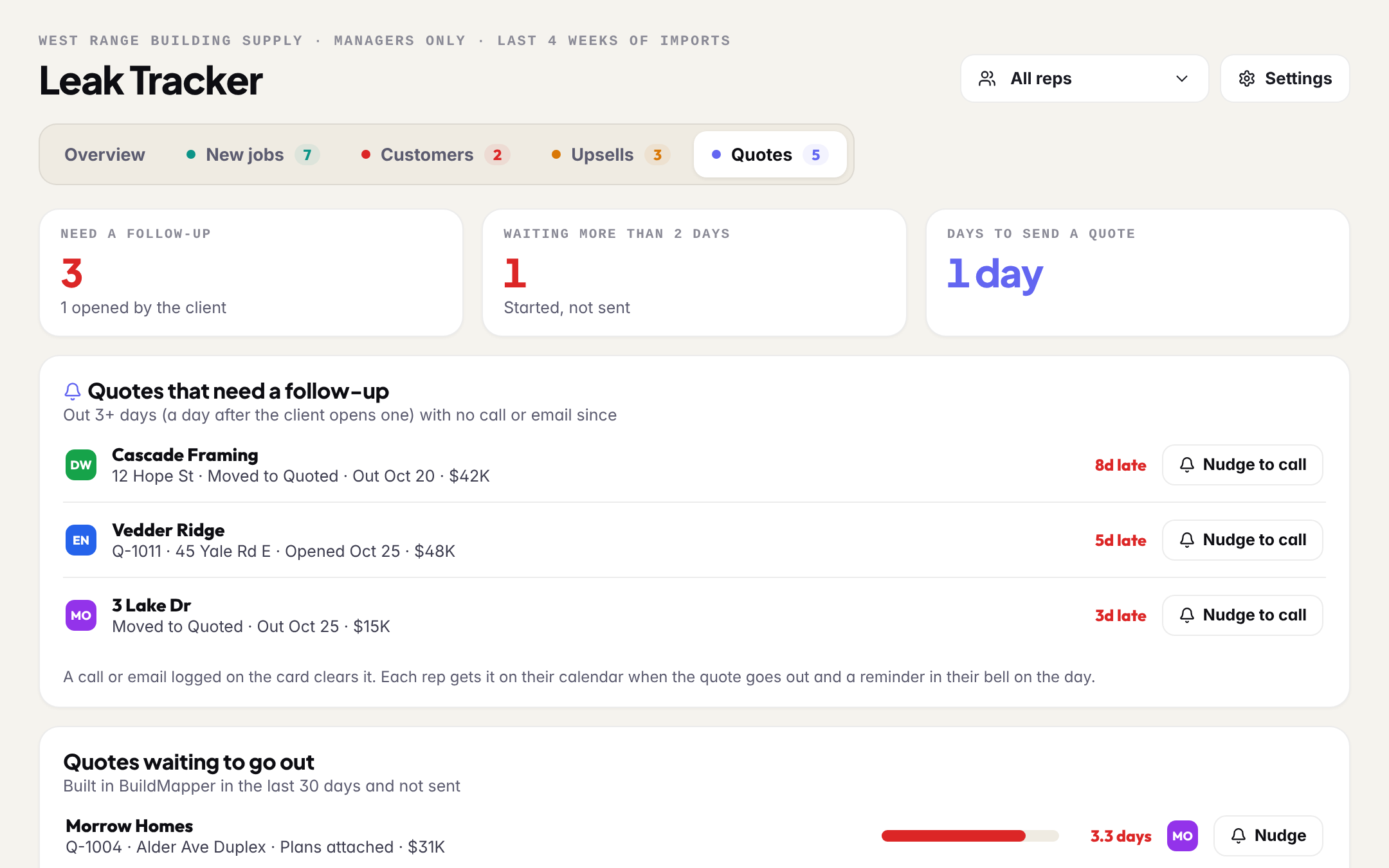
Most teams quote in their own system, so the Quotes tab reads your pipeline too: a card moved into Quoted is a quote that went out. Each one is due a follow-up 3 days later, or the day after the client opens a BuildMapper quote, until someone calls or emails.
- Quotes that need a follow-up, with how late each one is
- Quotes started in BuildMapper and never sent
- Days from start to sent, week by week, against your target
- The rep gets it in their bell on the day, and on their calendar if they want it
Set it once. The tabs are just the work.
Everything you set once lives behind one button, so the tabs only ever show what needs doing. Your team and roles stay in Settings, one link away.
- The rules: when a job is late, the smallest job that counts, your call and quote targets
- Who gets what: each rep's City, Type and Value
- Your customer list, and the rep names in it
- Edit team and roles: invite reps, make someone a manager