
Connections: your people, the builders you watch, and warm paths
Import the people you know and each is matched to the builder filing permits. Watch the builders whose next permit you want first. Warm paths shows who you already know who works with builders filing now.
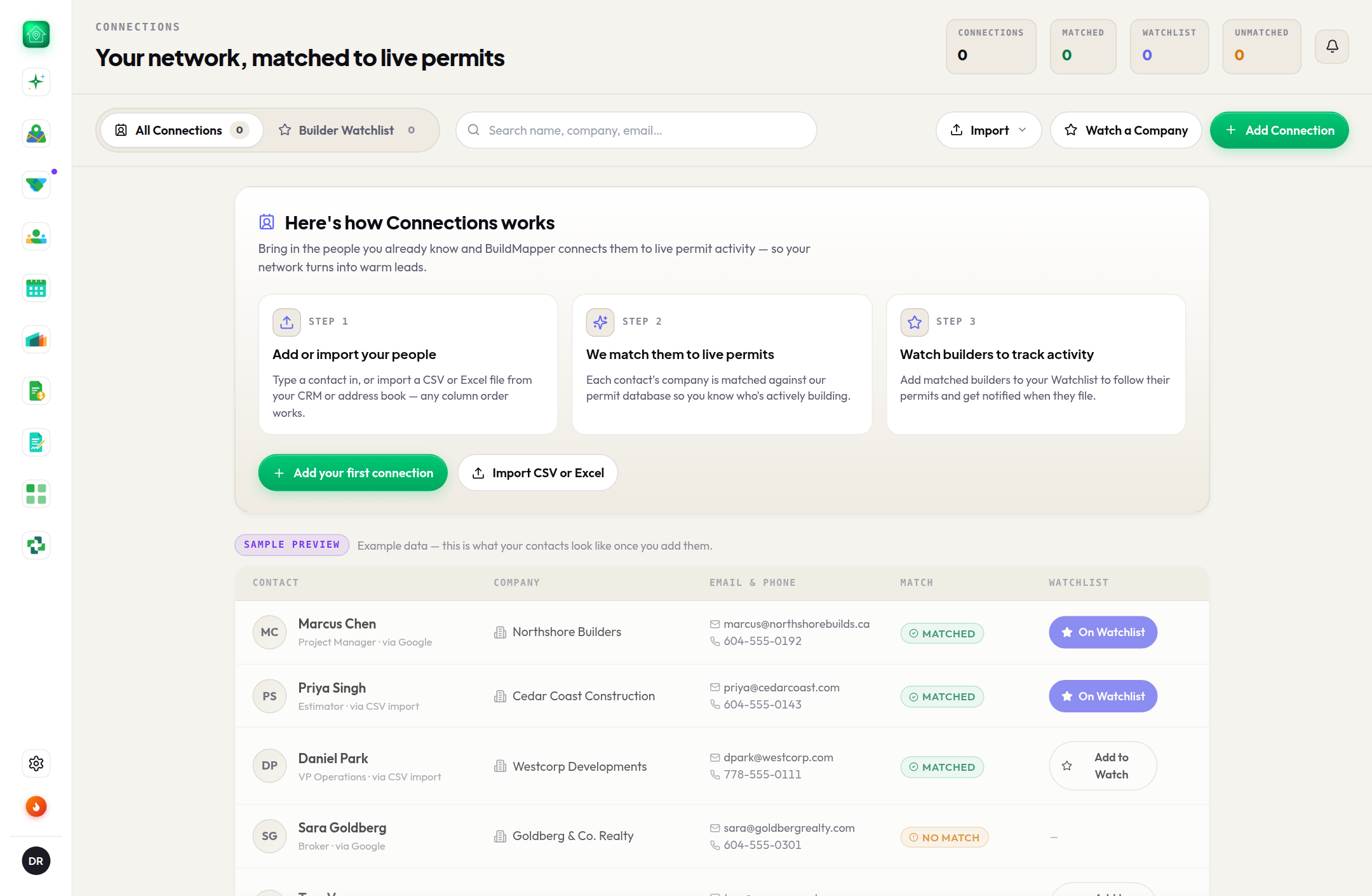
Permits are the what; Connections is the who. Three tabs: All Connections (your people, matched to live permits), Builder Watchlist (whose next permit comes to you), and Warm paths (the way in to builders you do not know yet).
All Connections
- 1Import CSV or ExcelAny column order, straight out of your phone, CRM or ERP; the columns are mapped for you, even from a CRM export that prefixes every heading. Save a legacy .xls as .xlsx or CSV first.
- 2See who matchedEach contact is matched to the builders named on permits and tagged Matched or Unmatched, so their projects show up against the right company. Export the whole book as CSV or Excel any time.
- 3Watch from hereWatch on a matched contact, or Watch all, puts their builder on your watchlist. An unmatched contact cannot be watched yet, and the page says so.
Builder Watchlist
- Their next permit comes to you. When a watched builder files, it lands in your bell under Watchlist.
- A watched builder scores Hot on your map, so their jobs are at the top.
- Watch a Company adds any builder from the permit database, no contact needed.
- On a team, the accounts your manager's customer file names against you are offered at the top of the page, one press to watch them. Nothing is watched for you without that press.
- Keep it tight. Ten builders you would drop everything for beats two hundred you will ignore.
Warm paths
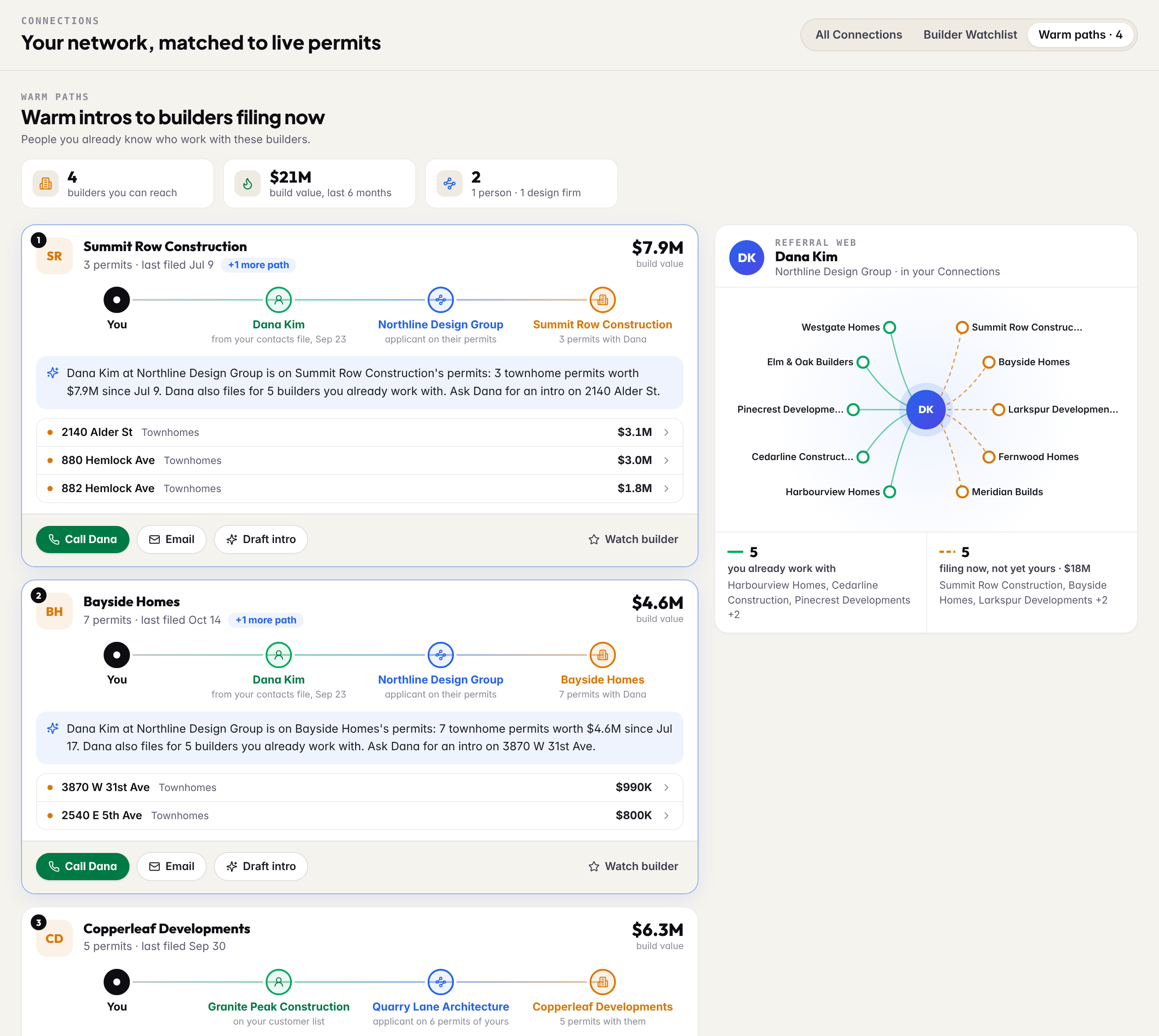
A warm path is someone you already know who works with a builder you do not. It starts only from your own rows (your contacts, your watchlist, your leads, your team's customer list) and goes through one bridge:
- A person in your Connections whose phone or email is on another builder's permits. You know them, so these rank first.
- A design firm that is the applicant on your builders' permits and also files for builders you have no lead with, in the areas it already works for you.
Each card shows the builder, what it filed in the last six months, the path with the receipt under every link (from your contacts file, Sep 23), and the projects. Call and Email reach the person you know; Draft intro opens the email drafter with the path already written in as context; Watch builder adds the builder to your list. Beside the list, the referral web shows everyone that person or firm connects you to: the builders you already work with through them, and the ones filing now that you do not.