
Your day: your list in Scout and your own Leak Tracker
Open Scout and your top three are waiting, each with one button that asks Scout to help. The full list is your own Leak Tracker view, with only your work in it.
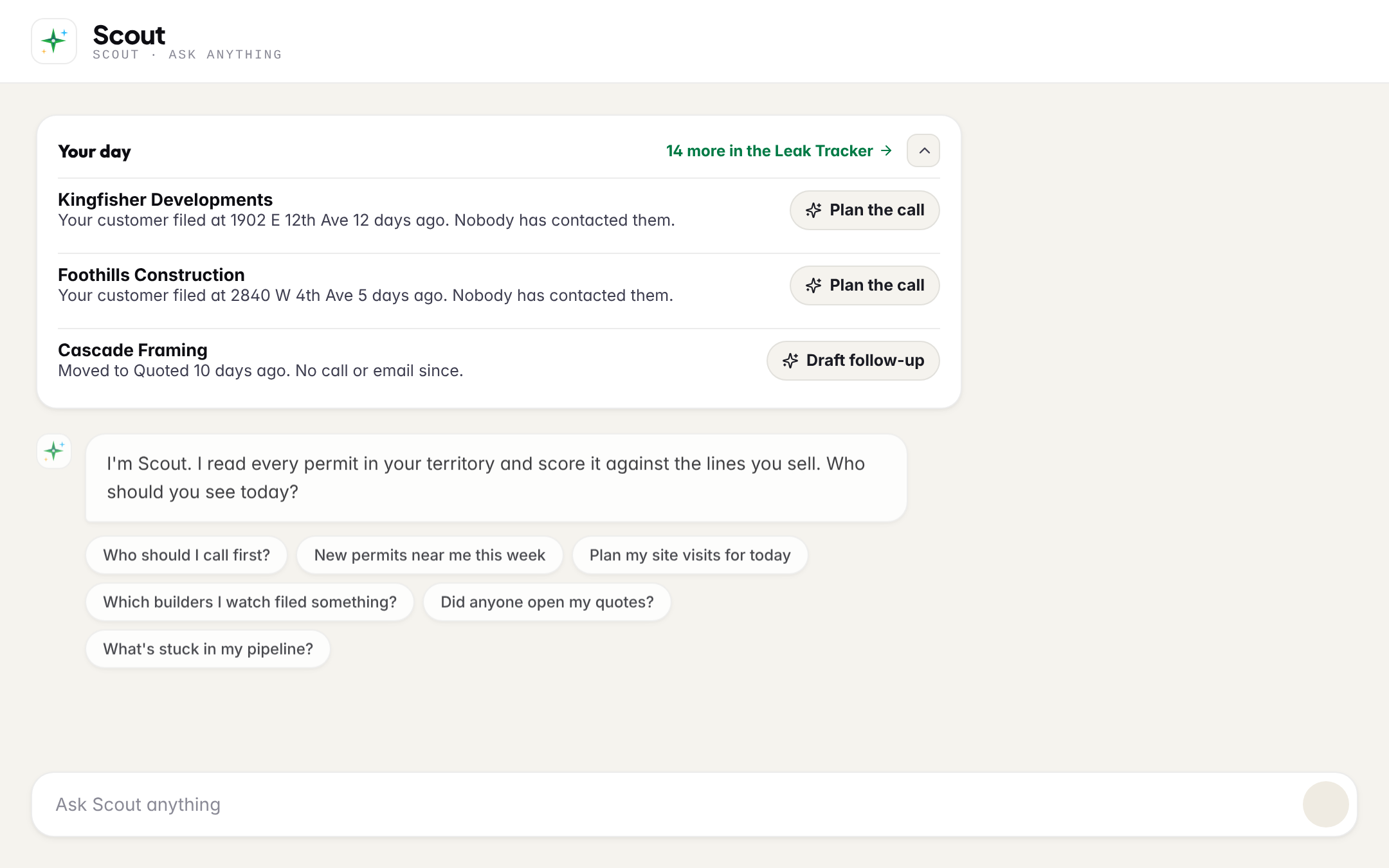
You do not get another dashboard. When you open Scout, Your day sits at the top: the three things waiting on you, oldest and most at risk first. Each has one button that hands it to Scout as your own question.
| Button | What Scout does |
|---|---|
| Plan the call | A new job or a customer's new job nobody has called: who to call, and what to say. |
| Draft follow-up | A quote that went out with no call or email since: a short follow-up email, and what to say if you call. |
| Get it out | A quote you started and never sent: what is missing to send it today. |
| Plan the upsell | A won job where the next product came due: who to call about it. |
The card folds to one line (Your day · 3 waiting) when you just want to ask Scout something, and stays folded until you open it again. N more in the Leak Tracker opens the full list.
Add the customers you look after
If BuildMapper has no customer list for you, the card asks for one. Drop any export, no template. Your upload is saved to your own account only, the same as importing them in Connections: the builders on it become your customers here, and you see the day one of them files a new job. A list your manager uploads is the team's, and it counts for you too.
Your own Leak Tracker
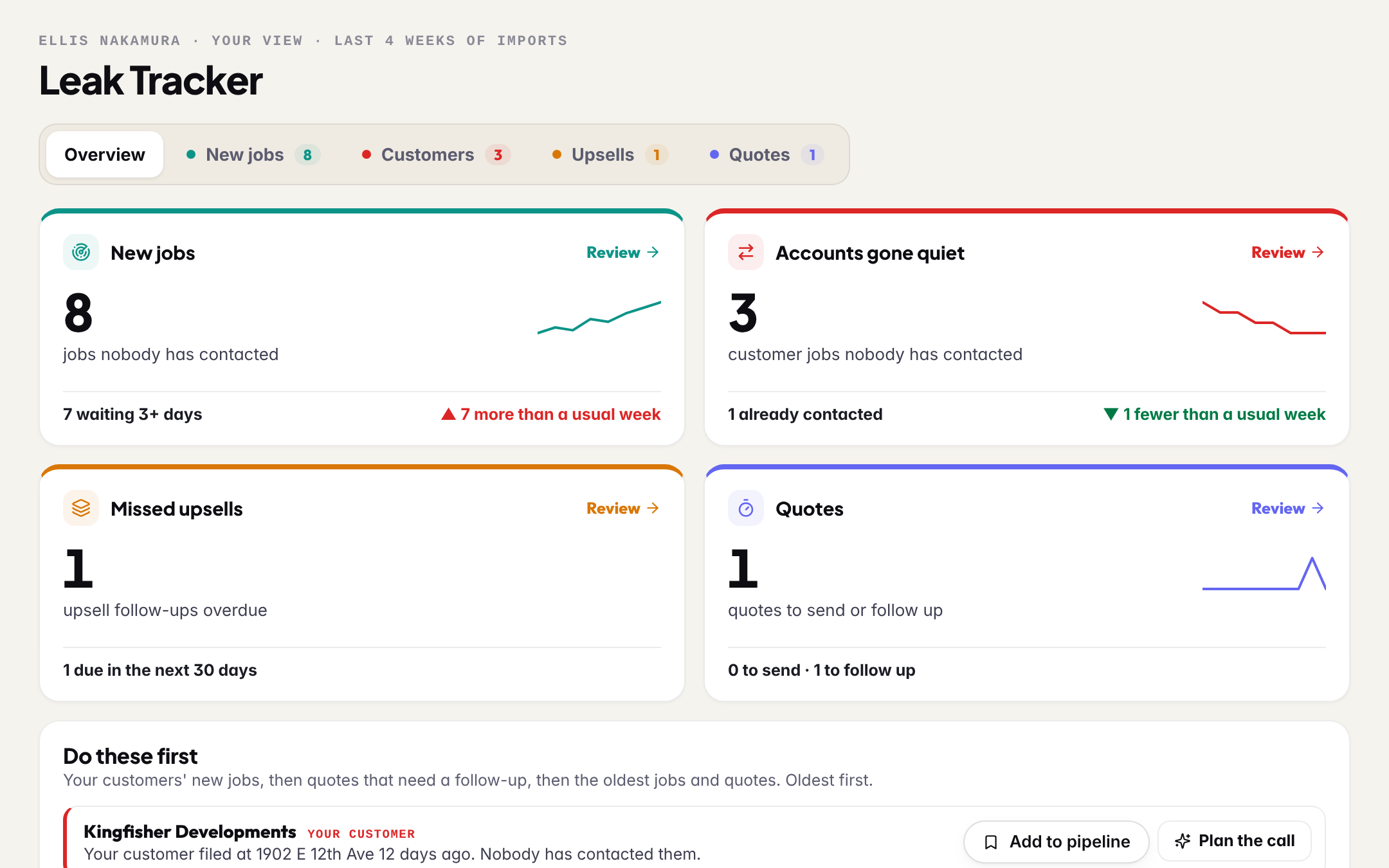
- Only your work. Your new jobs nobody called, your customers who just filed, upsells that came due and quotes to follow up. Never a teammate's leads.
- Add to pipeline puts a job that is not on your list onto your board. A call or an email logged on it is what clears it from the list.
- One Scout button per row, worded exactly as in Your day.
- No settings. The rules are your manager's.